Need help?
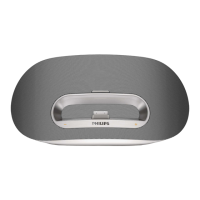
Do you have a question about the Philips DS8550 and is the answer not in the manual?
Covers reading instructions, avoiding water/heat, proper plug use, and cord care.
Advice on listening volumes and durations to prevent hearing damage.
How to establish safe volume levels and listen for reasonable periods with breaks.
Cautions for headphone use and general appliance warnings.
Procedure for connecting the AC adapter, including voltage checks and safe unplugging.
Lists compatible Apple devices and instructions for docking them.
Guides for playing audio, controlling playback, and charging docked devices.
Step-by-step guide to connect your Bluetooth-enabled device to the unit.
How to disconnect Bluetooth and play audio files from connected devices.
Solutions for problems like no power, no sound, or unit not responding.
 General
| RMS rated power | 15 W |
|---|---|
| Audio output channels | 2.0 channels |
| Bluetooth | Yes |
| Volume control | Digital |
| Package length | 158 mm |
| Dimensions (WxDxH) | 421 x 139 x 158 mm |
| Compatible products | iPad iPhone, iPhone 3G, iPhone 3GS, iPhone 4 iPod, iPod mini, iPod w/ CD, iPod 5G, iPod nano 2G, iPod nano 3G, iPod classic, iPod touch, iPod nano 1G, iPod nano 4G, iPod nano 5G, iPod touch 2G, iPod touch 2G 8/16/32 GB |
| Battery life (max) | 5 h |
 Weight and Dimensions
| Package width | 484 mm |
|---|---|
| Package height | 220 mm |


 To Next Page