EasyManua.ls Logo

Philips DVD Video Player - Functional Overview; Front of Player

Philips DVD Video Player
41 pages
Print Icon
To Next Page IconTo Next Page
To Previous Page IconTo Previous Page
Loading...
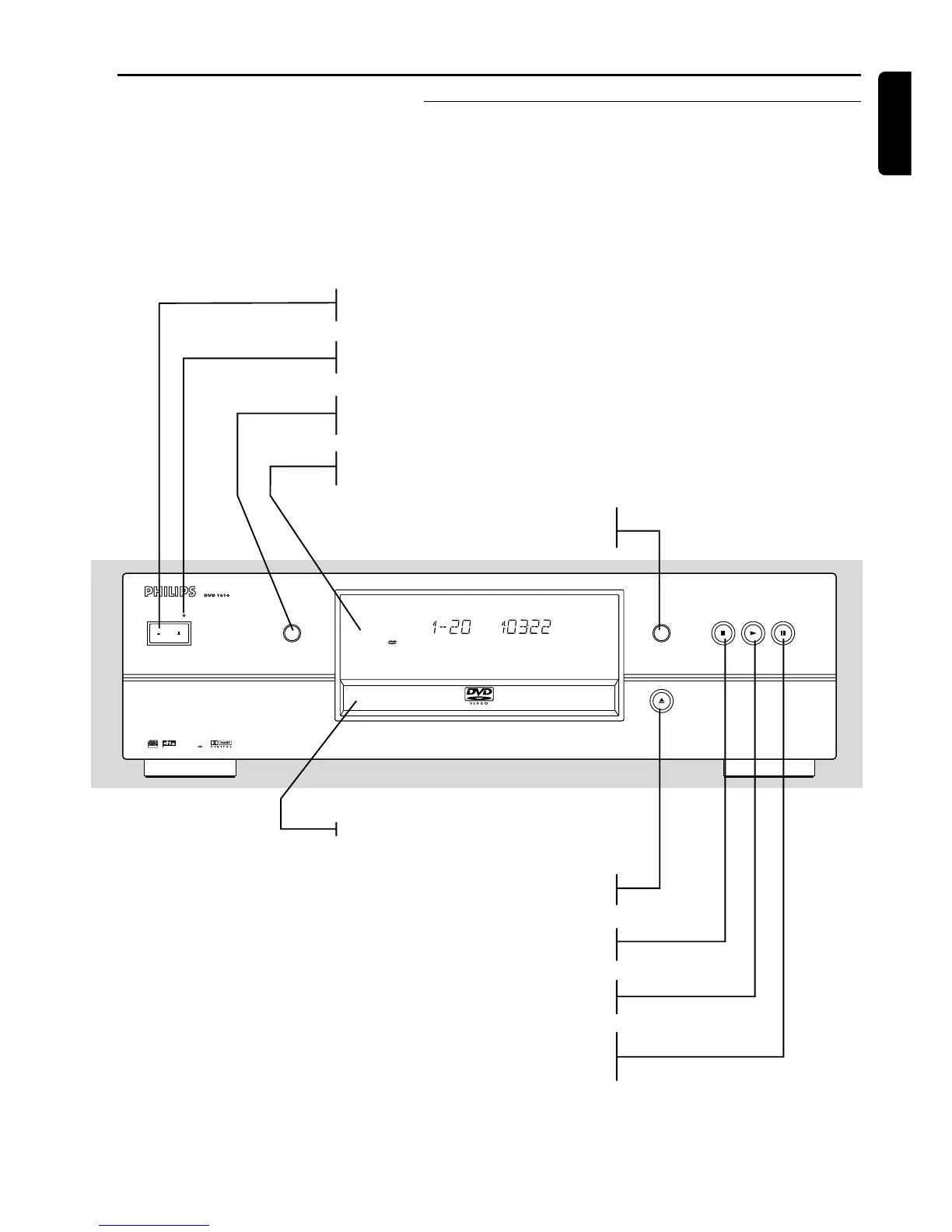
Front of player
English
FUNCTIONAL OVERVIEW
ON/OFF
VIDEO MODE DNM STOP PLAY PAUSE
OPEN/CLOSE
DIGITAL OUT
TruSurround
with
SRS
D
I
G
I
T
A
L
V
I
D
E
O
SACD
SVCD
CHAPTER TRACKTITLE
SCANINDEXCHAPTERTRACK
ALBUM TITLE
HDCDVIDEO
AUDIO
PIC
DTS PCM MCH
3
DSUR SPOTLIGHT ALLA-B REPEAT
GROUP
MCH
CD
STEREO
SHUFFLE
TOTAL REM TRACK TIME
F S
T
VGA
DIGITAL
NATURAL
MOTION
Functional overview
POWER ON/OFF
- switches the player on/off
Standby indicator
- lights up red when the player is in Standby mode
VIDEO MODE
- switches Active Control function on/off
Display
- displays the current status of the player
DNM
- switches on/off Digital Natural Motion function
9 STOP
- stops video/audio play
2 PLAY
- starts video/audio play
; PAUSE
- interrupts video/audio play or steps to the
next picture frame
/ OPEN/CLOSE
- opens/closes the disc tray
Disc loading tray


Related product manuals