FUNCTIONAL OVERVIEW 13
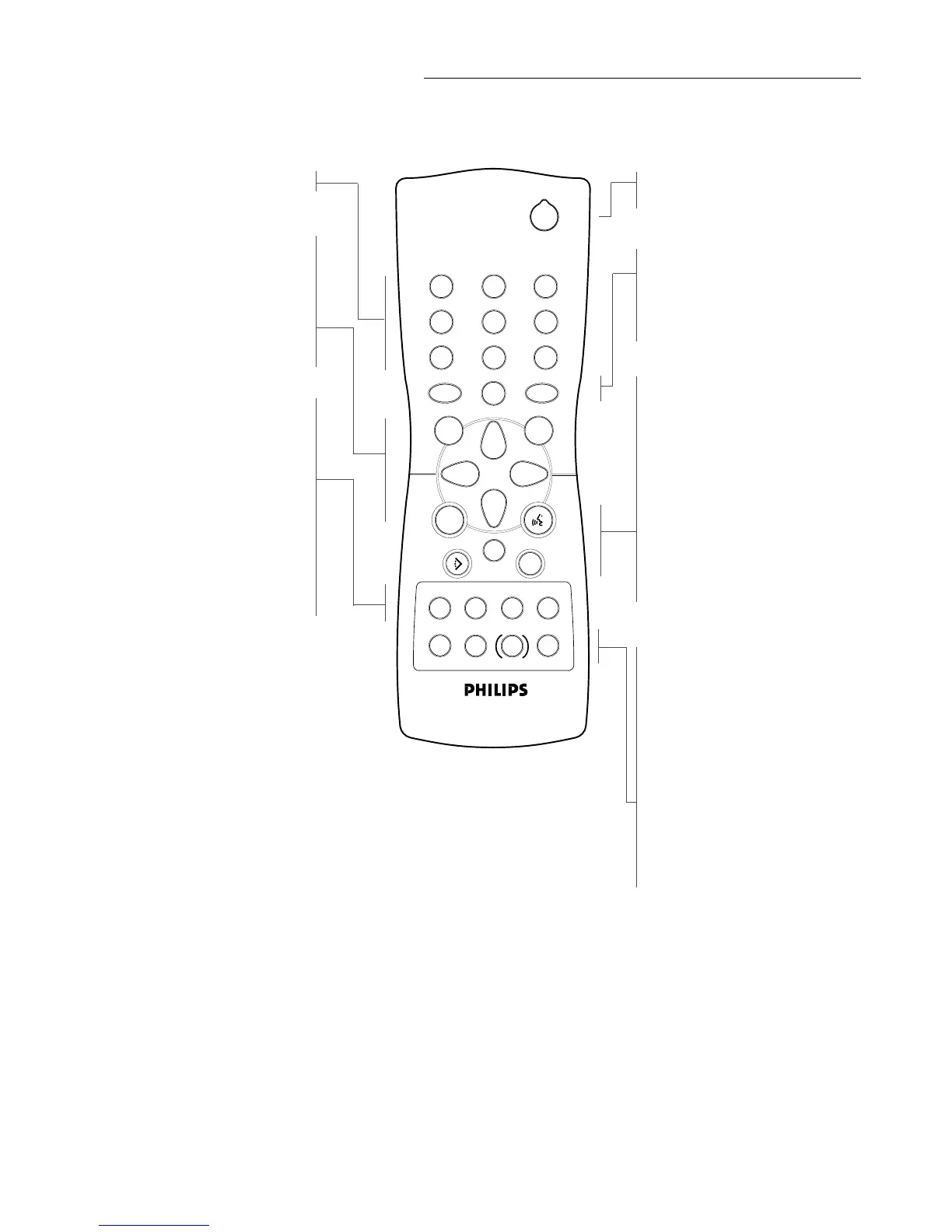
Remote control
0-9 numerical key pad
RETURN
- go back to previous menu
OK
- acknowledge menu selection
t u v w
- (left/right/up/down) cursor
movement
Q O
- search backward* /
previous chapter or track
9
- stop
2
- play
R P
- search forward* /
next chapter or track
STANDBY-ON
(ON-OFF)
MENU DVD
- access menu of a DVD
MENU OSD
- access or remove On-screen
display
Z
- subtitle language selector
Y
- audio language selector
T- C
- select title / select chapter
SETUP
- select player settings menu (in
stop mode only)
}
- select DVD camera angle
REPEAT
- repeat chapter, track, title, disc
REPEAT A-B
- repeat sequence
TIME SEARCH
- playback at any chosen time on
the disc*
;
- pause playback temporarily /
frame-by-frame playback
SHUFFLE
- playback tracks in random order
* Press key for about 2 seconds


 To Next Page