10
English
NOTE:
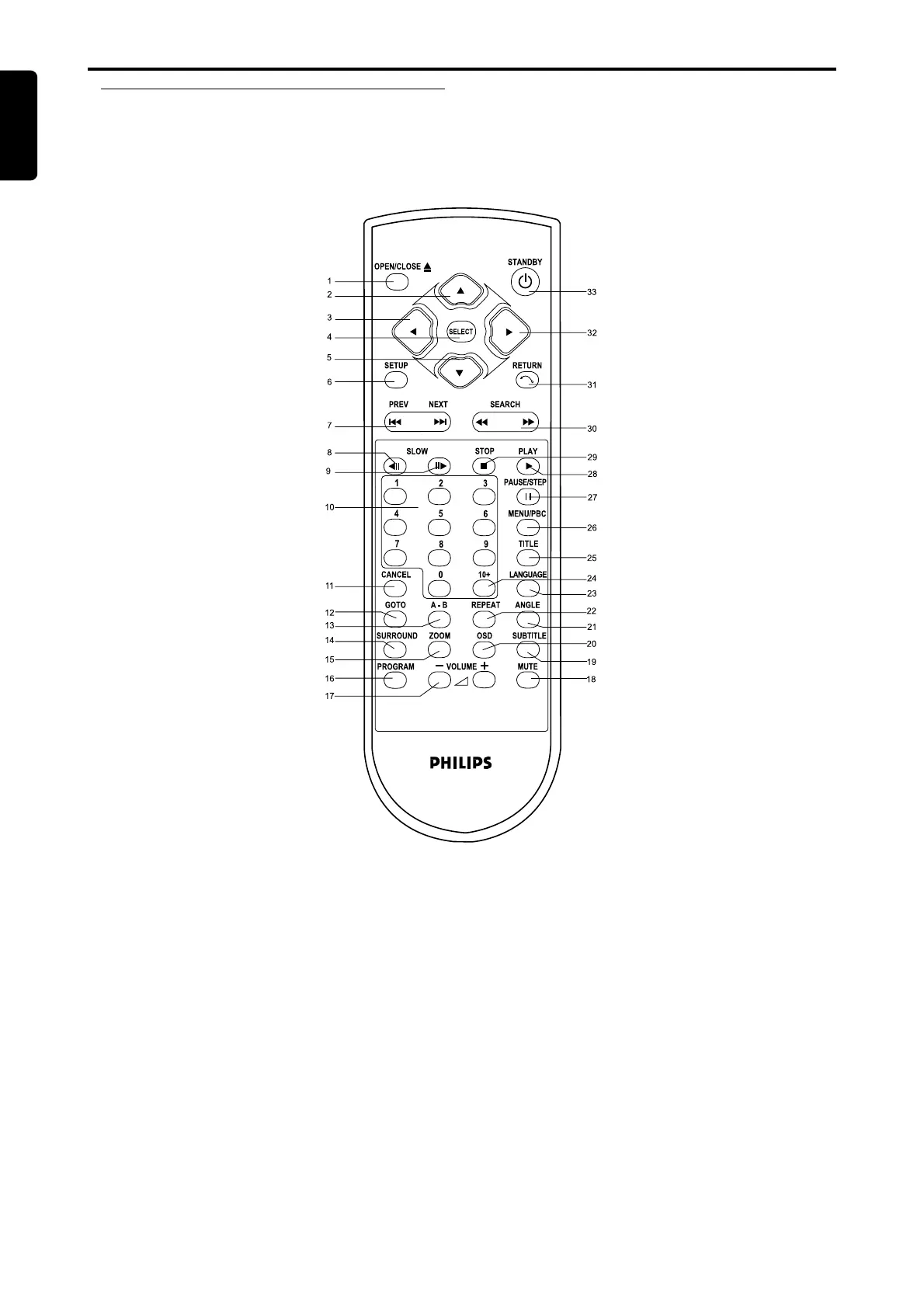
¶ To use the keys SETUP (6) and RETURN (31), please refer to chapter [Setup Menu].
¶ To use the keys CANCEL (11), please refer to chapter [Favourite Track Selection (DVD) / (SVCD, VCD, CD)].
¶ The rest of the keys are used for general operation, please see chapter [Playing a DVD-video disc] and [Playing a
SuperVCD / VCD / CD disc] for details.
Remote Control
Functional Overview
OPEN/CLOSE .1
DIRECTION KEY (UP) .2
DIRECTION KEY (LEFT) .3
SELECT .4
DIRECTION KEY (DOWN) .5
SETUP .6
PREV/NEXT .7
SLOW BACKWARD KEY .8
(Not available for VCD/SVCD discs)
SLOW FORWARD KEY .9
NUMBER KEY .10
CANCEL .11
GOTO .12
REPEAT A-B .13
SURROUND SOUND .14
ZOOM .15
PROGRAM .16
VOLUME .17
33. STANDBY
32. DIRECTION KEY (RIGHT)
31. RETURN
30. FAST FORWARD /
FAST BACKWARD
29. STOP
28. PLAY
27. PAUSE / STEP
26. MENU / PBC
25. TITLE
24. 10+ KEY
23. AUDIO LANGUAGE
22. REPEAT
21. ANGLE
20. On-Screen Display (OSD)
19. SUBTITLE
18. MUTE



 To Next Page