34 Repeat, Repeat A-B
Repeat
You may play a Chapter, Track, Title or entire Disc repeatedly. All Discs
may not allow all the repeat options. Check your Disc for details.
1
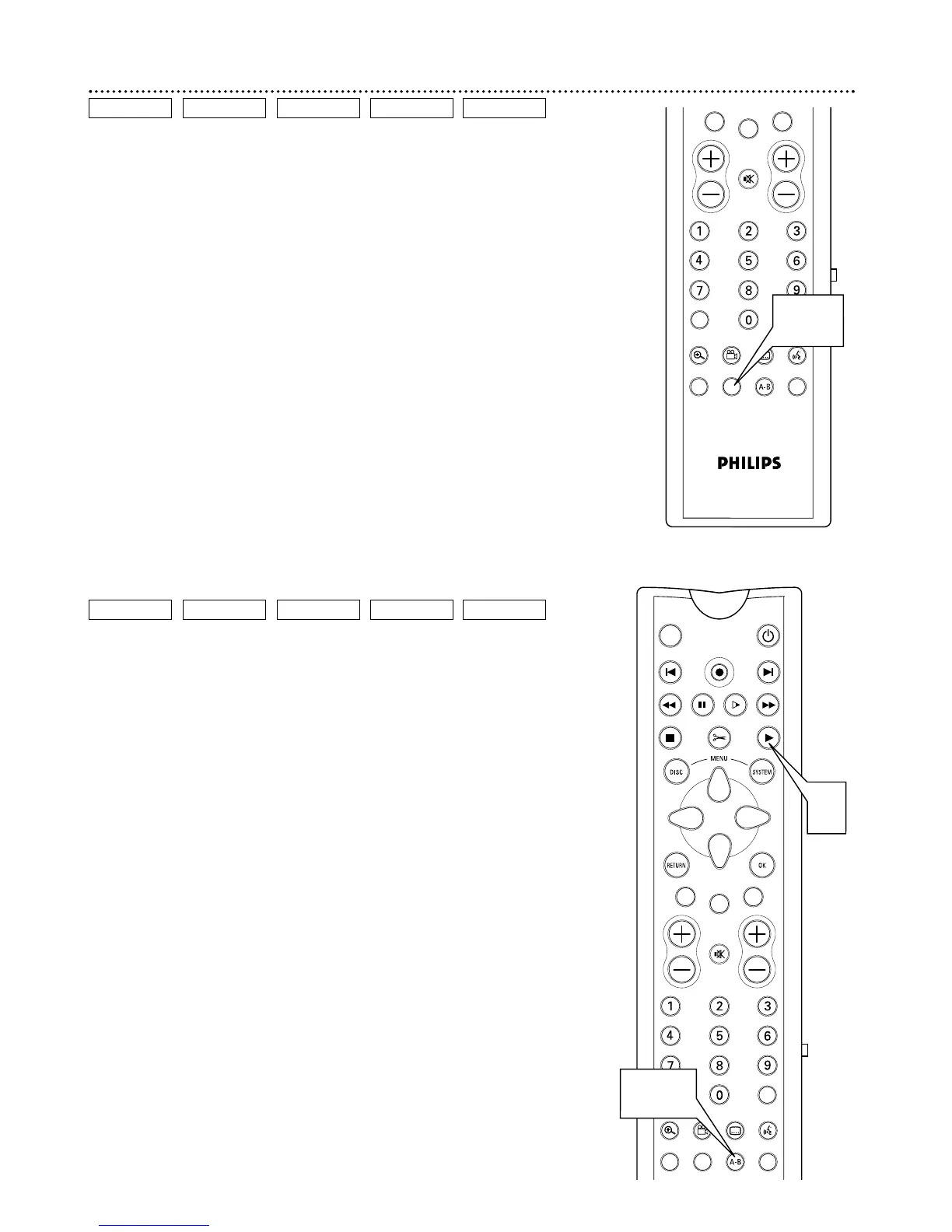
During Disc playback, press REPEAT repeatedly to choose
a Repeat option. Depending on the type of Disc, you may choose
to play the Chapter, Track, Title, or Disc repeatedly.
During DVD, Video CD, DVD+R, or DVD+RW playback, the
repeat symbols will appear briefly on the TV screen. Details are on
page 26.
On a DVD+RW or DVD+R, the entire Disc will play repeatedly
only if the Disc is full of recordings.
2
To cancel repeat playback, repeatedly press REPEAT until
all the repeat symbols or messages disappear from the screen.
Repeat A-B
You also may set the DVD Recorder to play only a specific portion of a
Title, Chapter, or Track repeatedly. Follow these steps.
1
Press PLAY : to start Disc playback.
2
When the Disc reaches the point at which you want repeat-
ed playback to begin, press REPEAT A-B.
3
When the Disc reaches the point at which you want to end
the segment, press REPEAT A-B again. The segment will begin
playing repeatedly.
4
To resume regular playback, press REPEAT A-B again.
Regular playback will resume from the current point.
DVD
VIDEO CD AUDIO CDDVD+RW DVD+R
DVD
VIDEO CD AUDIO CDDVD+RW DVD+R



 To Next Page