EasyManua.ls Logo

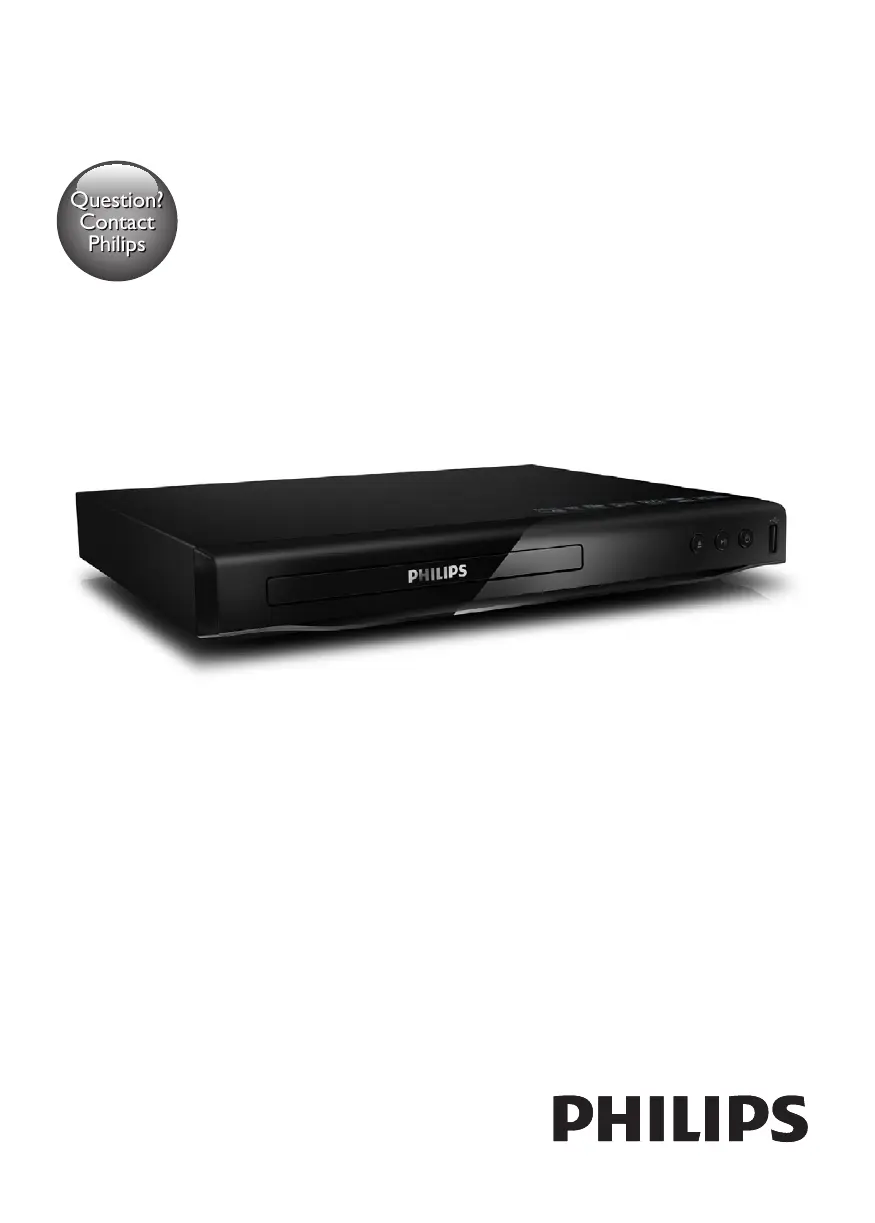
Philips DVP2850X/78 - User Manual

Philips DVP2850X/78
19 pages
Print Icon
To Next Page IconTo Next Page
Loading...
Register your product and get support at
www.philips.com/welcome
Always there to help you
User manual
DVP2850
Question?
Contact
Philips
DVP2850X_78_UM_EN.indd 1 2012/12/21 10:40:50

Questions and Answers

  • J
    Justin RichardsonSep 17, 2025
    What to do if there is no sound through digital input on Philips Home Cinema speakers?
    • M
      Michael MarshallSep 17, 2025
      If you're experiencing no sound through the digital input on your Philips Home Cinema speakers, try setting your TV output to PCM. If that doesn't work, connect your speakers directly to your Blu-ray player or another source, as some TVs might not pass through digital audio. Also, ensure that the audio output setting is set to FIXED or STANDARD, and not VARIABLE.
  • C
    Crystal NicholsSep 10, 2025
    How to close the top lid of my Philips Electric Pressure Cooker?
    • M
      Mary BarrySep 10, 2025
      If you're having trouble closing the top lid: * Ensure the inner lid is correctly assembled around the inside of the top lid. * Make sure the handle is in the correct position by turning it counter-clockwise.
  • D
    Donald AndersonSep 7, 2025
    What to do if I have difficulties opening the top lid of my Philips Electric Pressure Cooker after the pressure is released?
    • J
      Jennifer AllenSep 7, 2025
      If you're having trouble opening the lid after pressure release: * Ensure the handle is in the correct position. * If there could be food residue on the bottom of the floating valve, do not force it open, as this may cause burns. Wait for the appliance to cool down for about 30 minutes, then repeatedly turn the handle back and forth.
  • C
    Claudia MathewsAug 26, 2025
    Why do my Philips Speakers have no power?
    • J
      jonesmatthewAug 27, 2025
      If your Philips Speakers have no power, make sure the AC cord is properly connected and that the AC outlet has power. Also, try pressing the standby button on the remote control or the soundbar to turn the soundbar on.
  • A
    amber50Aug 27, 2025
    What to do if the subwoofer of my Philips Speakers is idle?
    • L
      Laurie ParsonsAug 27, 2025
      If the subwoofer is idle or the indicator light is off on your Philips Speakers, unplug the power cord from the mains socket and plug it back in after 3 minutes to reset the subwoofer.
  • D
    dorseyjasonAug 29, 2025
    Why is there no sound on my Philips Speaker System?
    • J
      John WoodsAug 29, 2025
      If there's no sound coming from your Philips Speaker System, here are a few things to check: * First, increase the volume on the soundbar itself or via the remote. * Make sure the soundbar isn't muted by pressing the mute button on the remote. * Try selecting different input sources using the source buttons. * Check your TV settings and set the audio output to PCM. * If connected to a TV, try connecting directly to your Blu-ray player or other source. * Ensure your TV's audio output is set to FIXED or STANDARD, not VARIABLE (refer to your TV's manual). * Also, verify that the volume on your source device is turned up and not muted.
  • R
    Ryan HowardAug 30, 2025
    What to do if Philips Speaker System remote control does not work?
    • D
      dianahobbsAug 30, 2025
      If the remote control for your Philips Speaker System isn't working, try these steps: * First select the correct source before pressing any playback control button. * Reduce the distance between the remote and the unit. * Make sure the battery is inserted correctly, with the polarities (+/-) aligned as indicated. * Replace the battery. * Aim the remote directly at the sensor on the front of the unit.
  • Z
    Zachary OconnellSep 23, 2025
    Why can't I find the Bluetooth name of my Philips Home Cinema speakers?
    • C
      Carol PowersSep 23, 2025
      If you can't find the Bluetooth name of your Philips Home Cinema speakers on your Bluetooth device, ensure that the AC cord is properly connected and that there is power at the AC outlet. Also, make sure the soundbar is turned on by pressing the standby button on the remote control or the soundbar itself.
  • M
    meganreedSep 18, 2025
    How to fix an idle Philips Home Cinema speakers subwoofer?
    • A
      Angela VincentSep 18, 2025
      If the subwoofer of your Philips Home Cinema speakers is idle or its indicator light is off, unplug the power cord from the mains socket. Then, plug it back in after 3 minutes to reset the subwoofer.
  • M
    meganmooreSep 9, 2025
    What to do if E1, E2, E3, E8, E10, E11, or E16 displays on the screen of my Philips Electric Pressure Cooker?
    • J
      James SmithSep 9, 2025
      If you see E1, E2, E3, E8, E10, E11, or E16 on the screen, it indicates that your Philips All-in-One cooker has a malfunction. Take the appliance to a Philips dealer or a service center authorized by Philips.

Philips DVP2850X/78 Specifications

General IconGeneral
BrandPhilips
ModelDVP2850X/78
CategoryElectric Shaver
LanguageEnglish

Related product manuals