EasyManua.ls Logo

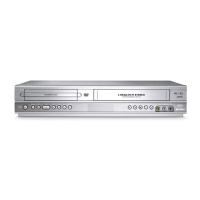
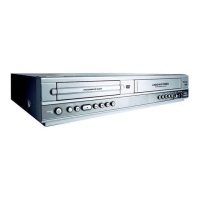
Philips DVP3100V/19 - User Manual

Philips DVP3100V/19
9 pages
Print Icon
To Next Page IconTo Next Page
Loading...
1
Disconnect all equipment from the power outlets. Connect the equipment to the power outlets only after you
have finished hooking up everything. Never make or change connections with equipment connected to the power outlet.
2
Connect the EURO AV1 AUDIO/VIDEO on the rear panel of this DVD/VCR to the SCART input on the TV
using the SCART cable (supplied).
3
Connect your existing RF cable from the Antenna TV signal directly to the AERIAL jack on the rear of the
DVD/VCR.
If you have a Cable Box (or Satellite Receiver), connect the OUT jack of the Cable Box/Satellite Receiver to the AERIAL
jack on the DVD/VCR using an RF coaxial cable (not supplied).
4
Connect the supplied black RF cable to the DVD/VCR’s RF-OUT jack and to your TV’s ANTENNA IN jack.
The TV’s ANTENNA IN jack could be labelled 75-ohm, TV IN, or RF IN. Check your TV manual for details.
5
Connect the power cords of the DVD/VCR,TV, and Cable Box (if applicable) to a power outlet.
6
Turn on the TV power. Set the TV to a video channel. (See the accompanying DVD/VCR owner’s manual for
details.)
7
Press STANDBY-ON/POWER 2 on the DVD/VCR or its remote to turn on the DVD/VCR. The first time
you turn on the DVD/VCR, you should complete the VCR setup. See the other side of this Quick-Use Guide for
details.
SCART IN
SCART IN
IN
OUT
RF
CABLE
CABLE
TV SIGNAL
Antenna
Cable box (optional)
3
4
5
2
SgpSL/0509/01&19_8
DVP3100V
Question and Answer IconNeed help?

Do you have a question about the Philips DVP3100V/19 and is the answer not in the manual?

Summary

Connecting the DVD;VCR

Disconnect Power and Prepare Connections

Disconnect all equipment from power outlets before making any connections.

Connect Audio;Video Cables

Connect EURO AVI AUDIO/VIDEO to TV SCART using the SCART cable.

Connect RF Cables

Connect RF cable from Antenna or Cable Box to DVD/VCR's AERIAL jack.

Connect RF Output to TV

Connect DVD/VCR's RF-OUT to TV's ANTENNA IN jack with RF cable.

Connect Power Cords

Connect power cords for DVD/VCR, TV, and optional Cable Box.

Initial Power On and Setup

Turn on TV, set to video channel, then power on DVD/VCR for initial setup.

Playing a Disc

Select DVD Mode and Insert Disc

Press DVD button, open tray, insert disc with label up, close tray.

Start Playback

Playback may start automatically or use PLAY button; follow on-screen menu.

Stop Playback

Press the STOP button to stop disc playback.

Setting Up the VCR

Initial VCR Setup Steps

Set TV to SCART, power on DVD/VCR, select country, and start auto tuning.

Remote Control and Region Codes

Instructions for remote control use and DVD region code requirements.

Summary

Connecting the DVD;VCR

Disconnect Power and Prepare Connections

Disconnect all equipment from power outlets before making any connections.

Connect Audio;Video Cables

Connect EURO AVI AUDIO/VIDEO to TV SCART using the SCART cable.

Connect RF Cables

Connect RF cable from Antenna or Cable Box to DVD/VCR's AERIAL jack.

Connect RF Output to TV

Connect DVD/VCR's RF-OUT to TV's ANTENNA IN jack with RF cable.

Connect Power Cords

Connect power cords for DVD/VCR, TV, and optional Cable Box.

Initial Power On and Setup

Turn on TV, set to video channel, then power on DVD/VCR for initial setup.

Playing a Disc

Select DVD Mode and Insert Disc

Press DVD button, open tray, insert disc with label up, close tray.

Start Playback

Playback may start automatically or use PLAY button; follow on-screen menu.

Stop Playback

Press the STOP button to stop disc playback.

Setting Up the VCR

Initial VCR Setup Steps

Set TV to SCART, power on DVD/VCR, select country, and start auto tuning.

Remote Control and Region Codes

Instructions for remote control use and DVD region code requirements.

Philips DVP3100V/19 Specifications

General IconGeneral
BrandPhilips
ModelDVP3100V/19
CategoryDVD VCR Combo
LanguageEnglish

Related product manuals