English
15
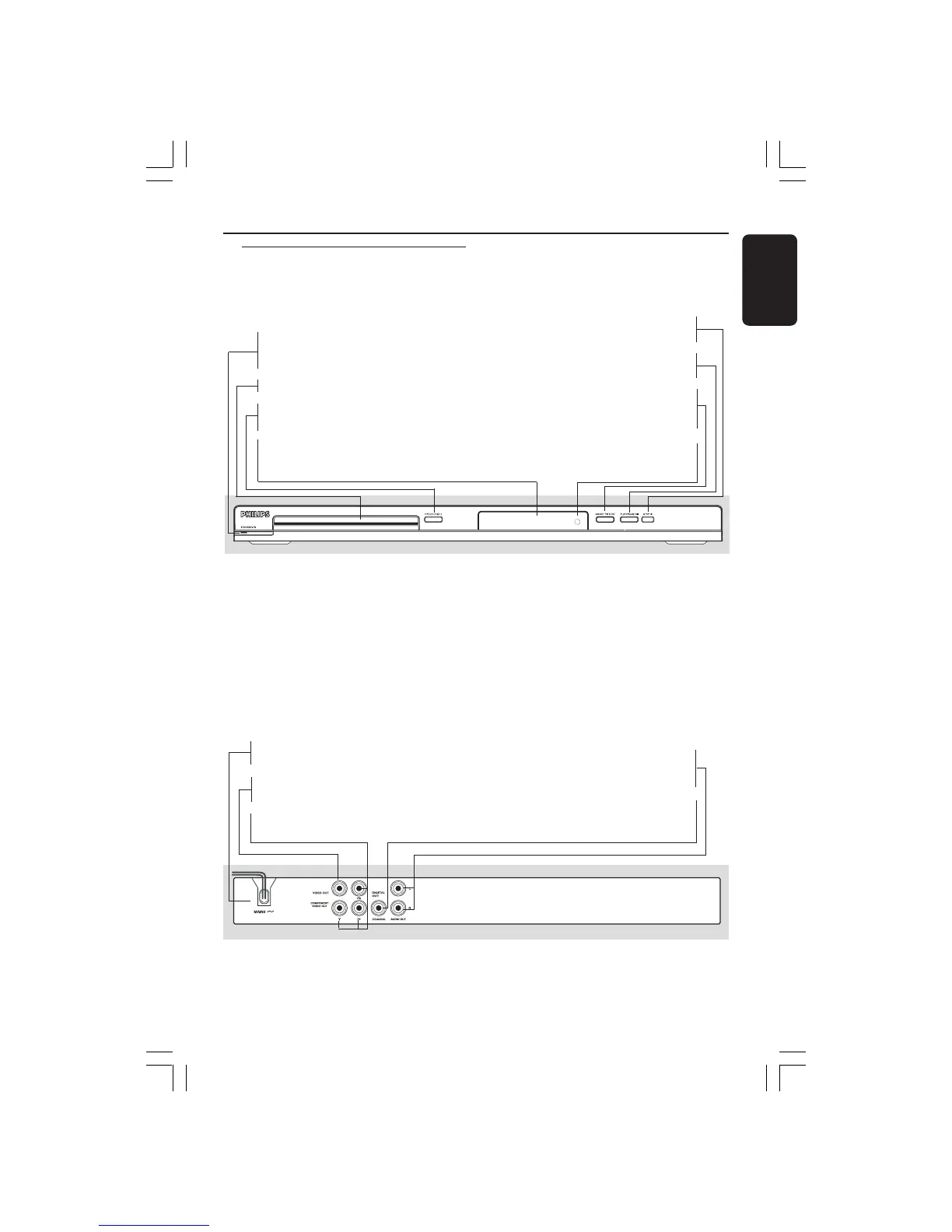
Functional Overview
Front and Rear Panels
Caution: Do not touch the inner pins of the jacks on the rear panel.
Electrostatic discharge may cause permanent damage to the unit.
9 STOP
– Stops playback
2; PLAY/PAUSE
– Starts or pauses playback
SMART PICTURE
– To toggle between Standard, Vivid, Cool
and Personal
IR Sensor
– Point the remote control towards this
sensor
STANDBY-ON B
– Turns the player on or switches it to
standby mode
Disc tray
OPEN/CLOSE /
– Opens or closes the disc tray
Display
– Shows information about the current
status of the DVD Player
Audio Out (Left/Right)
– Connect to AUDIO inputs of an
amplifier, receiver or stereo system
COAXIAL (Digital audio out)
– Connect to coaxial AUDIO input of a
digital audio equipment
Mains (AC Power Cord)
– Connect to a standard AC outlet
CVBS (VIDEO Out)
– Connect to CVBS Video input of a TV
YPbPr (Component Video Out)
– Connect to YPbPr input of a TV
001-47 DVP5140_Eng_37_RC2 11/07/06, 2:02 PM15



 To Next Page