English
29
DVD Menu Options
Sound Mode
The digital sound effect allows you to
select from various pre-set modes that
control the frequency bands of optimized
certain musical styles. It enhances the
excitement and enjoyment of your
favorite music.
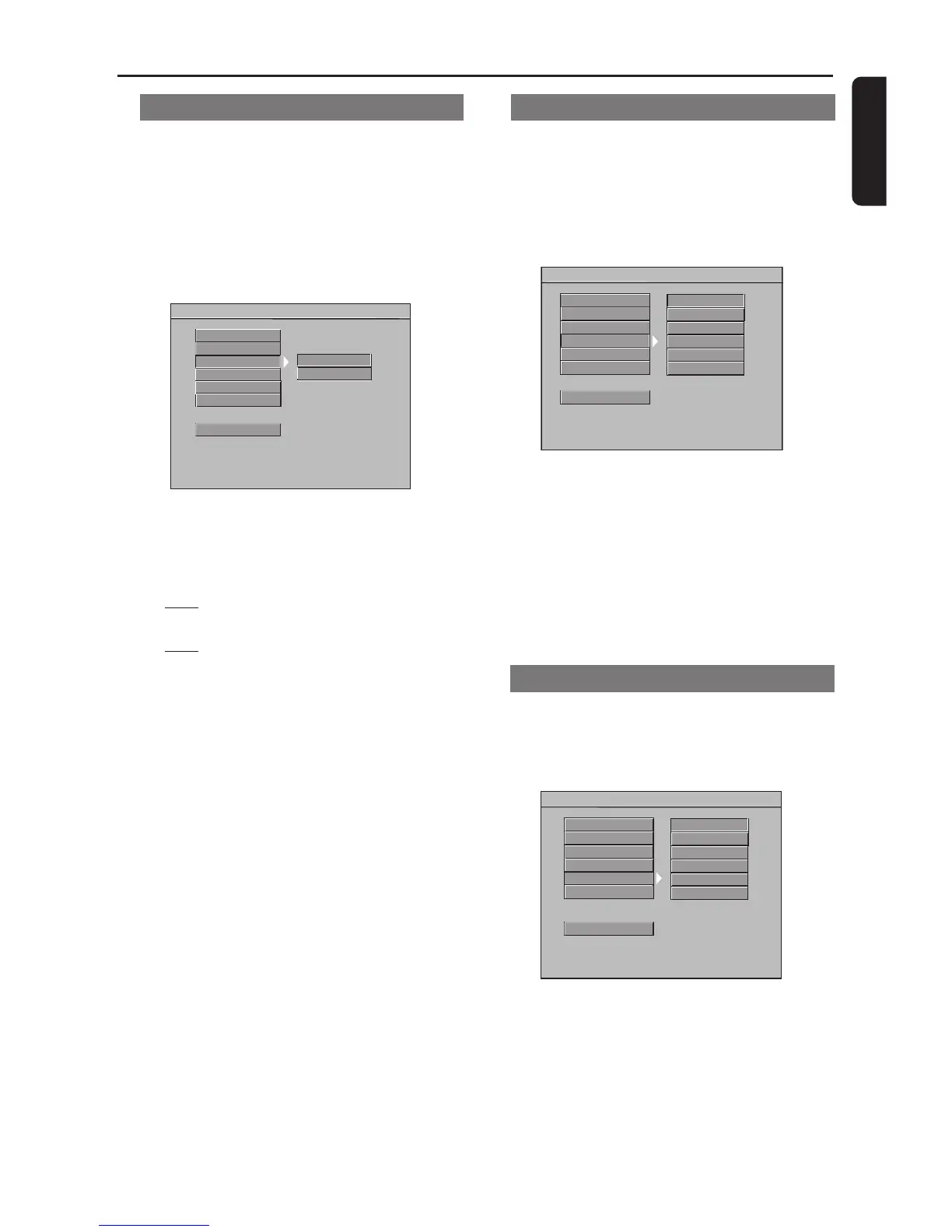
- - AUDIO SETUP PAGE - -
DIGITAL OUTPUT
LPCM OUTPUT
SOUND MODE
REVERB MODE
NONE
ROCK
MAIN PAGE
DOWNMIX
D.R.C
POP
BALLAD
DANCE
CLASSIC
1 Press 34 to highlight ‘Sound Mode’.
2 Enter its submenu by pressing 2.
3 Press 34 to choose a setting.
➜ None, Rock, Pop, Ballad, Dance,
Classic
4 Press OK, then press 1 to return to the
Audio Setup Page.
Reverb Mode
Reverb mode provides a virtual surround
sound effect even when the DVD Player is
connected to a Stereo or TV that has only
left/right stereo sound capability.
- - AUDIO SETUP PAGE - -
DIGITAL OUTPUT
LPCM OUTPUT
SOUND MODE
REVERB MODE
OFF
STUDIO
MAIN PAGE
DOWNMIX
D.R.C
MOVIE
STADIUM
CHURCH
CLUB
1 Press 34 to highlight ‘Reverb Mode’.
2 Enter its submenu by pressing 2.
3 Press 34 to choose a setting.
➜ Off, Studio, Movie, Stadium,
Church, Club
4 Press OK, then press 1 to return to the
Audio Setup Page.
LPCM Output
If you connect the DVD Player to a PCM
compatible receiver using Player’s Digital
(Coaxial or Optical) jack, you may need to
adjust ‘LPCM Output’.
Discs are recorded at a certain sampling
rate, measured in kHz. The higher the
sampling rate, the better the sound quality.
- - AUDIO SETUP PAGE - -
DIGITAL OUTPUT
LPCM OUTPUT
SOUND MODE
REVERB MODE
96K
48K
MAIN PAGE
DOWNMIX
D.R.C
1 Press 34 to highlight ‘LPCM Output’.
2 Enter its submenu by pressing 2.
3 Press 34 to choose a setting.
➜
48K: Play a disc recorded at the
sampling rate of 48 kHz.
➜
96K: Play a disc recorded at the
sampling rate of 96 kHz.
4 Press OK, then press 1 to return to the
Audio Setup Page.
Helpful Hints:
– Most discs are recorded at the sampling
rate of 48kHz.
– If ‘96K’ is selected, ensure that receiver
or amplifier supports 96kHz digital signals.



 To Next Page