Need help?
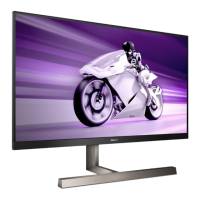
Do you have a question about the Philips EVNIA 329M1RV and is the answer not in the manual?
General safety precautions, warnings, and maintenance guidelines for operating the monitor.
Explains icons, notes, cautions, and warnings used in the manual for clarity.
Instructions for environmentally responsible disposal of the product and packaging.
Details on unpacking and setting up the monitor, including package contents.
Explanation of control buttons and features like EasyLink (CEC) for monitor operation.
Instructions on how to detach the monitor stand for VESA mounting.
Information on controlling multiple PCs using the monitor's KVM switch feature.
Guides on enabling and using the MultiView feature for simultaneous display of multiple sources.
Details on SmartImage presets for optimizing display performance for different content types.
Explains SmartContrast technology for dynamic contrast ratio optimization.
Information about AMD FreeSync Premium technology for smooth gaming.
Step-by-step guide to configuring HDR settings within Windows 10.
Lists supported resolutions, refresh rates, and video timings for optimal performance.
Details the policy regarding pixel and sub-pixel defects and warranty claims.
Information on contacting customer support and warranty service options.
Common problems and solutions for display issues, including no picture and image problems.
Answers to frequently asked questions about installation, resolution, and drivers.
Specific frequently asked questions related to the MultiView feature.
 General
| Response Time | 1 ms (MPRT) |
|---|---|
| Adaptive Sync | AMD FreeSync Premium Pro |
| VESA Mount | 100 x 100 mm |
| Built-in Speakers | Yes |
| Viewing Angle | 178º (H) / 178º (V) |
| Color Gamut | DCI-P3 |
| Connectivity | DisplayPort 1.4 |
| Ports | DisplayPort 1.4 |

 To Next Page