1-2
CONNECTIONS AND CONTROLS
EXP212, EXP30x
1 OPEN 2 ..........opens the CD lid
2 VOL E..........adjusts the volume
3 9 .....................stops playback, clears a program and switches
the set off
4 2; ...................switches the set on, starts playback and
interrupts playback
5 § ....................skips forward and searches forward
6 ESP.................Electronic Skip Protection prevents music
interruptions caused by shocks or vibrations
7 +......................MP3-CD only: selects the next album or skips
forward
8 ........................display
9 –......................MP3-CD only: selects the previous album or
skips backward
0 DBB.................Dynamic Bass Boost, selects the bass
enhancement
! MODE .............selects the different playing possibilities such as
SHUFFLE or REPEAT
@ PROGRAM .....programs tracks and lets you review the program
# RESUME.........stores the last position
HOLD..............locks all buttons
OFF.................switches RESUME and HOLD off
$ ∞ ....................skips backward and searches backward
% LINE OUT/p ....3.5mm line out to connect
- the headphone
- the remote control
- this set to the audio input of your stereo
equipment
^ 4.5V DC ..........to connect the external power supply
& ........................battery compartment
* ........................typeplate
( ........................belt clip hole
EXP313, EXP50x
1 OPEN 2 ..........opens the CD lid
2 VOL E..........adjusts the volume
3 2; ...................switches the set on, starts playback and
interrupts playback
4 ESP.................Electronic Skip Protection prevents music
interruptions caused by shocks or vibrations
5 DBB.................Dynamic Bass Boost, selects the bass
enhancement
6 § ....................skips forward and searches forward
7 +......................MP3-CD only: selects the next album or skips
forward
8 DISPLAY.........selects the track and album information for MP3-
CDs
9 ........................display
0 –......................MP3-CD only: selects the previous album or
skips backward
! ∞ ....................skips backward and searches backward
@ RESUME.........stores the last position
HOLD..............locks all buttons
OFF.................switches RESUME and HOLD off
# 9 .....................stops playback, clears a program and switches
the set off
$ PROGRAM .....programs tracks and lets you review the program
% MODE .............selects the different playing possibilities such as
SHUFFLE or REPEAT
^ LINE OUT/p ....3.5mm line out to connect
- the headphone
- the remote control
- this set to the audio input of your stereo
equipment
& 4.5V DC ..........to connect the external power supply
* ........................battery compartment
( ........................typeplate
) ........................belt clip hole



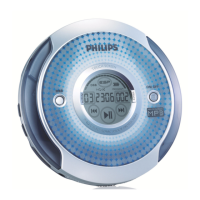
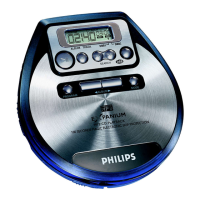
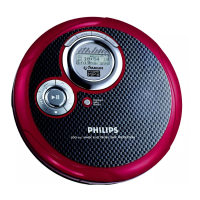



 To Next Page