C
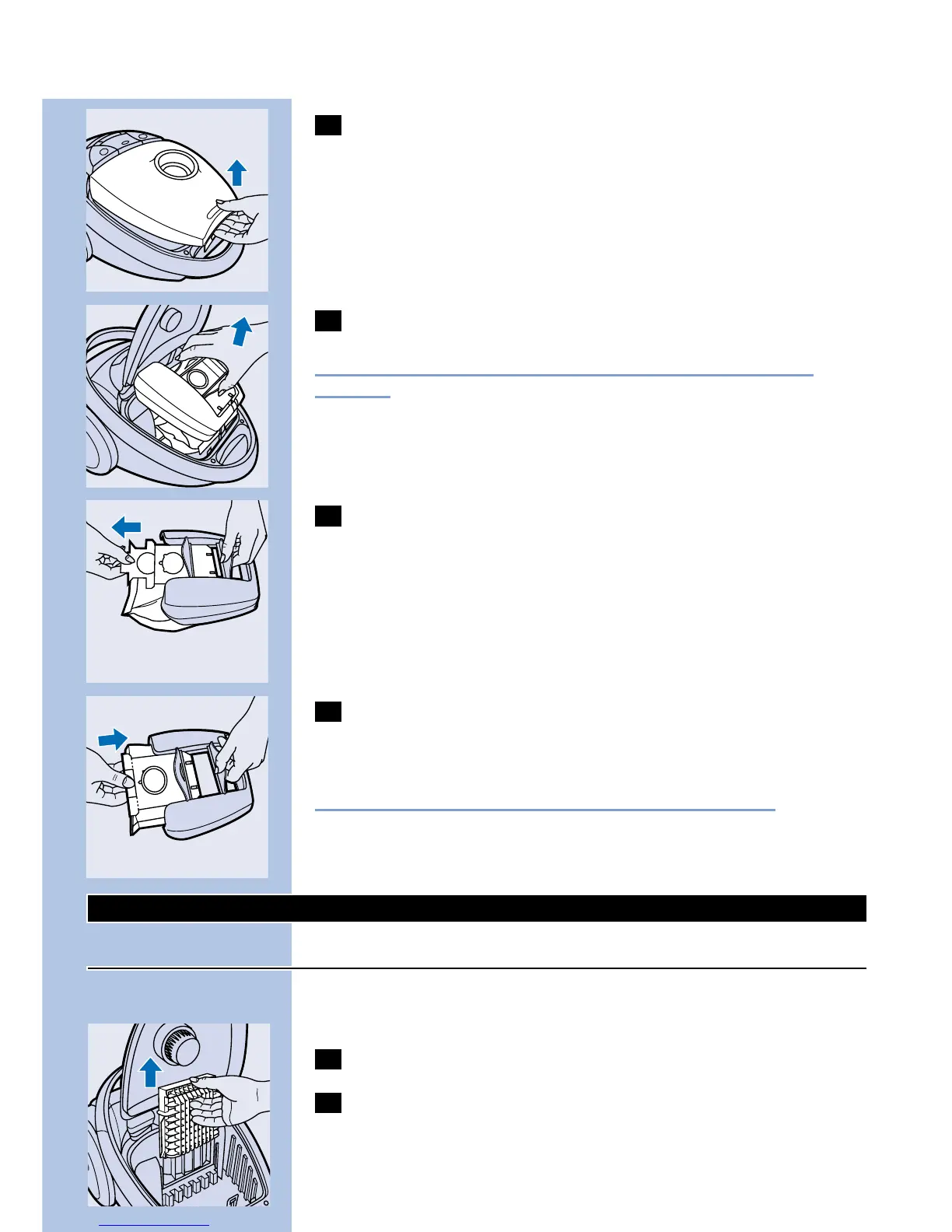
3 Open the cover.
C
4 Lift the dustbag holder out of the appliance.
Make sure you hold the dustbag upright when lifting it out of the
appliance.
C
5 Remove the full dustbag from the holder by pulling the
cardboard tag.
When you do this, the dustbag will be automatically sealed.
C
6 Slide the cardboard tag of the new dustbag into the two
grooves of the dustbag holder as far as possible. Re-insert the
dustbag holder into the vacuum cleaner.
You cannot close the cover if no dustbag has been inserted.
Cleaning and replacing filters
Motor Protection Filter
Every time you replace the dustbag, clean the Permanent Motor
Protection Filter.
1 Remove the dustbag holder with the dustbag.
C
2 Take the Motor Protection Filter holder out of the appliance
and clean the filter by shaking it over a dustbin.
ENGLISH12



 To Next Page