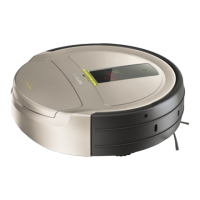
FC9910/01/B
REPAIR INSTRUCTION
Symptom Problem Area Problem Area
10. Shortly after operation started the robot
stops with error messages E4, E5 or E6
frequently.
a. Foreign objects block the Wheel Motor(s),
Roller Brush Motor or the Suction Motor
is clogged.
b. The Main PCB may be faulty.
c. One of the Motors may be faulty.
• Check the motors for clogging or foreign
objects.
• Check whether all motors are fully
functional by using the built-in diagnostics.
Replace if necessary.
• Replace the Main PCB.
11. The wheels of the robot continue rotating
even though robot is being raised from
the fl oor.
a. The Wheel Lift Detection Sensors or its
assembly may be faulty.
b. The Ground Detection Sensors may be
faulty.
• Check the Wheel Lift Detection Sensor’s
functionality by using the built-in
diagnostics, replace any of the Wheel assy
if necessary.
• Check the Ground Detection Sensors
functionality, replace the Bumper assy if
necessary.
Calibration of Ground Detection Sensors
1. Put the robot on a fl at white surface (for instance a piece of white paper).
2. Enter the diagnostic mode by pressing both [MODE] and [start ] button simultaneously for 3 seconds and scroll to PsdC
with the [MODE] button.
3. Push [start ] on the remote controller.
4. The turbo-LED lights up during the calibration process.
5. After calibration is fi nished check the calibration by scrolling to the next step Psdr with the mode button.
6. Push [start ] on the remote controller.
7. The left two digits show the left side calibration result and the right two digits the right, each should show a number between
75~85.
8. If (one of) the results is out of range, please repeat step1-7 (be sure the surface is fl at!).
10-17



 To Next Page