FC9910/01/B
Software upgrade
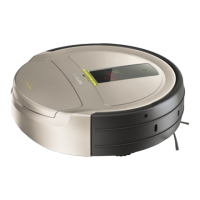
- The firmware and application software can be upgraded via a USB port situated under the dust container cover using a USB-flash
drive.
- Check www.philips.com/support or www.atyourservice.ce.philips.com regularly for updates. There you can also find the
instructions how to upload the new software to the robot and the issues it will solve!
- Diagnostics and troubleshooting
- Display Error codes:
Error
code
Error description Presumption cause Possible solution
E0 Rechargeable Battery is empty Battery was discharged completely Charge the battery
Battery or Main board failure Replace the Battery/Main board
E1 Wheel lifted Movement of wheel is not smooth Replace the wheel module
E2 Floor detection error Ground blocked with dirt sensor Clean the ground sensor
Ground sensor defect Replace ground sensor
E3 Dust container error Dustbin detection sensor defect Replace the Cover middle assy
E4 Wheel motor overload Wheel blocked with dirt/hair Remove the dirt/hair
Gearbox or motor defect Replace the wheel/motor/gear assy
Driver or overload circuit defect Replace the main board
E5 Brush motor overload Brush blocked with dirt/hair Remove the dirt/hair
Brush motor/gear defect Replace brush motor
Driver or overload circuit defect Replace main board
E6 Suction motor overload Clogged fi lter Clean the motor fi lter
Suction motor defect Replace suction motor incl. air tube
Driver or overload circuit defect Replace main board
E7 Inner system error Software error Reset with main on/off switch,
check for fi rmware upgrades
E8 Dust stuck on front wheel Dirt/hair in wheel case Remove the front wheel and clean it
REPAIR INSTRUCTION
5-17



 To Next Page