4 Cableless Monitoring
94
Telemetry
Tele Info Window
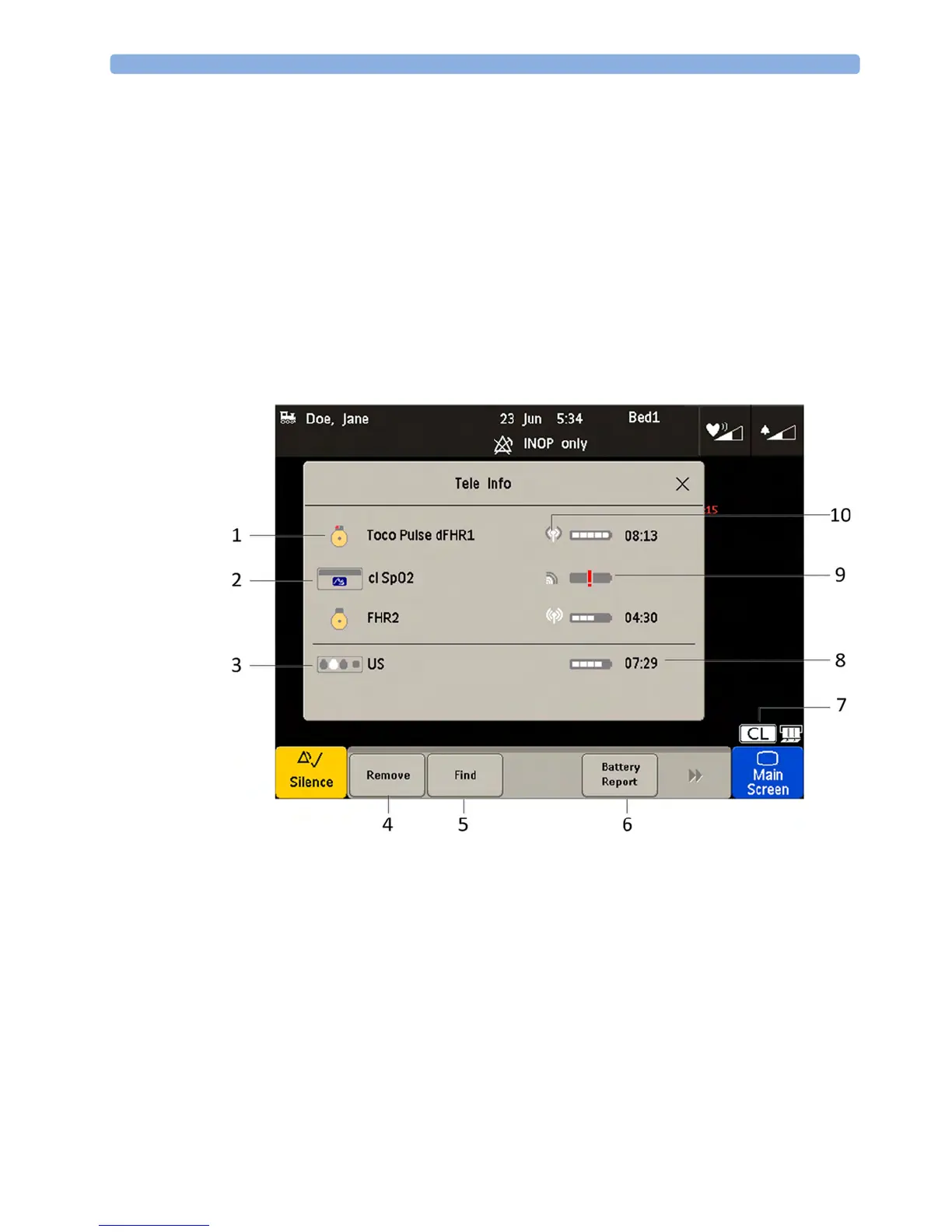
The Tele Info window of the fetal monitors allows you to manage the Avalon CL or CTS system.
Below is an exemplary view of the
Tele Info window. Your window may differ depending on the status
of the connected system.
To open the
Tele Info window, you can:
1 Configure a Tele Info SmartKey to open the window,
2 select the CL symbol on the main screen, or
3 select the Main Setup and then Tele Info.
1 CL transducer symbol assigned with the parameter labels
2 Cableless measurement symbol and equipment ID
3 Base station symbol with docking indication (the white slot indicates a charging transducer)
4 Key Remove
5 Key Find
6 Key Battery Report (in Service Mode)
7 CL symbol
8 Remaining battery time
9 Out of battery symbol
10 Indication of radio signal quality




 To Next Page