EasyManua.ls Logo

Philips FR965 - User Manual

Philips FR965
31 pages
Print Icon
To Next Page IconTo Next Page
Loading...
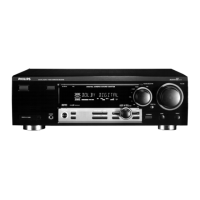
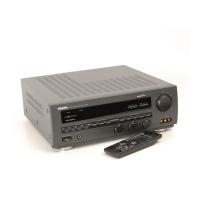
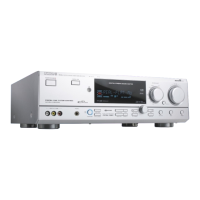
Digital surround sound receiver
FR965/FR966
FR975/FR976

Other manuals for Philips FR965

Question and Answer IconNeed help?

Do you have a question about the Philips FR965 and is the answer not in the manual?

Summary

Important Safety and Legal Notes (U.K.)

Mains Plug Safety

Instructions for fuse replacement and handling severed plugs safely.

Mains Plug Connection

Guide to connecting the mains lead wires correctly.

General Information

Receiver Controls Overview

Explanation of the receiver's front panel buttons and indicators.

Connection Terminal Guide

Details on all audio, video, and control bus connections.

System Setup Procedures

Steps for speaker placement, testing, and sound configuration.

Menu Navigation

How to access and navigate the receiver's menu system.

Source Selection Guide

Instructions for choosing audio and video input sources.

Playback and Recording

How to play sources and perform recording operations.

Surround Sound Modes

Explanation of available surround sound effects and settings.

Tuner Operation

Guide to tuning, storing, and managing radio stations.

Troubleshooting Common Issues

Solutions for problems encountered during operation.

Safety Precautions

Essential safety warnings for using the equipment.

Front Panel Controls

Receiver Buttons and Indicators

Detailed explanation of each control on the receiver's front panel.

Remote Control Usage

Remote Control Functions

Button Functionality

Comprehensive guide to the purpose of each button on the remote.

Universal Remote Programming

Programming via 4-Digit Code

Method to program the remote to control other devices using codes.

Connection Terminals

Terminal Identification and Purpose

Detailed list and explanation of all receiver input/output ports.

Audio Connections

Analog Audio Input;Output

Diagrams and descriptions for analog audio connections.

Digital Audio Input;Output

Diagrams and descriptions for digital audio connections.

System and Video Connectivity

Power and Specialized Connections

Power Cord Connection

Instructions for connecting the power cord and checking voltage.

Speaker Wire Connections

Guide to properly connecting speaker wires to terminals.

System Setup and Optimization

Speaker Placement Strategies

Recommendations for ideal speaker positioning for surround sound.

Speaker Level Calibration

How to adjust speaker volume levels for balanced surround sound.

Receiver Display Interpretation

Menu System Navigation

Menu Options and TV Integration

Source Selection and Assignment

Playback and Recording Operations

Surround Sound Experience

Surround Sound Mode Details

Tuner Functions

Troubleshooting Guide

No Sound or Channel Issues

Solutions for problems related to sound output and channel selection.

Audio Quality and Surround Problems

Troubleshooting poor sound, bass, center, or surround audio issues.

Reception and Recording Issues

Solutions for radio reception and digital recording problems.

Summary

Important Safety and Legal Notes (U.K.)

Mains Plug Safety

Instructions for fuse replacement and handling severed plugs safely.

Mains Plug Connection

Guide to connecting the mains lead wires correctly.

General Information

Receiver Controls Overview

Explanation of the receiver's front panel buttons and indicators.

Connection Terminal Guide

Details on all audio, video, and control bus connections.

System Setup Procedures

Steps for speaker placement, testing, and sound configuration.

Menu Navigation

How to access and navigate the receiver's menu system.

Source Selection Guide

Instructions for choosing audio and video input sources.

Playback and Recording

How to play sources and perform recording operations.

Surround Sound Modes

Explanation of available surround sound effects and settings.

Tuner Operation

Guide to tuning, storing, and managing radio stations.

Troubleshooting Common Issues

Solutions for problems encountered during operation.

Safety Precautions

Essential safety warnings for using the equipment.

Front Panel Controls

Receiver Buttons and Indicators

Detailed explanation of each control on the receiver's front panel.

Remote Control Usage

Remote Control Functions

Button Functionality

Comprehensive guide to the purpose of each button on the remote.

Universal Remote Programming

Programming via 4-Digit Code

Method to program the remote to control other devices using codes.

Connection Terminals

Terminal Identification and Purpose

Detailed list and explanation of all receiver input/output ports.

Audio Connections

Analog Audio Input;Output

Diagrams and descriptions for analog audio connections.

Digital Audio Input;Output

Diagrams and descriptions for digital audio connections.

System and Video Connectivity

Power and Specialized Connections

Power Cord Connection

Instructions for connecting the power cord and checking voltage.

Speaker Wire Connections

Guide to properly connecting speaker wires to terminals.

System Setup and Optimization

Speaker Placement Strategies

Recommendations for ideal speaker positioning for surround sound.

Speaker Level Calibration

How to adjust speaker volume levels for balanced surround sound.

Receiver Display Interpretation

Menu System Navigation

Menu Options and TV Integration

Source Selection and Assignment

Playback and Recording Operations

Surround Sound Experience

Surround Sound Mode Details

Tuner Functions

Troubleshooting Guide

No Sound or Channel Issues

Solutions for problems related to sound output and channel selection.

Audio Quality and Surround Problems

Troubleshooting poor sound, bass, center, or surround audio issues.

Reception and Recording Issues

Solutions for radio reception and digital recording problems.

Philips FR965 Specifications

General IconGeneral
BrandPhilips
ModelFR965
CategoryReceiver
LanguageEnglish

Related product manuals