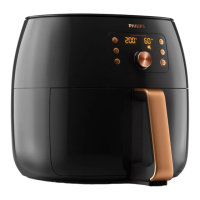
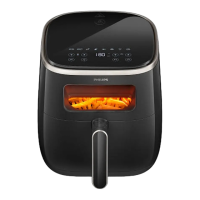
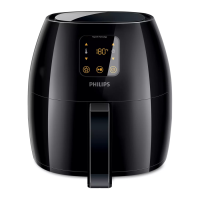
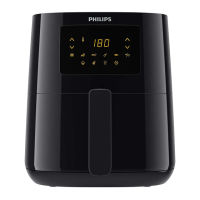
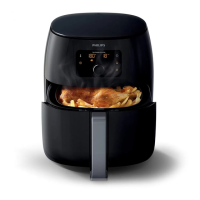
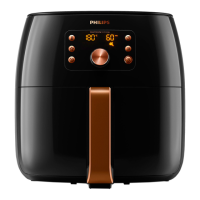
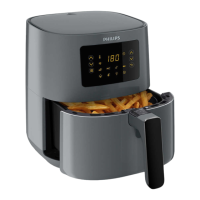
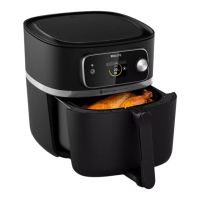
This document describes the Philips Airfryer HD9285/93, a smart kitchen appliance designed for healthy cooking.
Function Description:
The Philips Airfryer HD9285/93 is a hot air fryer that utilizes unique Rapid Air technology to fry, grill, roast, and bake a variety of dishes with little to no added oil, achieving up to 90% less fat. Its starfish design ensures even cooking for perfect results. The appliance is Wi-Fi enabled and connects to the NutriU app, offering personalized recipe suggestions and remote control capabilities. Users can start, monitor, and adjust the cooking process from their smart device, even when away from home. The Airfryer is designed for normal household use and is not intended for commercial or professional environments.
Important Technical Specifications:
- Model: HD9285/93
- Connectivity: Wi-Fi enabled (2.4 GHz 802.11 b/g/n module)
- Maximum Output Power (Wi-Fi): 92.9 mW EIRP
- Temperature Range: Operates at ambient temperatures between 5°C and 40°C.
- Automatic Shut-off: The appliance automatically switches off if no button is pressed within 20 minutes.
- Safety Features: Equipped with an automatic shut-off function. Surfaces may become hot during use, indicated by a hot surface icon. The pan, basket, and accessories become hot during and after use.
- Capacity: The basket has a MAX level indication for fries and other foods. For optimal results, it is recommended not to exceed 1000g for fries.
- Power: High wattage appliance.
Usage Features:
-
Preparation:
- Place the appliance on a stable, horizontal, level, and heat-resistant surface.
- Ensure nothing is placed on top or sides to avoid disrupting airflow.
- Do not place the appliance near or under steam-sensitive objects.
- Leave the rubber plug in the pan; do not remove it before cooking.
- Remove the pan and basket by pulling the handle.
- Place ingredients in the basket, ensuring not to overfill beyond the MAX indication.
- Return the pan with the basket to the Airfryer.
- The appliance does not require preheating.
-
Cooking Modes:
- Manual Airfrying:
- Press the On/Off button to switch on.
- Use temperature up/down buttons to select the desired temperature (e.g., 180°C/360°F for fries).
- Use time up/down buttons to select the desired cooking time (e.g., 14-33 minutes for thin frozen fries).
- Press the Start/Pause button to begin cooking.
- Temperature and time are displayed alternately during cooking. The last minute counts down in seconds.
- To change temperature unit (Celsius to Fahrenheit or vice versa), press temperature up and down buttons simultaneously for about 10 seconds.
- To pause/resume cooking, press the Start/Pause button or the chosen preset button.
- The device automatically pauses when the pan and basket are removed and resumes when they are reinserted.
- Some ingredients require shaking or turning during cooking (e.g., fries, chicken drumsticks). To shake, remove the pan and basket, place on a heat-resistant surface, slide the lid, press the basket release button, shake over a sink, then reinsert.
- Keep Warm Mode:
- Press the On/Off button, then the Keep Warm button.
- Press Start/Pause to activate. The timer is set to 30 minutes (adjustable from 1-30 minutes using the time down button).
- Temperature cannot be adjusted in this mode.
- To pause/resume, press Start/Pause. To exit, long press On/Off.
- This mode is for keeping food warm immediately after cooking, not for reheating.
- Cooking with Presets:
- Follow steps 1-5 for manual airfrying.
- Press the preferred preset button (e.g., frozen potato-based snacks, fresh fries, chicken drumsticks, cake, mixed vegetables). The selected preset will blink.
- Press Start/Pause to begin.
- The appliance may remind you to shake food for homogeneous results, especially for fries. This reminder can be deactivated by long-pressing the relevant preset buttons simultaneously.
- Presets can be personalized by short-pressing, adjusting time/temperature, then long-pressing again until a beep confirms saving. To reset to default, short-press, then long-press until a beep.
- NutriU App Integration:
- Connect the Airfryer to the NutriU app via Wi-Fi.
- Select recipes from the app and start cooking remotely.
- Monitor and adjust cooking parameters from your smart device.
- Voice control is available by connecting NutriU to a voice assistant app and enabling "remote cooking."
-
Post-Cooking:
- The timer bell indicates cooking is complete.
- Carefully remove the pan and check if ingredients are ready.
- Place the hot pan on a heat-resistant surface.
- If ingredients are not ready, reinsert the pan and add more cooking time.
- To remove small ingredients, slide the lid and press the basket release button.
- Empty the basket contents into a bowl or plate. Always remove the basket from the pan to avoid hot oil.
- For large or fragile ingredients, use tongs.
- Excess oil/fat collects at the bottom of the pan and should be carefully poured off.
Maintenance Features:
-
Cleaning:
- Always allow the basket, pan, and interior to cool completely before cleaning.
- The pan, basket, and interior have a non-stick coating; do not use metal utensils or abrasive cleaners.
- After each use, remove oil and fat from the bottom of the pan.
- Pan and Basket: Wash in a dishwasher or with hot water, dishwashing liquid, and a non-abrasive sponge. The rubber plug can remain in the pan during dishwashing.
- Stuck Food Residues: Soak parts in hot water with dishwashing liquid for 10-15 minutes. Use a liquid degreaser for stubborn grease stains.
- Heating Element: Clean with a soft to medium bristle brush to remove food residues. Do not use steel wire or hard bristle brushes.
- Exterior: Wipe with a moist cloth. Ensure no moisture remains on the control panel; dry it with a cloth after cleaning.
- Interior: Clean with hot water and a non-abrasive sponge.
-
Storage:
- Unplug the appliance and let it cool down.
- Ensure all parts are clean and dry.
- Always hold the Airfryer horizontally when carrying it, supporting the pan at the front to prevent it from sliding out.
- Ensure all removable parts are fixed before transport or storage.
-
Software Updates:
- Updates are essential for privacy and proper functioning.
- The app and firmware update automatically.
- Ensure the Airfryer is connected to home Wi-Fi during updates.
- Firmware updates start automatically in standby mode, taking up to 1 minute, during which the Airfryer cannot be used.
-
Factory Reset:
- To reset to factory settings, press the temperature and time up buttons simultaneously for 10 seconds. This will disconnect the Airfryer from Wi-Fi and unpair it from smart devices.

 Need help?

 To Next Page
 General