EasyManua.ls Logo

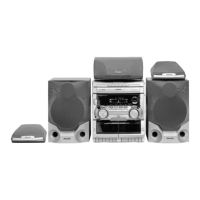
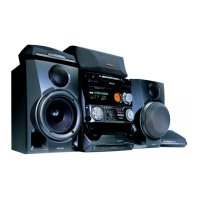
Philips FW-P88 - User Manual

Philips FW-P88
31 pages
Print Icon
To Next Page IconTo Next Page
Loading...
3139 116 19611
Mini Hi-Fi System
FW-
P88
with 3 CD changer
pg 01-31/P88/22-Eng 3/6/00, 1:26 PM1

Other manuals for Philips FW-P88

Questions and Answers

  • A
    Amber StewartSep 8, 2025
    What to do if the tape deck door won't open on Philips FW-P88 Stereo System?
    • R
      Rhonda DanielsSep 8, 2025
      If the tape deck door won't open on your Philips Stereo System, it could be due to a power failure or the AC power plug being disconnected from the wall outlet during tape playback. Reconnect the AC power plug and switch the system on again.
  • D
    Daniel NelsonSep 10, 2025
    Why does recorded material sound strange on my Philips Stereo System?
    • B
      Brian PetersonSep 10, 2025
      If recorded material sounds strange on your Philips Stereo System, it might be because the tape was recorded in one of the Dolby Pro Logic modes. Switch off Dolby Pro Logic mode when recording.
  • T
    Tiffany SmithSep 12, 2025
    Why is there a howling sound from my Philips FW-P88 Stereo System?
    • R
      Ricky HayesSep 12, 2025
      If you hear a howling sound from your Philips Stereo System when listening in AUX mode, you are likely experiencing feedback. Press AUX to select CDR/DVD mode.
  • B
    bowensabrinaSep 13, 2025
    Why are all the lighted buttons not lit on my Philips FW-P88?
    • N
      Nicole MendezSep 14, 2025
      If all the lighted buttons are not lit on your Philips Stereo System, the display is likely switched on in DIM 3 mode. Press DIM until DIM OFF display mode is shown.
  • S
    Shelley SheppardSep 15, 2025
    What does 'NO RDS TEXT' mean on Philips FW-P88?
    • V
      vasquezstevenSep 15, 2025
      If your Philips Stereo System displays 'NO RDS TEXT', it means the RDS text message is not available. Select another RDS station.
  • J
    jgreenSep 18, 2025
    Why is my Philips FW-P88 displaying features automatically?
    • L
      lharrisSep 18, 2025
      If your system displays features automatically and buttons flash continuously, demonstration mode is switched on.

Summary

Important U.K. Usage Notes

Mains Plug Safety and Wiring

Instructions for fuse replacement and proper plug connection.

System Information and Safety

General System Details and Safety Precautions

Includes type plate, energy efficiency, and essential safety guidelines.

Dolby Pro Logic System Setup

Speaker Configuration and Calibration

Connecting and positioning speakers, adjusting levels for optimal surround sound.

System and Remote Controls Overview

Control Functions and Layouts

Detailed explanation of front panel buttons and remote control functions.

Operating the System

Sound Customization and Volume

Adjusting volume, personal settings, DSC, VEC, bass, and treble.

Recording Procedures

Clock and Timer Functions

Philips FW-P88 Specifications

General IconGeneral
TypeMini Hi-Fi System
Disc PlaybackCD
TunerYes
Speakers includedYes
Cassette DeckYes

Related product manuals