EasyManua.ls Logo

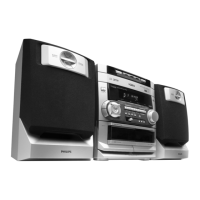
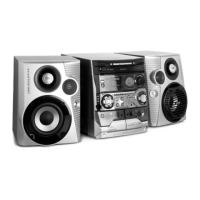
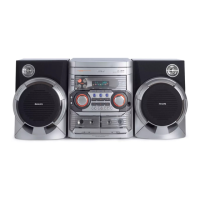
Philips FW-V28 - User Manual

Philips FW-V28
26 pages
Print Icon
To Next Page IconTo Next Page
Loading...
3139 116 19201
Toll Free Help Line
Ligne d'assistance en service libre
Linea de ayuda telefónica sin cargo
800-531-0039
Mini Hi-Fi System
FW-
V28
Untitled-1 31/05/2001, 11:34 AM1

Other manuals for Philips FW-V28

Questions and Answers

  • N
    Nicholas ThompsonAug 20, 2025
    Why is there no picture on TV screen from Philips FW-V28 Stereo System?
    • C
      Christina Stewart MDAug 20, 2025
      If there is no picture on your TV screen when connected to the Philips Stereo System, ensure that the video cable is properly connected between the system and the TV.
  • S
    savannah06Aug 22, 2025
    Why is there no sound coming from my Philips FW-V28?
    • L
      Lisa MckinneyAug 22, 2025
      If you are experiencing no sound or poor sound quality with your Philips Stereo System, there are several potential causes. First, make sure the volume is turned up to an audible level. Second, check if headphones are connected, as this will mute the speakers. Third, ensure that the speakers are connected correctly. Finally, verify that the stripped speaker wire is properly clamped.
  • B
    Brett LewisAug 25, 2025
    How to improve poor radio reception on Philips FW-V28 Stereo System?
    • N
      nmonroeAug 25, 2025
      If you're experiencing poor radio reception on your Philips Stereo System, try adjusting the antenna. If the signal remains weak, connect an external antenna for better reception. Also, keep the stereo system separated from your TV or VCR.
  • B
    Brian MccannAug 26, 2025
    How to fix 'UNREADABLE DISC' on Philips Stereo System?
    • J
      John GonzalezAug 26, 2025
      If your Philips Stereo System displays 'UNREADABLE DISC', it might be due to several reasons. First, ensure the disc is inserted with the printed side up. Second, if there's moisture condensation on the lens, wait for it to adjust to room temperature. Third, the disc could be dirty, scratched, or warped, in which case you should clean or replace it. Finally, the disc lens might be dirty or dusty.
  • A
    April HernandezAug 27, 2025
    Why does the remote control not work on my Philips FW-V28 Stereo System?
    • M
      Mr. Albert Huffman Jr.Aug 27, 2025
      If the remote control is not working with your Philips Stereo System, first, ensure that you have selected the correct source (VCD, TUNER, etc.) before pressing any function buttons. Second, try reducing the distance between the remote and the system. Third, check that the batteries are inserted correctly, paying attention to the polarities (+/– signs). Finally, replace the batteries if they are exhausted.
  • S
    sheila92Aug 29, 2025
    What to do if my Philips Stereo System displays 'NO DISC'?
    • K
      kelly09Aug 29, 2025
      If your Philips Stereo System is displaying 'NO DISC', the disc tray may be empty. Insert a disc to resolve this issue.
  • D
    David DeckerAug 31, 2025
    How to turn off demo mode on Philips FW-V28?
    • M
      Mathew FosterAug 31, 2025
      If your Philips Stereo System is displaying features automatically and the buttons are flashing continuously, the demonstration mode is likely switched on. To turn it off, press and hold Ç (on the system only) for 5 seconds.
  • M
    michaelballSep 2, 2025
    Why is there a lack of bass sound from Philips FW-V28?
    • D
      David RubioSep 2, 2025
      If you notice a lack of bass sound or an imprecise location of musical instruments with your Philips Stereo System, the speakers might be connected incorrectly. Check the speaker connection for proper phasing, ensuring colored/black wires are connected to the corresponding colored/black terminals.
  • J
    Jeffrey AndersonSep 4, 2025
    Why is the left and right sound reversed on Philips FW-V28 Stereo System?
    • J
      James JonesSep 4, 2025
      If you experience reversed left and right sound on your Philips Stereo System, check the speaker connections and their location to ensure they are properly set up.
  • D
    Dustin PopeSep 6, 2025
    Why is there no color on TV when using Philips FW-V28?
    • C
      Cynthia MurphySep 6, 2025
      If there is no color on your TV when using the Philips Stereo System, the system switch might not be set correctly. Change the system setting to the appropriate one (PAL or NTSC).

Summary

System Introduction and Foundational Information

Key System Technologies

Explains optimum disc playability, Super Error Correction, and performance improvements.

General and Environmental Information

Details type plate, recording rights, packaging, and disposal advice.

Essential Safety Guidelines

Critical precautions for safe operation, handling, and maintenance.

System Setup and Preparation

Rear Panel Connections Overview

Diagram and explanation of rear panel connections for audio and antennas.

Antenna and Speaker Setup Procedures

Guidance for optimal AM/FM reception and speaker connection.

Power Supply and Remote Control Installation

Instructions for connecting the AC power cord and inserting remote batteries.

Controls and System Operation

System and Remote Control Identification

Comprehensive layout of buttons on the main unit and remote control.

Powering On;Off and Source Selection

Steps to activate the system and choose audio/video sources.

Display Brightness and Sound Settings

Adjusting display brightness (DIM) and sound equalization (DSC, DBB).

Media Playback: CD, VCD, and Tape

CD and VCD Playback Basics

Loading discs, normal playback, disc changing, and track selection methods.

Advanced CD;VCD Features

Programming tracks, VCD playback with PBC, and On-Screen Display (OSD).

Tape Deck Functionality

Loading tapes, playback, auto-replay, and tape handling procedures.

Radio Tuning and Recording Functions

Tuning and Preset Radio Stations

Procedures for tuning radio frequencies and storing preset stations.

Recording and Dubbing Tapes

Guides for recording audio from sources and copying tapes.

Clock, Timer, Specifications, and Troubleshooting

Clock and Timer Settings

Setting the system clock and configuring timer-based playback.

System Specifications

Detailed technical data for the amplifier, tape deck, disc player, and tuner.

Maintenance and Troubleshooting Guide

Instructions for cleaning and solutions for common system issues.

Philips FW-V28 Specifications

General IconGeneral
TunerFM
Number of Discs1
Audio output channels2.0
CD PlayerYes
FM RadioYes
BluetoothNo
TypeStereo System
Disc PlaybackCD
ConnectivityUSB, AUX

Related product manuals