12
English
Basic Functions
IMPORTANT!
Before you operate the system, complete
the preparation procedures.
Plug and Play (for tuner installlation)
Plug and Play allows you to store all available
radio stations automatically.
First time setup/power up
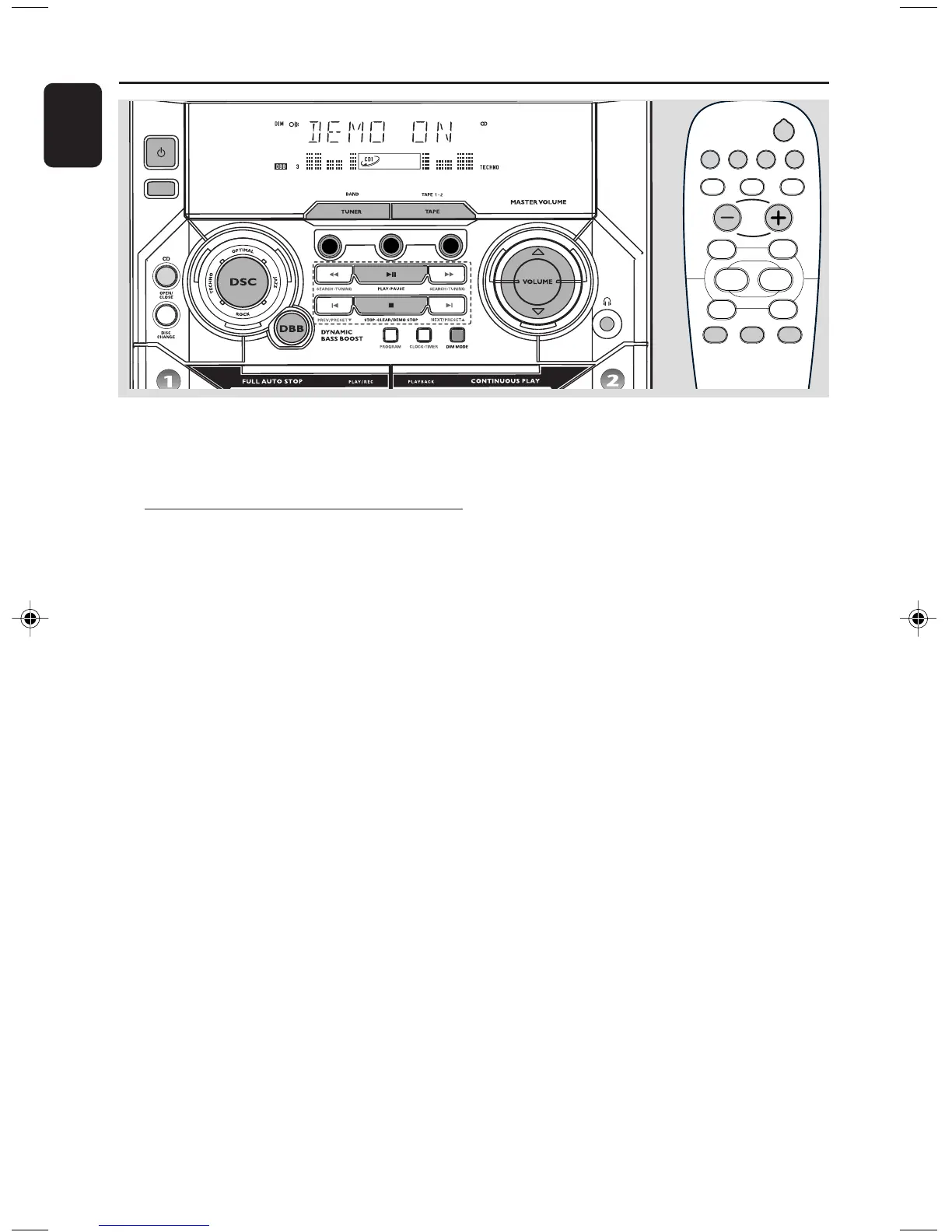
1 When you turn on the main supply, "AUTO
INSTALL - PRESS PLAY" is displayed.
2 PressÉÅ on the system to start installation.
➜ "INSTALL" is displayed, followed by "TUNER"
and "AUTO".
➜ PROG starts flashing.
➜ All available radio stations with sufficient signal
strength will be stored automatically, starting
from FM and followed by MW band.
➜ When all the available radio stations are
stored or the memory for 40 presets are used,
the last preset radio station will be played.
To reinstall Plug and Play
1 In standby or demonstration mode, press and
holdÉÅ on the system until "AUTO INSTALL
- PRESS PLAY" is displayed.
2 PressÉÅ again to start installation.
➜ All previously stored radio stations will be
replaced.
To exit without storing the Plug and Play
● Press Çon the system.
➜ If you do not complete the Plug and Play
installation, the function will be restarted when
you next turn on the main supply again.
Notes:
– When the power is turned on, the disc tray may
open and close to initialise the system.
– If no stereo frequency is detected during
Plug and Play, "CHECK ANTENNA" will be
displayed.
– During Plug and Play, if no button is pressed
within 15 seconds, the system will exit Plug and
Play mode.
DSC DBB MUTE
2
CD 1/2/3
REPEAT SHUFFLE SLEEP
TUNER TAPE 1/2 DIM
MUTE
NEWS/TA
á
á
ë
í
Å
É
Ç
VOL
CD 1
CD 2
CD 3
STANDBY
ON
ECO
POWER
DIGITAL
SOUND CONTROL
PG 001-027/C170/22-ENG 9/29/03, 5:14 PM12


 To Next Page