20
English
Tape Operation/Recording
DSC DBB MUTE
2
CD 1/2/3
REPEAT SHUFFLE SLEEP
TUNER TAPE 1/2
MUTE
NEWS/TA
á
á
ë
í
Å
É
Ç
VOL
CD 1
CD 2
CD 3
STANDBY
ON
ECO
POWER
DIGITAL
SOUND CONTROL
MASTER VOLUME
CLOCK•TIMER
DIM MODE
PROGRAM
STOP• CLEAR / DEMO STOP
SEARCH •TUNING SEARCH•TUNING
PLAY• PAUSE
PRESET
▲
PRESET
PREV/
NEXT/
▲
IMPORTANT!
– Before playing a tape, check and tighten
slack tape with a pencil. Slack tape may get
jammed or may burst in the mechanism.
– C-120 tape is extremely thin and is easily
deformed or damaged. It is not
recommended for use in this system.
– Store the tapes at room temperature and
do not put them too close to a magnetic
field (for example, a transformer, TV or
speaker).
Loading tape
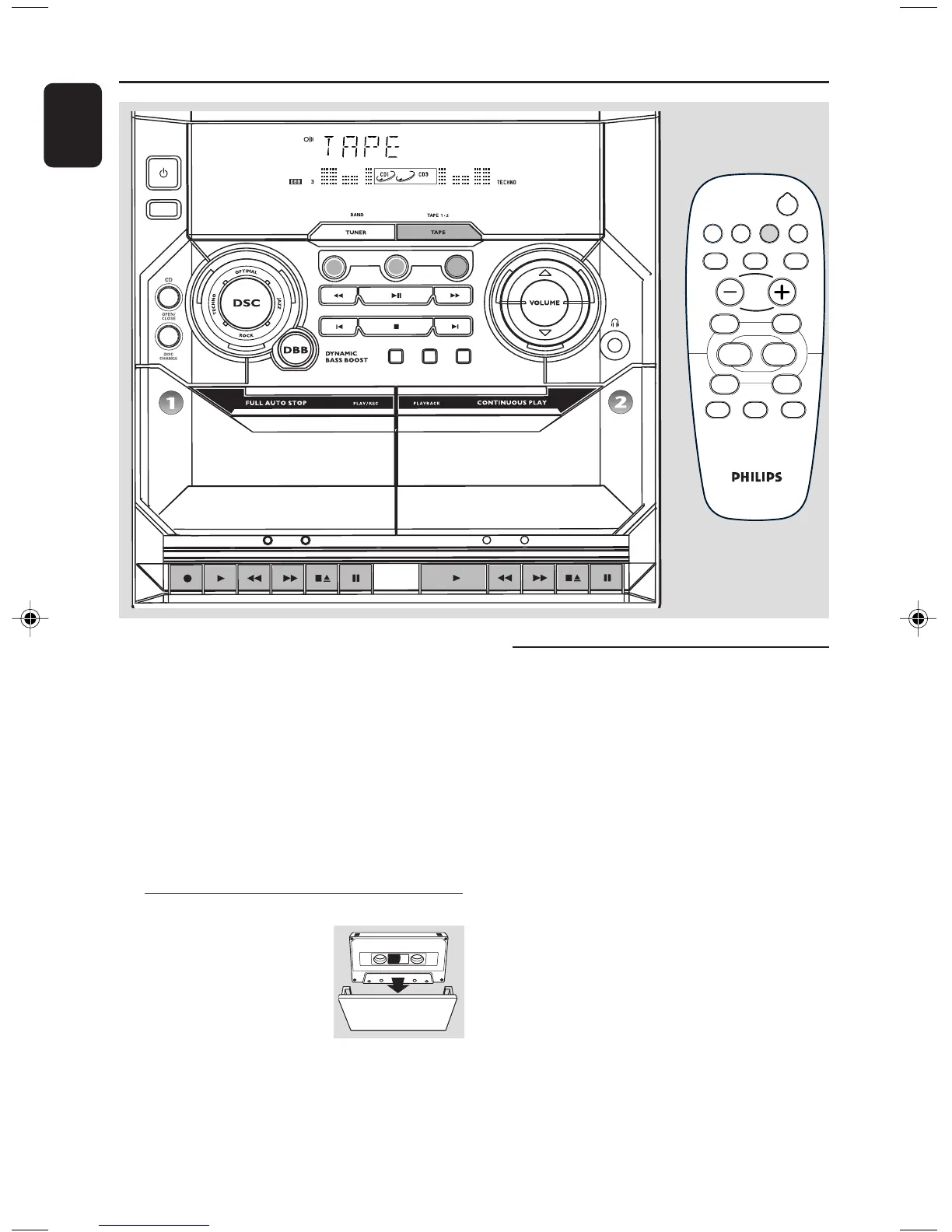
1 Press TAPE to select TAPE
mode.
➜ "TAPE" is displayed.
2 Press 70 to open the tape
deck door.
3 Load the tape with the open side downward and
full spool to the left.
4 Close the tape deck door.
Playing tapes
To playback a selected tape deck
● PressÉ on tape deck 1 or 2.
➜ The tape will stop at the end of playback.
Continuous playback of two tapes
1 Load the tapes in tape deck 1 and 2.
2 PressÉ on tape deck 2.
3 Press Å on tape deck 1, followed byÉ .
➜ Playback will begin from tape deck 2 and
continue with tape deck 1. It will stop at the end
of tape deck 1.
To interrupt playback
● Press Å.
● To resume playback, press Å again.
To stop playback
● Press 70.
PG 001-027/C170/22-ENG 9/29/03, 5:14 PM20


 To Next Page