English
23
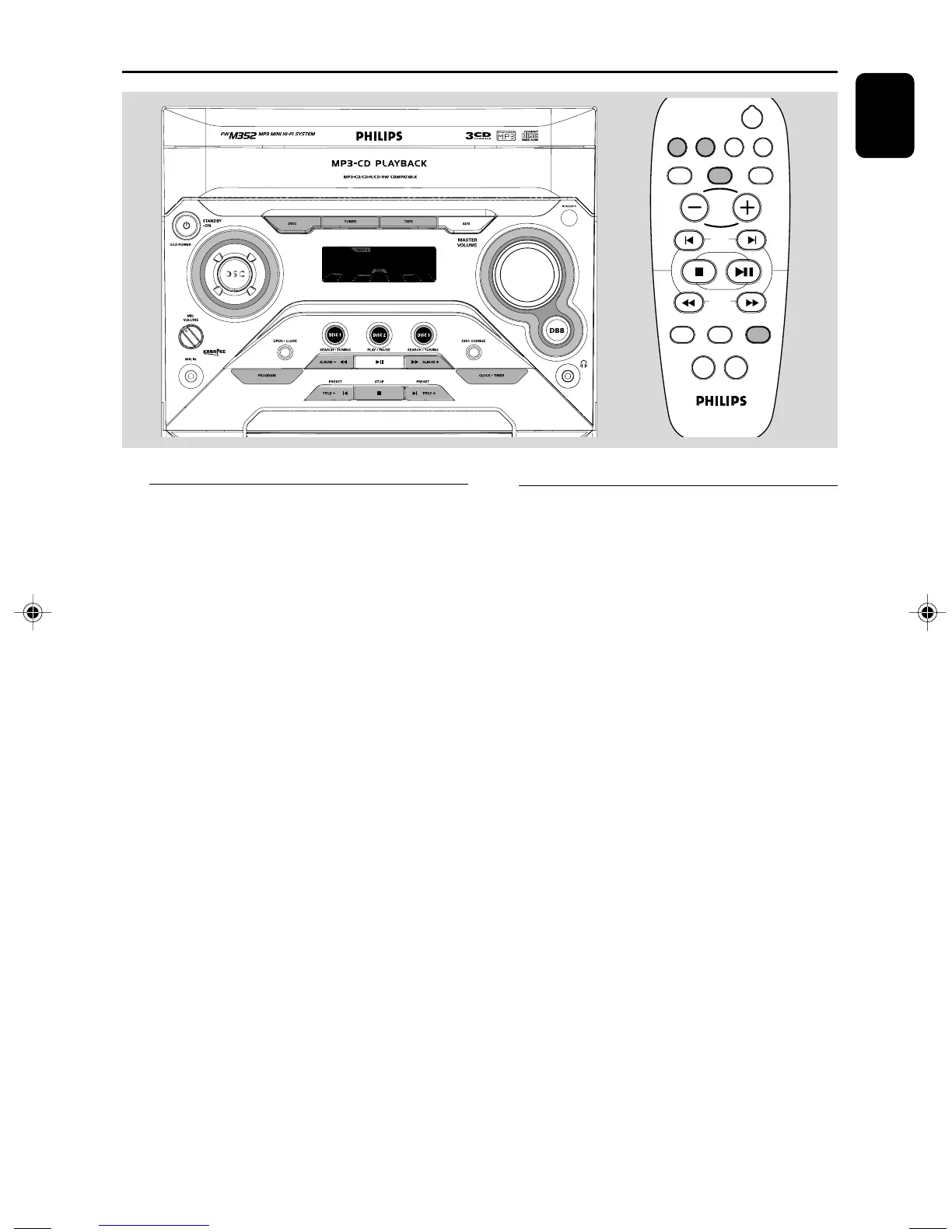
Clock/Timer
Clock setting
The system only supports 24-hour time mode.
1 In standby or view clock mode, press
CLOCK•TIMER once. In other source
mode, press CLOCK•TIMER twice.
2 Press à or á repeatedly to set the hour.
3 Press í or ë repeatedly to set the minute.
4 Press CLOCK•TIMER again to store the
setting.
➜ The clock starts working.
To exit without storing the setting
● Press STOP Çon the system.
Notes:
– The clock setting will be cancelled when the
power cord is disconnected or if a power failure
occurs.
– During clock setting, if no button is pressed
within 25 seconds, the system will exit clock setting
mode automatically.
y
CD1/2/3
MUTE
REPEAT
PROGRAM SHUFFLE
DSC
DBB
DISPLAY
DIM
SLEEP
TITLE
ALBUM
AUX
TUNER
VOL
TIMER
ON/OFF
Timer setting
The system can switch on to CD or TUNER
mode automatically at a preset time, serving as
an alarm to wake you up.
IMPORTANT!
– Before setting the timer, ensure that the
clock is set correctly.
1 Press and hold CLOCK•TIMER for more than
two seconds to select timer mode.
➜ The last timer setting starts flashing.
➜ The selected source will be lighted.
2 Press DISC (CD 1/2/3) or TUNER to select
the desired source.
● Before setting timer, make sure the music source
has been prepared.
CD – Load the disc(s). To start from a specific
track, make a programme (refer to “CD
Operation - Programming the disc tracks”).
TUNER – tune to the desired radio station.
3 Press à or á repeatedly to set
the hour for the timer to start.
pg001-027_M352/371_55_Eng 2006.1.4, 16:1923


 To Next Page