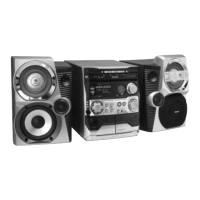
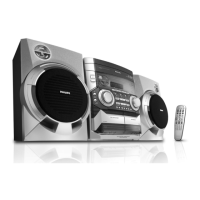
Need help?
Do you have a question about the Philips FWV537 and is the answer not in the manual?
How to activate and deactivate the system's demonstration mode.
Automatic radio station storage upon first power-up.
Packaging details, disposal, and crucial safety measures.
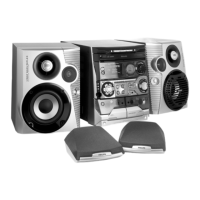
List of items included with the system.
Connecting power, AM loop, and FM antennas for optimal setup.
Connecting front, surround speakers, and video output to TV/VCR.
Connecting external sources and installing remote batteries.
Identification and function of buttons on the main unit.
Detailed breakdown of remote control buttons for basic system operation.
How to select sources and manage playback operations.
Navigating tracks, albums, and changing display modes.
Functions like Zoom, Slow, Vocal, and Key Control for VCD playback.
Setting timers and adjusting echo effects for playback.
Automatic storage of radio stations.
How to activate and deactivate the system's demo mode.
Powering the system on/off and changing display settings.
Adjusting volume levels and using MAX Sound feature.
Adjusting sound to suit music types with preset EQ modes.
Selecting environmental sound effects for playback.
Enhancing bass response with multiple boost levels.
Creating a wider, more immersive stereo soundstage.
Supported disc types and MP3-CD format specifications.
Precautions regarding disc usage and playback.
Step-by-step guide for inserting and playing discs.
How to play, pause, stop, and replace discs during playback.
Navigating tracks and performing fast forward/rewind searches.
Choosing albums and titles on MP3-CDs.
Creating custom playback sequences for discs.
Clearing programmed tracks and setting repeat playback.
Showing track and album information for MP3-CDs.
Enabling OSD and setting the correct video output for your TV.
Navigating VCDs with Playback Control menus.
Returning to menus and using digest/scan features.
Repeating specific passages and enlarging still images.
Resume playback, slow motion, and echo effect for karaoke.
Adjusting vocal levels and key tone for karaoke.
Saving favorite radio stations for quick access.
System automatically scans and stores stations manually.
Selecting previously stored stations and removing unwanted ones.
Adjusting frequency step for MW band reception.
Loading tapes and starting playback on either deck.
Choosing playback modes and rewinding/fast forwarding.
Notes on tape types, levels, and protection tabs.
Steps for one-touch and synchro recording from various sources.
Copying tapes from deck 1 to deck 2.
Connecting microphone and adjusting levels for singing.
Displaying and adjusting the 12/24-hour clock time.
Programming the system to turn on at a specific time.
Turning the timer off or reusing the last setting.
Connecting and selecting external audio/video devices.
Technical specifications for amplifier, speakers, and disc player.
Specifications for tuner, tape deck, power, and dimensions.
How to clean the system exterior and optical discs.
Maintaining playback quality by cleaning heads and disc lens.
Using a demagnetising tape for head maintenance.
Solutions for unreadable discs and TV display problems.
Resolving poor radio reception and tape operation issues.
Fixing button, sound quality, and wiring problems.
 General
| Brand | Philips |
|---|---|
| Model | FWV537 |
| Disc Playback | CD |
| Tuner | FM |
| CD Player | Yes |
| USB Port | Yes |
| FM Radio | Yes |
| AUX Input | Yes |
| Remote Control | Yes |
| Audio Formats | MP3, WMA |
| Preset Stations | 20 |
| Connectivity | AUX |
| Speaker Configuration | 2.0 |

 To Next Page