10
English
3140 115 30491
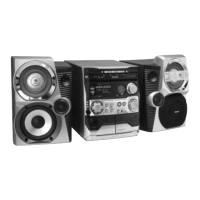
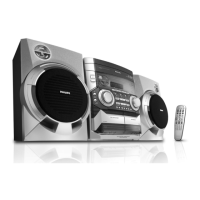
Controls (main system’s illustration on page 3)
Controls on the system and
remote control
1 STANDBY ON y
– to switch the system on or to Standby mode.
2 DISPLAY SCREEN
– to view the current status of the system.
3 DISC TRAYS
4 DISC CHANGE
– to change disc(s).
5 DISC 1 / DISC 2 / DISC 3
– to select a disc tray for playback.
6 OPEN•CLOSE
– to open or close the disc tray.
7 INTERACTIVE VU METER
– to show the VU (volume unit) meter in music or
volume mode depending on the display mode
selected.
8 VOLUME
– to increase or decrease the volume.
9 Tape Deck Operation
AUTO REPLAY
– to select continuous playback in either AUTO
PLAY or ONCE mode only.
DUBBING
– to dub a tape.
REC
– to start recording on tape deck 2.
0 SOUND NAVIGATION
– to select the desired sound feature : DSC, VAC,
or DBB.
! JOG CONTROL
– to select the desired sound effect for the
selected sound feature.
DSC .................. DIGITAL, ROCK, POP, NEWAGE,
CLASSIC or ELECTRIC.
VAC .................. HALL, CONCERT, CINEMA,
DISCO, ARCADE or CYBER.
DBB ..................BEAT, PUNCH or BLAST.
@ INCREDIBLE SURROUND (IS)
– to activate or deactivate the surround sound
effect.
# MAX SOUND (MAX)
– to activate or deactivate the optimal mix of
various sound features.
Notes for remote control:
– First, select the source you wish to
control by pressing one of the source select
keys on the remote control (VCD 123 or
TUNER, for example).
– Then select the desired function (
É
,
í
,
ë
, for example).


 To Next Page