6 EN
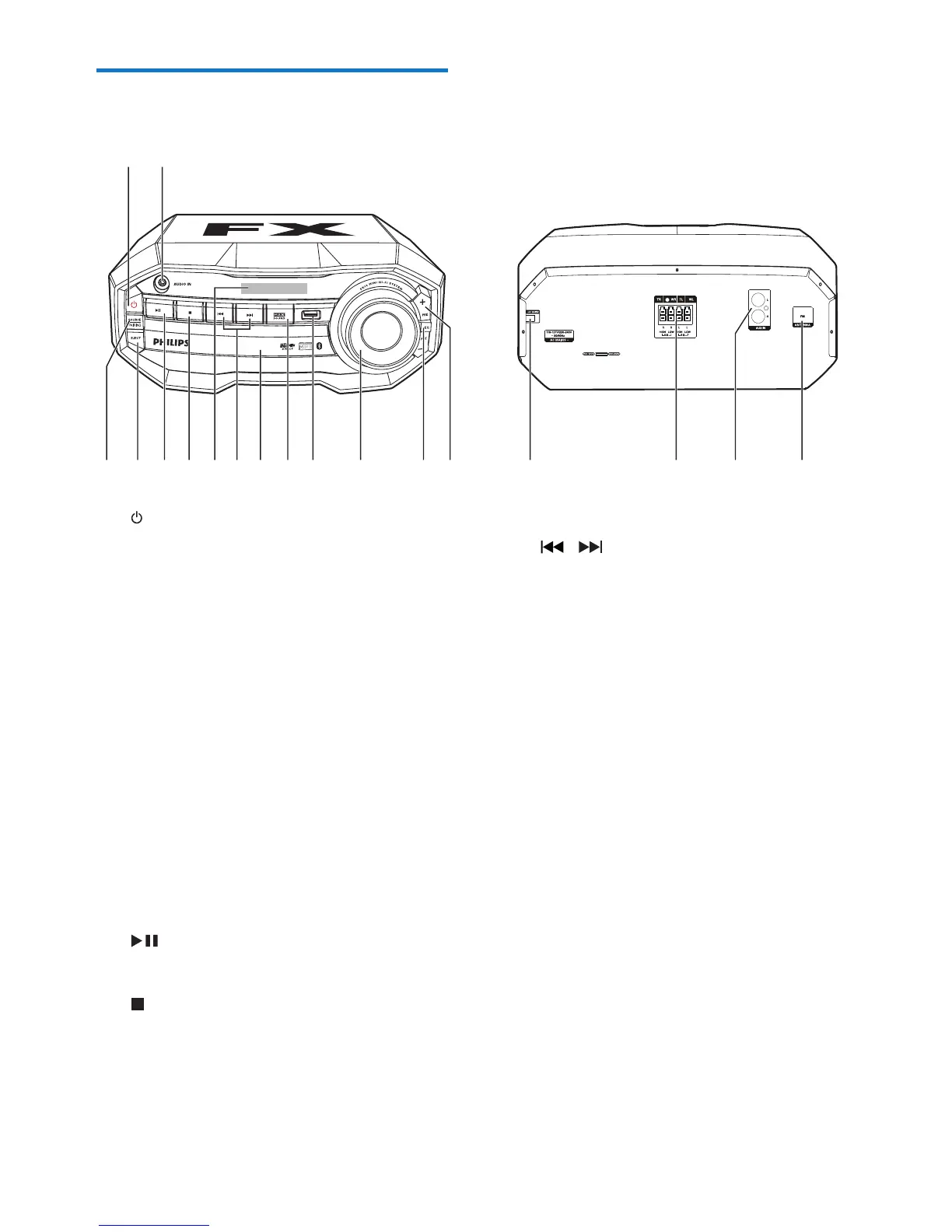
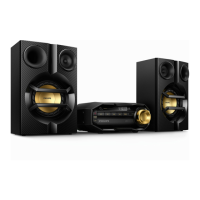
Overview of the main unit
a
• Turn on the unit.
• Switch to normal standby or
Eco Power standby mode.
b AUDIO IN
• Connect an external audio device
through a 3.5mm audio cable (not
supplied).
c SOURCE/PAIRING
• Select a sound source: DISC, BT, USB,
FM, AUDIO IN, or AUX IN.
• In Bluetooth mode, press and hold for
three seconds to enter pairing mode.
d EJECT
• Open or close the disc compartment.
e
• Start, pause, or resume play.
f
• Stop play or erase a program.
g Display panel
• Show the current status.
a
h /
• Skip to the previous/next track.
• Tune to a radio station.
i Disc compartment door
j MAX SOUND
• Turn on or off instant power boost for
sound.
k USB socket
• Connect a USB mass storage device.
l Volume knob
• Adjust speaker volume.
m EQ
• Select a preset sound equalizer setting.
n PRE +/-
• Skip to the previous/next album/folder.
• Select a preset radio station.
o AC power connection
p Speaker connection sockets
• Connect the supplied loudspeakers.


 To Next Page