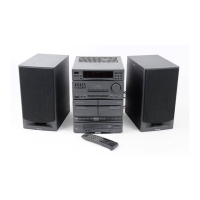
a
• Turn on the unit.
• Switch to normal standby or Eco
Power standby mode.
b SOURCE
• Select a sound source: DISC, BT, USB,
FM, AUDIO IN, or AUX IN.
c MODE
• Select repeat or random play.
d MAX SOUND
• Turn on or off instant power boost for
sound.
e BASS BOOST
• Select a level of dynamic bass
enhancement.
f Volume knob
• Adjust speaker volume.
g EQUALIZER
• Select a preset sound equalizer setting.
h PROGRAM
• Program tracks.
• Program radio stations.
i Disc compartment door
j AUDIO IN
• Connect an external audio device
through a 3.5mm audio cable (not
supplied).
55
EQUALIZER
PROGRAM
ab cdef ghij
w
s
r
qp m
lno
tu
k
• Connect a USB mass storage device.
l EJECT
• Open or close the disc compartment.
m /
• Skip to the previous/next track.
• Tune to a radio station.
n NFC area
• Touch with an NFC compatible device
to set up Bluetooth connection
automatically.
o Display panel
• Show the current status.
p ECO standby indicator
• Light up red in ECO standby mode
q
• Stop play or erase a program.
r FOLDER/PRESET +/-
• For MP3/WMA tracks, skip to the
previous/next album/folder.
• Select a preset radio station.
s
• Start, pause, or resume play.
t ANTENNA (FM)
• Connect the supplied FM antenna.


 To Next Page