Specifications are subject to change without notice
© 2013 Koninklijke Philips Electronics N.V.
All rights reserved.
HD3133_UM_RU_V1.0_130419
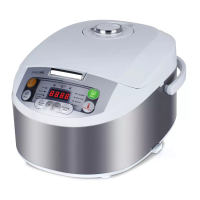
HD3133
Register your product and get support at
www.philips.com/welcome
Always there to help you
Question?
Contact
Philips
English
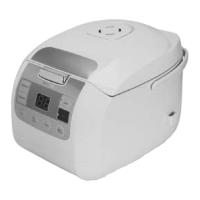
1 Your multi-cooker
Congratulations on your purchase, and welcome to Philips!
product at www.Philips.com/welcome.
2 What’s in the box (fig.1)
Multi-cooker main unit Steamer
Rice scoop Soup ladle
Measuring cup Gloves
Warranty card Recipe
3 Overview (fig.2)
a
Top lid
f
Power socket
b
Inner pot
g
Heating element
c
Lid release button
h
Water level indications
d
Control panel
i
Cooker handle
e
Main body
j
Detachable steam vent cap
k
Preset button
p
Boil/Steam button
l
Keep-warm button
q
Bake button
m
Rice button
r
Off button
n
Soup/Congee/Stew button
s
Display
o
Fry button
Functions overview
Functions Default
cooking time
Adjustable cook-
ing time
Preset
time
Rice () 35 Minutes /
1 - 24
Hours
Congee/Soup/Stew
()
10 Minutes
5 minutes to 10
hours
1 - 24
Hours
Fry () 15 Minutes 5 - 60 minutes /
Boil/Steam (
)
30 Minutes 5 - 120 minutes
1 - 24
Hours
Bake () 45 Minutes 20 - 120 minutes
1 - 24
hours
4 Using the multi-cooker
1 Take out all the accessories from the inner pot. Remove the
packaging material of the inner pot.
2 Clean the parts of the multi-cooker thoroughly before using it for
Note
Make sure all parts are completely dry before you start using the multi-
cooker.
Before using the multi-cooker, you need to follow below preparations:
1 Measure the rice using the measuring cup provided.
2 Wash the rice thoroughly.
3 Put the pre-washed rice in the inner pot.
4 Add water to the level indicated on the scale inside the inner pot
that corresponds to the number of cups of rice used. Then smooth
the rice surface.
5 Press the release lever to open the lid.
6 Wipe the outside of the inner pot dry, then put the inner pot in
the multi-cooker. Check if the inner pot is in proper contact with
the heating element.
7 Close the lid of the multi-cooker, and put the plug in the power
socket.
Note
Each cup of uncooked rice normally gives 2 bowls of cooked rice. 1 cup of
rice is approximately 180ml.
The level marked inside the inner pot is just an indication. You can always
adjust the water level for different types of rice and your own preference.
Make sure that the outside of the inner pot is clean and dry, and that
there is no foreign residue on the heating element or the magnetic switch.
1 Follow the steps in “Preparations before cooking”.
2 Press the rice cooking button ().
»
3 Wait for a few seconds before the multi-cooker automatically
enters rice cooking mode.
4
selected cooking function light will be off.
5 The multi-cooker will be in keep-warm mode automatically.
» The keep-warm () indicator lights up.
Note
After the cooking has started, you can press the off button () to
deactivate the cooking process, and the multi-cooker will be in standby mode.
The default cooking time is 35 minutes, and is not adjustable.
1 Follow the steps in “Preparations before cooking”.
2 Press the congee/soup/stew button ().
»
3 To select a different cooking time, press the congee/soup/stew
button () repeatedly to do so.
4 After the cooking time is selected, the multi-cooker automatically
enters the selected cooking mode in a few seconds.
5
selected function light will be off.
6 The multi-cooker will be in keep-warm mode automatically.
» The keep-warm () indicator lights up.
Note
Do not exceed the volume indicated nor exceed the maximum water
level indicated in the inner pot, as this may cause the multi-cooker to
too long.
If the voltage is unstable at the area you live, it is possible that the multi-
After the cooking has started, you can press the off button () to
deactivate the cooking process, and the multi-cooker will be in standby mode.
In congee, soup, and stew modes, the cooking time only starts counting
down when the water starts boiling.
The default cooking time is 10 minutes. You can select the cooking time
between 5 minutes to 10 hours.
1 Put food and ingredients into the inner pot.
2 Follow step 6 in “Preparations before cooking”.
3 Put the plug in the power socket.
4 Press the frying button ().
»
5 To set a different cooking time, press the frying button ()
repeatedly to do so.
6 After the cooking time is selected, the multi-cooker automatically
enters the selected cooking mode in a few seconds..
7 During cooking, stir the food constantly using a spatula.
8
selected cooking function light will be off.
9 The multi-cooker will be in keep-warm mode automatically.
» The keep-warm () indicator lights up.
Note
Do not close the top lid when cooking in the fry mode.
After the cooking has started, you can press the off button () to
deactivate the cooking process, and the multi-cooker will be in standby mode.
The default cooking time is 15 minutes. You can select the cooking time
between 5 to 60 minutes.
1 Measure a few cups of water with the measuring cup.
2 Pour the water into the inner pot.
3 Put the steam basket into the inner pot.
4 Put the food into the steamer.
5 Follow step 7 in “Preparations before cooking”.
6 Press the steaming button ().
»
7 To set a different cooking time, press the steaming button (
) repeatedly to do so.
8 After the cooking time is selected, the multi-cooker automatically
enters the selected cooking mode in a few seconds.
9
selected cooking function light will be off.
10 The multi-cooker will be in keep-warm mode automatically.
» The keep-warm () indicator lights up.
11 Open the lid and carefully take out the steamed food from the
plate or steamer.
Note
When removing the inner pot from the multi-cooker, use a kitchen glove
or a cloth, as the inner pot will be very hot.
After the cooking has started, you can press the off button () to
deactivate the cooking process, and the multi-cooker will be in standby mode.
The default cooking time is 45 minutes. You can select the cooking time
from 20 minutes to 2 hours.
Keep-warm mode
The multi-cooker provides you with easy control over the keep-warm
mode.
After you have selected the cooking function, the keep-warm
(), the keep-warm indicator will be off. After the cooking
To reactivate the keep-warm function, press the keep-warm button
(
multi-cooker will switch to keep-warm mode automatically after the
Note
In standby mode, you can press the keep-warm button () to
enter keep-warm mode.
In keep-warm mode, you can press the keep-warm button ()
to enter standby mode.
Note
When removing the food from the steamer, use a kitchen glove or a cloth,
as the plate and steamer will be very hot.
Do not exceed the volume indicated nor exceed the maximum water level
You can adjust the water level as needed.
After the cooking has started, you can press the off button () to
deactivate the cooking process, and the multi-cooker will be in standby mode.
In steaming mode, the cooking time only starts counting down when the
water starts boiling.
The default cooking time is 30 minutes. You can select the cooking time
from 5 minutes to 2 hours.
1 Pour some water into the inner pot.
2 Follow step 7 in “Preparations before cooking”.
3 Press the boiling button ().
»
4 To set a different cooking time, press the boiling button (
) repeatedly to do so.
5 After the cooking time is selected, the multi-cooker automatically
enters the selected cooking mode in a few seconds.
6
selected cooking function light will be off.
7 The multi-cooker will be in keep-warm mode automatically.
» The keep-warm () indicator lights up.
Note
Do not exceed the volume indicated nor exceed the maximum water
level indicated in the inner pot, as this may cause the multi-cooker to
After the cooking has started, you can press the off button () to
deactivate the cooking process, and the multi-cooker will be in standby mode.
In boiling mode, the cooking time only starts counting down when the
water starts boiling.
The default cooking time is 30 minutes. You can select the cooking time
from 5 minutes to 2 hours.
1 Put the food and ingredients in the inner pot.
2 Follow step 6 in “Preparations before cooking”.
3 Put the plug in the power socket.
Note
When baking cake, keep the lid closed during cooking.
When baking food other than cake, the lid must be opened during cooking.
4 Press the baking button ().
»
5 To set a different cooking time, press the baking button ()
repeatedly to do so.
6 After the cooking time is selected, the multi-cooker automatically
enters the selected cooking mode in a few seconds.
7
selected function light will be off.
8 The multi-cooker will be in keep-warm mode automatically.
» The keep-warm () indicator lights up.
EN User manual
a
b
c
d
e
g
h
i
j
f
k r
s
q
p
o
l
m
n
4
5
6
7
8
9
www.philips.com/welcome
User manual
HD3133
www.philips.com/welcome
Safety leaflet
HD3133
www.philips.com/welcome
Warranty
HD3133
www.philips.com/welcome
Recipe
HD3133
21
3
11
10

 Need help?
 General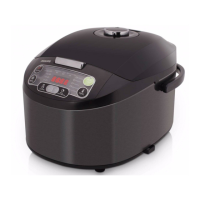


 To Next Page