19
C
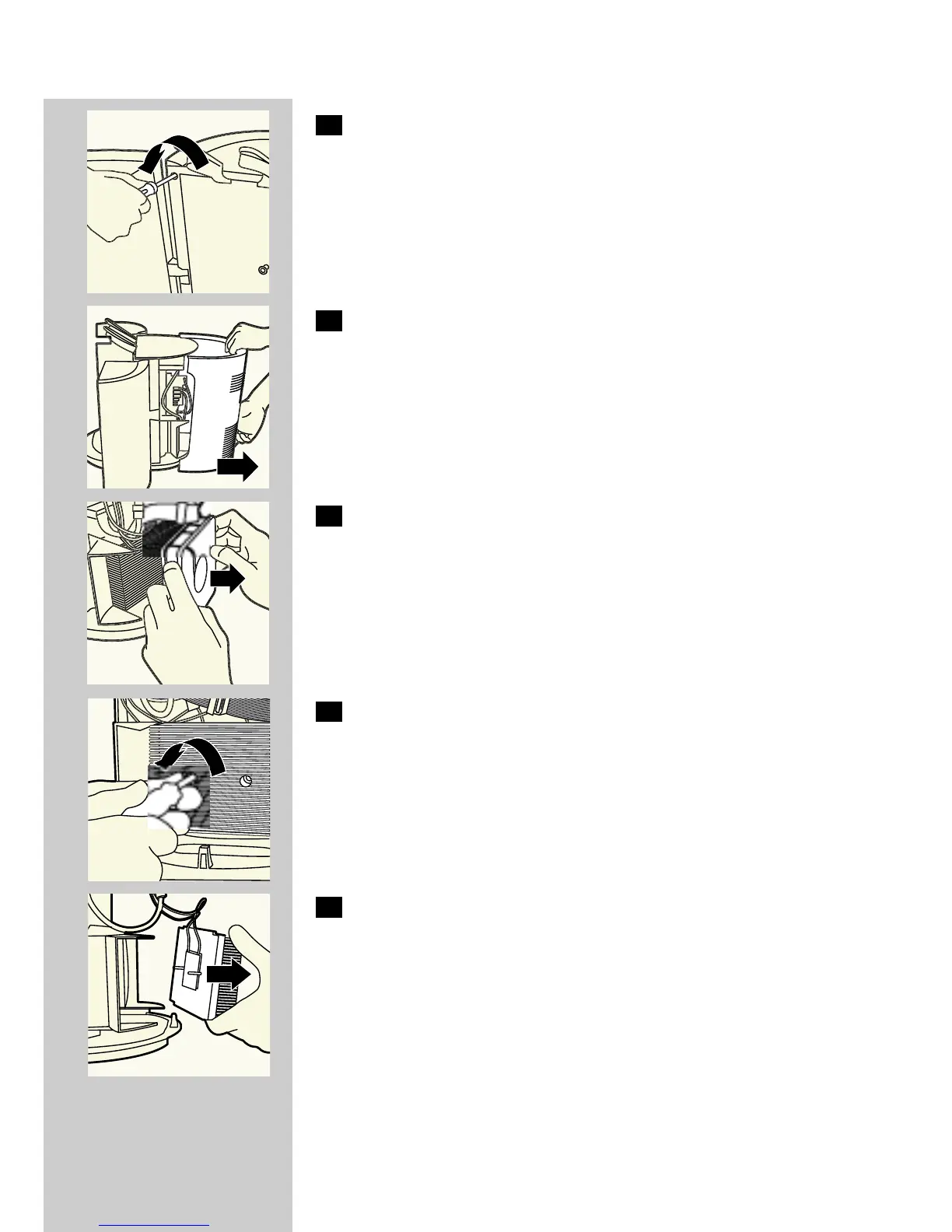
3 Remove the four screws located in these holes by means of a
screwdriver.
C
4 Remove the back cover from the appliance.
C
5 Remove the cooling fan by pulling it out.
◗ Now you will see an aluminium plate with fins on it and with two
screw holes.
C
6 Undo the screws by means of a screwdriver.
C
7 Remove the aluminium plate.
◗ After having removed the aluminium plate, you will see a white
plate of approx. 4 x 4 cm.This is the actual cooling element.
ENGLISH



 To Next Page