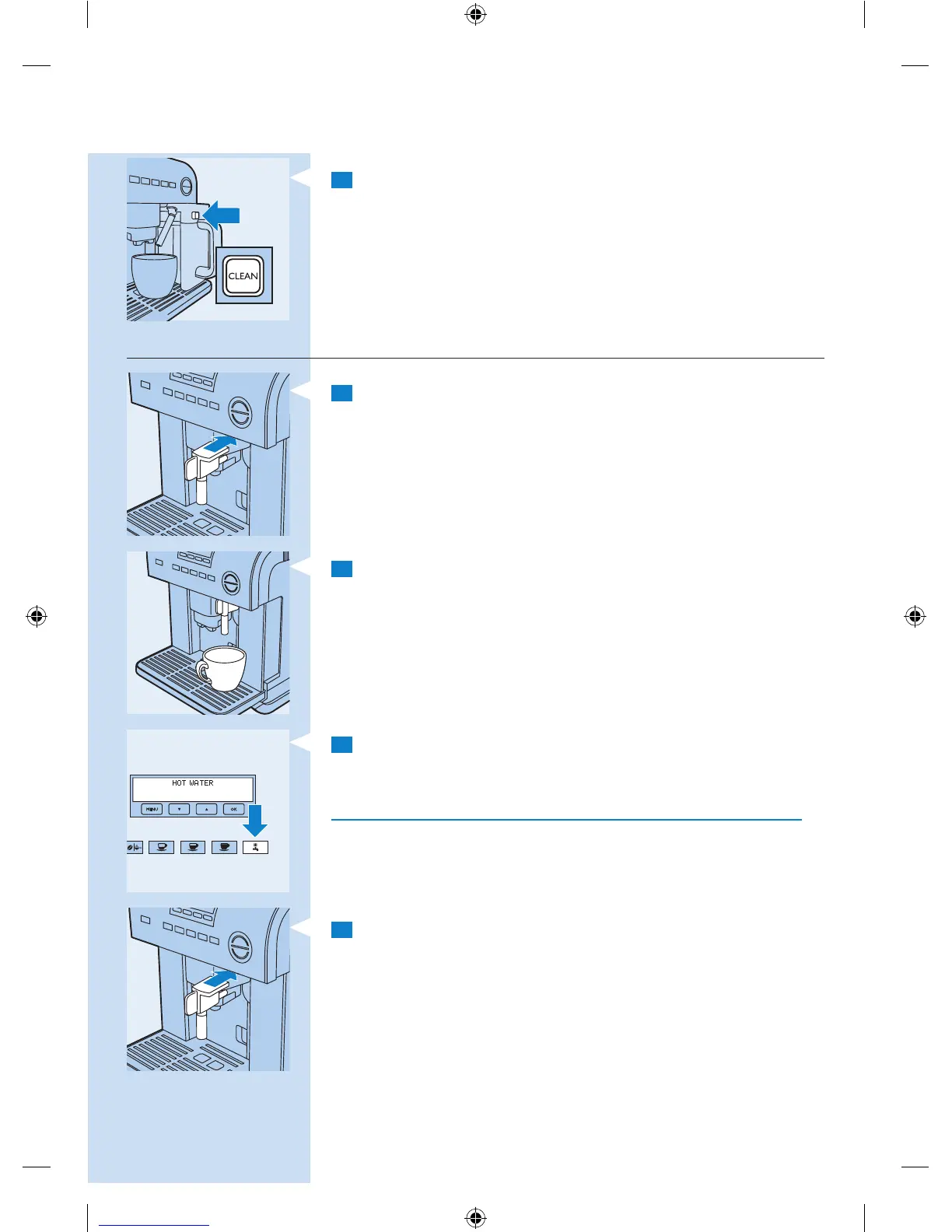
4 After frothing milk, clean the milk frothing pipe with the CLEAN
button (see section ‘Cleaning the milk frothing pipe with the CLEAN
button’ in this chapter).
Producing hot water
1 Attach the hot water spout to the nozzle.
2 Place a cup under the hot water spout.
3 Press the button for hot water.
, The display reads ‘HOT WATER’ and 125ml of hot water comes out
of the hot water spout.
Do not use the hot water function for more than 2 minutes at a time.
Changing the quantity of hot water
The appliance is preset to produce 125ml hot water. You can change this
quantity as follows:
1 Attach the hot water spout to the nozzle.
ENGLISH 17
4222.002.6507.7.indd 17 31-08-09 17:45








 To Next Page