18 ENGLISH
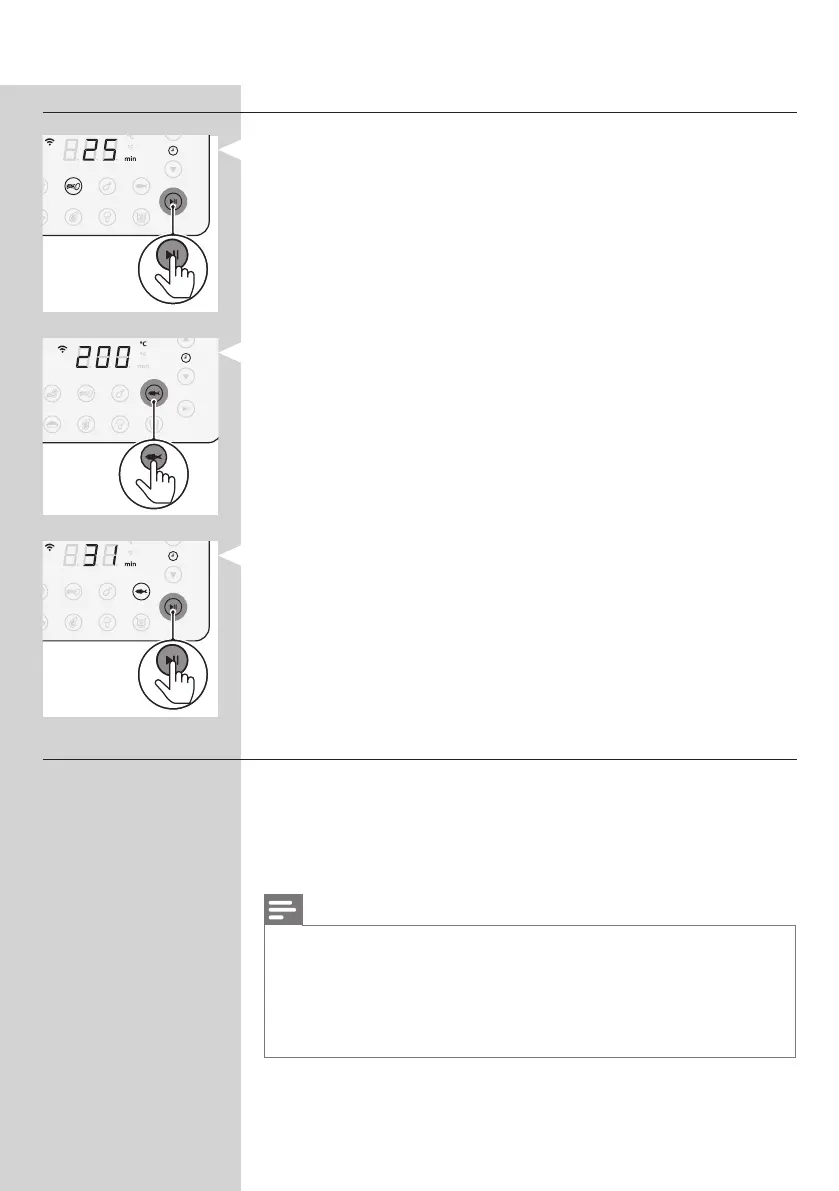
Changing to another preset
1 During the cooking process, press the start/pause button.
2 Press another preferred preset button.
3 Press the start/pause button again to start the new cooking
process.
Starting a recipe from the NutriU App
1 Press the On/O button to turn on the Airfryer.
2 Open the NutriU App on your smart device and look for your
preferred recipe.
3 Open the recipe and start the cooking process in the App.
Note
• Make sure that when cooking recipes that are developed for your
Airfryer, use the same amount of food mentioned in the recipes.
When using dierent ingredients or a dierent amount of food
items, adjust the cooking time. When cooking recipes that are not
developed for your Airfryer, be aware the time and temperature
might be adjusted.




 To Next Page