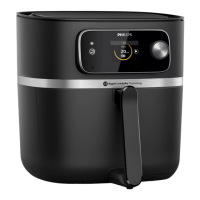
9 To change the cooking time, turn the QuickControl dial to
the desired setting.
» To conrm the selected cooking time, push the
QuickControl dial.
Note
• Refer to the food table with basic cooking settings for dierent
types of food.
10 The appliance starts cooking after the cooking time has
been conrmed.
Tip
• To pause the cooking process, push the QuickControl dial. To
resume the cooking process, push the QuickControl dial again.
Note
• If you do not set the required cooking time within 30 minutes, the
appliance automatically shuts o for safety reasons.
• If “- -” is selected as the time indication, the appliance goes into
preheating mode.
• Some ingredients require shaking or turning halfway through the
cooking time (see ‘Food table’). To shake the ingredients, press
the QuickControl dial to pause cooking, open the drawer and lift
the basket out of the pan and shake it over the sink. Then slide
the pan with the basket back into the appliance, and press the
QuickControl dial to resume cooking.
• If you set the timer to half the cooking time, when you hear the
timer bell it is time to shake or turn the ingredients. Be sure to
reset the timer to the remaining cooking time.
11 When you hear the timer bell, the set preparation time has
elapsed.
12 Open the drawer by pulling the handle and check if the
ingredients are ready.
1
2



 To Next Page
 Loading...