EasyManua.ls Logo

Philips HD9880 - User Manual

Philips HD9880
28 pages
Print Icon
To Next Page IconTo Next Page
Loading...
User manual
HD9880
Question and Answer IconNeed help?

Do you have a question about the Philips HD9880 and is the answer not in the manual?

Summary

Important Safety Information

General Safety Warnings

Essential safety precautions including dangers and warnings to prevent hazards during use.

Health and Environmental Precautions

Cautions regarding household use, placement, unattended operation, and safe practices.

General Overview and Controls

Control Panel and Navigation

Detailed explanation of the rotary and back button functions for operating the appliance.

Key Functions and Modes

Auto-Cook Programs

Using pre-set programs that automatically cook food based on input like filling level.

Getting Started and Operation

Preparation Before First Use

Steps for unpacking, cleaning, and assembling the removable mesh bottom.

Basic Airfryer Operation

Instructions for placing the appliance, plugging it in, and starting the cooking process.

Maintenance and Troubleshooting

Cleaning the Airfryer

Detailed instructions for cleaning the basket, pan, and exterior surfaces.

Troubleshooting Common Problems

Solutions for issues like overheating, connectivity problems, and cooking results.

Overview

This document describes the Philips HD9880 Airfryer, a kitchen appliance designed for hot air frying, offering a variety of cooking modes and smart features.

Function Description

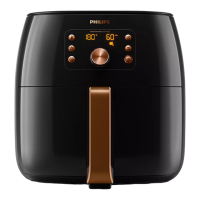
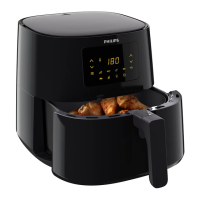
The Philips HD9880 Airfryer is primarily used for hot air frying, allowing users to prepare food with little to no oil. It features a control panel with a WiFi indicator, return button, rotary button, and a display for navigation and settings. The appliance includes a pan, a basket with a removable mesh bottom, and a drawer for holding ingredients. A key feature is the integrated food thermometer, which allows for precise cooking to a desired doneness level, particularly useful for items like steak, chicken, and fish.

The Airfryer offers several cooking modes:

  • Auto-Cook Programs: These programs automatically calculate cooking parameters (time, temperature, air speed) based on user input such as filling level, number of pieces, weight, thickness, and desired doneness. The Airfryer will notify the user if interaction, like shaking, is needed during cooking.
  • Manual Cooking: This mode allows users to manually set the cooking time (1 to 180 minutes), temperature (40°C to 200°C), and air speed (high or low).
  • Food Thermometer Mode: In this mode, users set a desired core temperature for the food (30°C to 99°C), and the Airfryer automatically stops cooking once that temperature is reached. The cooking temperature and air speed can also be set manually in this mode.

The Airfryer also includes a "Keep Warm" function, which can be activated directly after cooking or selected from the main menu, allowing food to be kept warm for 1 to 30 minutes.

Usage Features

Before First Use: Before using the Airfryer, all packing material, stickers, and protective foils must be removed. The appliance should be thoroughly cleaned. The removable mesh bottom needs to be inserted into the basket, ensuring it locks into position.

Connecting to the NutriU App: The Airfryer can be connected to the Philips NutriU app via WiFi, enabling remote control and access to recipes and Auto-Cook programs. The setup process involves plugging in the appliance, turning it on, selecting a language, and choosing weight and temperature units. Users can then opt to connect to their smart device by scanning a QR code displayed on the Airfryer and following the registration steps in the NutriU app. The WiFi indicator on the control panel provides status updates on the connection. Remote control is possible only if "remote consent" is enabled in the NutriU app profile. The Airfryer supports a 2.4 GHz 802.11 b/g/n home WiFi network and allows for single-user pairing at a time.

General Operation:

  • Placement: The appliance should be placed on a stable, horizontal, level, and heat-resistant surface, ensuring the drawer can be opened completely. Nothing should be placed on top or sides of the appliance to avoid disrupting airflow.
  • Loading Ingredients: Ingredients are placed in the basket, ensuring not to overfill beyond the "MAX" indication to maintain cooking quality.
  • Starting Cooking: After selecting a cooking mode and setting parameters (or letting Auto-Cook programs determine them), the rotary button is pressed to start. The display illuminates changeable settings.
  • Shaking Reminder: For manual cooking, a shaking reminder is provided halfway through the set cooking time. Some Auto-Cook programs also notify users when shaking or turning is required.
  • Food Thermometer Usage: The food thermometer is inserted into the thickest part of the food, avoiding bone, fat, or gristle. It should be inserted straight, not angled. For whole chicken, the probe should not go through the breast into the cavity. It is not recommended for food less than 2cm thick. The cable is guided from the cooking chamber to the outside, allowing the drawer to close.

Special Cooking Features:

  • Homemade Fries: For best results, fresh, floury potatoes are recommended. Potatoes should be peeled, cut into sticks, soaked in water for 30 minutes, dried, and then mixed with a tablespoon of cooking oil before being placed in the basket. The homemade fries Auto-Cook program should be used, and the Airfryer will notify when to shake.
  • Homemade Yogurt: This involves mixing milk and yogurt, pouring into small glasses, placing them in the Airfryer basket, and using the "Yogurt" Auto-Cook program. The fermentation takes about 8 hours, during which the Airfryer should not be opened.

Personalization and History:

  • My Programs: Users can save up to 20 favorite Auto-Cook programs, recipe settings, or manual cooking settings for quick access.
  • Cooking History: The Airfryer stores the 20 most recent cooking history entries, allowing users to re-select and start cooking items again.
  • Rating Functionality: Users can rate Auto-Cook programs and NutriU recipes after cooking, which helps improve future program recommendations.

Notifications:

  • Sound Notifications: The appliance provides sound notifications for events like cooking completion or required actions (e.g., shaking food).
  • Text Wizard: Menu screens include a text wizard to assist with navigation.

Maintenance Features

Cleaning:

  • Cooling Down: Always allow the basket, pan, and the inside of the appliance to cool down completely before cleaning. Removing the pan and basket can expedite cooling.
  • Non-Stick Coating: The pan and basket have a non-stick coating. Metal kitchen utensils or abrasive cleaning materials should not be used to avoid damage.
  • Pan and Basket: These parts can be cleaned in a dishwasher or with hot water, dishwashing liquid, and a non-abrasive sponge. For stuck food residues, soaking in hot water and dishwashing liquid for 10-15 minutes is recommended. A liquid degreaser can be used for persistent grease stains.
  • Outside of Appliance: Wipe with a moist cloth, ensuring no moisture remains on the control panel, and dry the control panel with a cloth after cleaning.
  • Splatter Shield: Clean with a sponge or a bristle brush to remove fat residues.
  • Inside of Appliance: Clean with hot water and a non-abrasive sponge.
  • Food Thermometer: Clean with warm, soapy water before and after each use.

Storage:

  • Cooling and Cleaning: Unplug the appliance and let it cool down. Ensure all parts are clean and dry before storing.
  • Cord and Thermometer Storage: Insert the power cord into its storage compartment and the food thermometer into its designated storage compartment.
  • Carrying: When carrying the Airfryer, hold it horizontally and ensure the drawer is also held at the front to prevent it from sliding out if tilted. All removable parts, like the mesh bottom, should be fixed in place.

Troubleshooting: The manual provides solutions for common issues such as the appliance becoming hot during use (normal for handles/knobs, but other areas can be hot), homemade fries not turning out as expected (e.g., wrong potato type, overfilling, insufficient shaking), the Airfryer not switching on (check plug), peeling spots inside the Airfryer (due to incidental touching/scratching of coating, not harmful), white smoke (fatty ingredients, greasy residues, airborne breading, marinade splattering), and WiFi connection issues (WiFi LED not shining, pairing unsuccessful). For unresolved issues, users are directed to the Philips support website or Consumer Care Centre.

Philips HD9880 Specifications

General IconGeneral
Product categoryAirfryer
Smart cooking programsYes
NutriU app connectivityYes
Power2225 W
Temperature range40 - 200 °C
Cord length0.8 m
Dishwasher safe partsYes
Timer60 minutes
ColorBlack
MaterialPlastic

Related product manuals