19English
Measure the thickness of your food
You can use the food thermometer to measure the thickness of your food.
1. Place the food thermometer next to the food and check which marking
reaches the top of the food.
2. Set the value from 1 to 6 in the Airfryer when you get asked about the
thickness if you cook with an Auto-Cook program.
Cooking modes
Mode How to
Auto-Cook
Programs
Select the Auto-Cook program from the list.
Follow the steps on the appliance. The Auto-
Cook programs calculate all cooking parameters
automatically based on your input, such as lling
level or number of pieces etc. Then start cooking.
Manual
cooking
Set cooking time, temperature and air speed
manually and start cooking.
Food
Thermometer
Set core temperature, cooking temperature and air
speed manually and start cooking.
Auto-Cook Programs
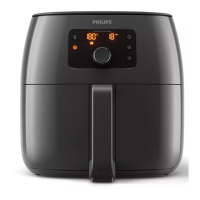
1. Turn the rotary button until "Auto-Cook Programs" is selected. Press the
rotary button to enter this mode.
2. Push the rotary button to conrm.
3. Turn the rotary button to choose the Auto-Cook program you need. Press
the rotary button to conrm.
4. Select the amount of food you have put into the basket.




 To Next Page