10
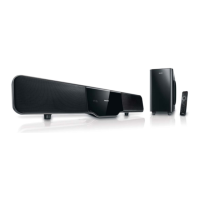
You can connect the AV output jacks •
on a game console to the AV1 IN or
AV2 IN jacks on the main unit.
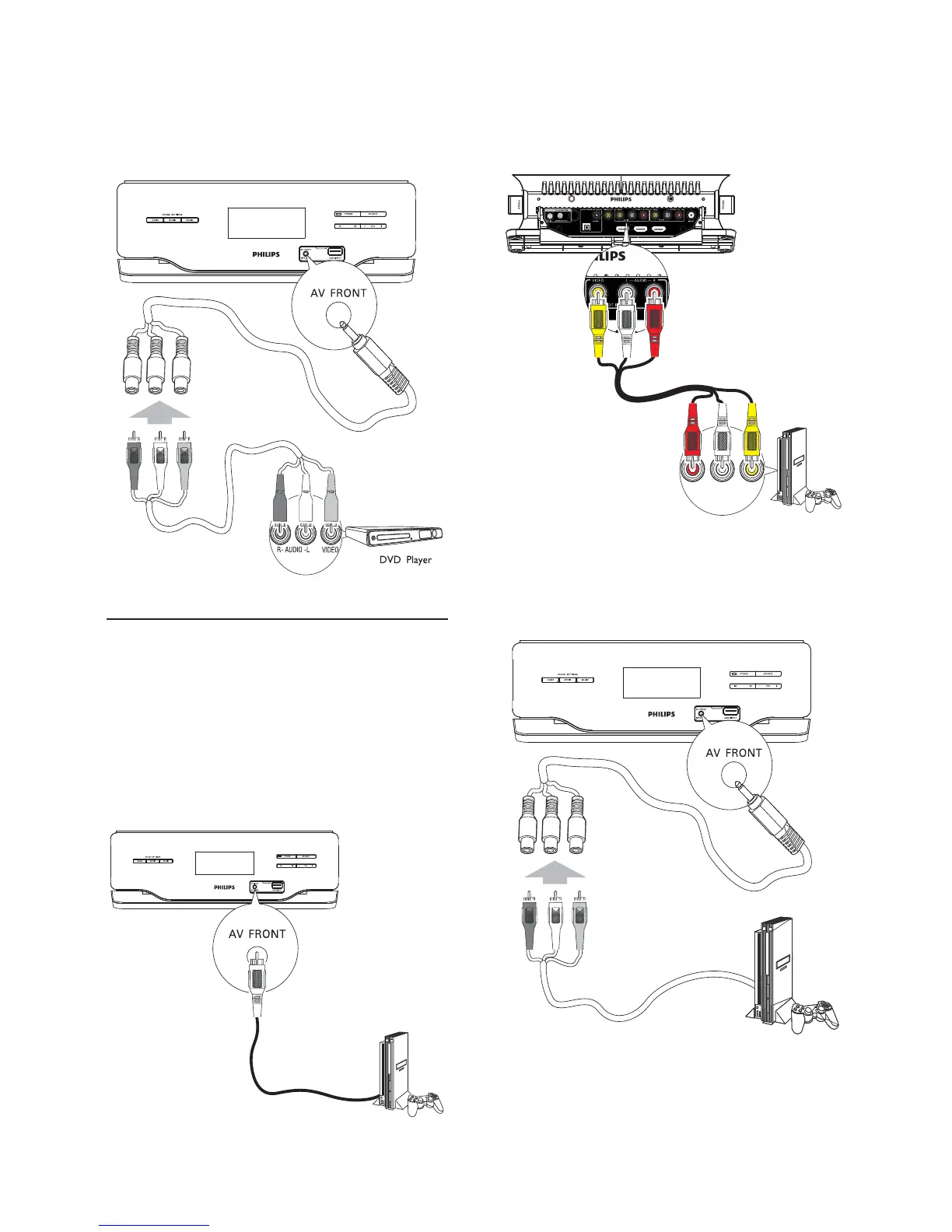
You can also connect the supplied AV •
switch cable to the AV FRONT jack
fi rst, then connect the AV cable to the
AV output jacks on the DVD player.
OPTICAL
HDMI OUTHDMI IN 1 HDMI IN 2
AUDIO VIDEO
AUDIO OUT
L
R
You can also connect the supplied AV •
switch cable to the AV FRONT jack
fi rst, then connect the AV cable to the
AV output jacks on the DVD player.
Connect game console
If you connect your game console and TV to the
home theater system, you can enjoy the superb
sound performance while playing games.
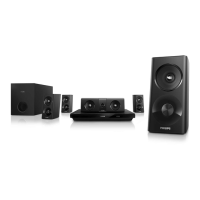
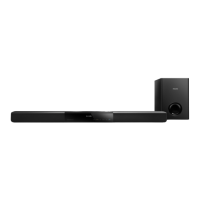
1 Connect the main unit to the TV.
2 Connect an MP3 Link cable (not supplied)
to the AV FRONT jack on the main unit and
the AV OUT jack on the game console.
EN


 To Next Page