20
6 Press OK / to start play.
4 Play
Play an AV source through
this soundbar
Note
Ensure that you have made the necessary AV
connections (see ‘Connect AV devices’ on page 14).
•
1 Press AV 1, AV 2, AV FRONT or COAX
to select an AV source.
Play from USB
Note
Ensure that the USB device contains playable music
(see ‘USB playability information’ on page 27).
•
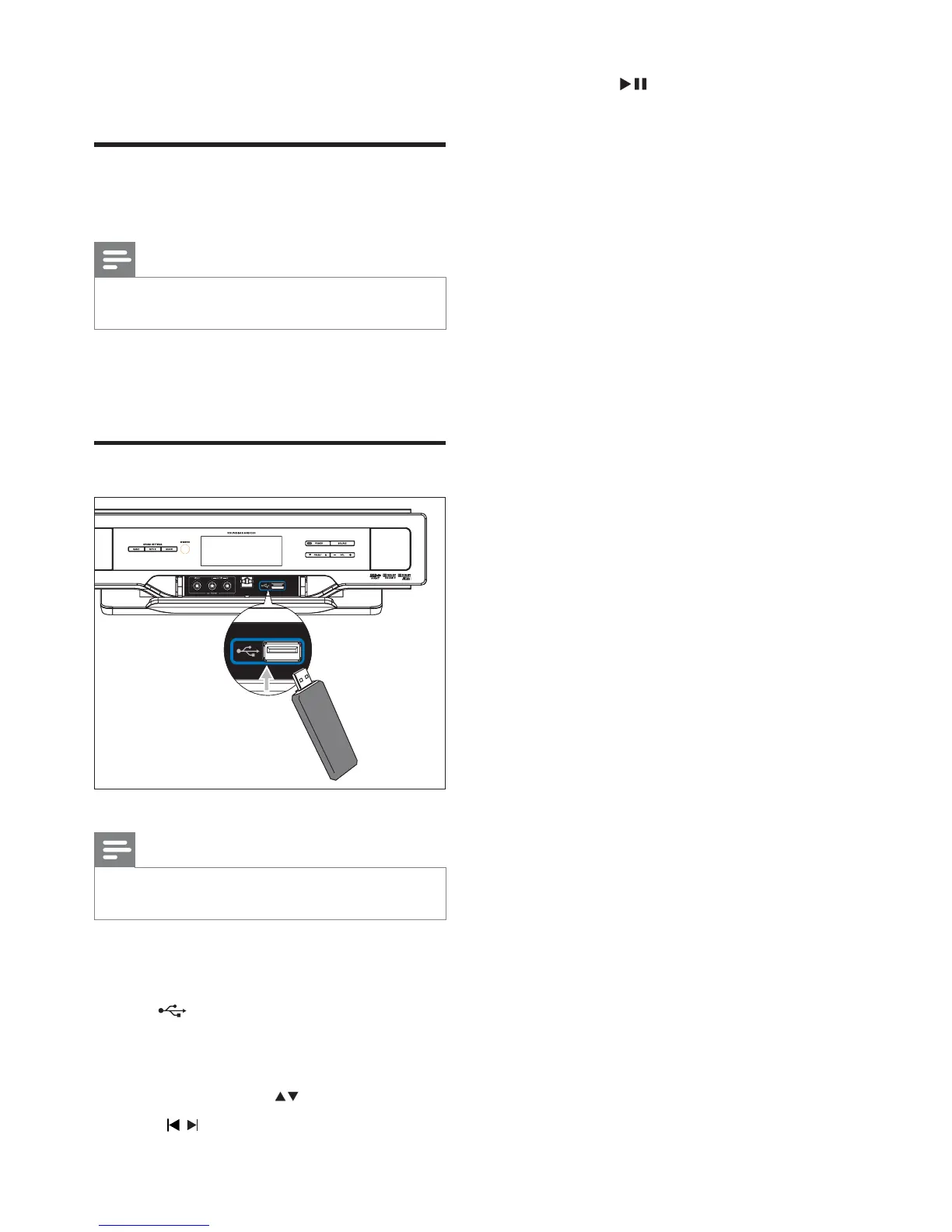
1 Flip open the cover on the front panel.
2 Insert the USB plug of a USB device into
the
socket.
3 Press USB to select the USB source.
The total number of tracks is displayed.
4 Press PRESET/ALB/ to select a folder.
5 Press / to select a fi le.
»
EN










 To Next Page