
 Need help?
Do you have a question about the Philips HTB3580 and is the answer not in the manual?
Covers risks of electric shock, fire, injury, overheating, contamination, and battery issues.
Instructions on handling discs and cleaning the product.
Information on recycling and proper disposal of the product and batteries.
Precautions for users with epilepsy or photosensitive seizures.
Overview of the main unit's buttons and functions.
Overview of the remote control's buttons and functions.
Details of front and rear panel connectors.
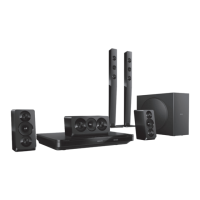
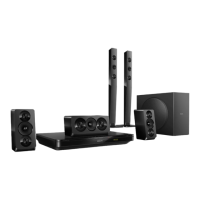
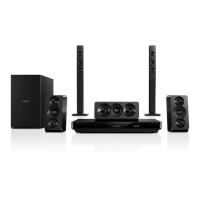
Instructions on connecting speakers and their placement.
Steps to connect rear speakers wirelessly using a module.
Connecting the home theater to a TV via HDMI.
Connecting audio sources using optical, coaxial, or analog cables.
Manual speaker setup for surround sound.
Enabling and configuring EasyLink for device control.
Troubleshooting audio output issues and setting up audio inputs.
Instructions for connecting the home theater to a wired network.
How to name the home theater for easy network identification.
Navigating the home menu for access to devices and features.
Enabling or disabling automatic disc playback.
Enabling or disabling sequential playback of video files.
Information on playing various disc types like DVD, CD, Blu-ray.
Adjusting audio delay to match video.
Instructions for playing 3D Blu-ray discs.
Steps to access BD-Live features on Blu-ray discs.
How to use Bonus View (picture-in-picture) on Blu-ray discs.
Connecting and playing audio from Bluetooth devices.
Pairing Bluetooth devices using NFC technology.
Information on playing pictures, audio, and video files.
How to select subtitle languages and character sets.
How to get the DivX VOD registration code.
Using USB storage devices for media playback.
Options for repeating audio tracks or files.
Options for video playback like subtitle, audio language, and picture settings.
Adjusting picture zoom, rotation, and settings.
Creating slideshows from picture and audio files.
Listening to FM radio, storing stations, and tuning.
Connecting an external audio device for playback.
Accessing internet applications and websites via Smart TV.
Removing passwords, cookies, and browsing data from Smart TV.
Renting videos from online stores via Smart TV.
Playing media files from a PC via DLNA.
Setting up media server software for sharing.
Playing media files from a PC over the network.
Playing Karaoke discs and using microphones.
Selecting sound modes for video or music.
Experiencing immersive surround sound.
Selecting predefined sound modes for optimal audio.
Adjusting treble, mid, and bass frequencies.
Reducing sudden volume changes automatically.
Adjusting picture format, resolution, and color settings.
Selecting menu, audio, and subtitle languages for discs.
Adjusting audio output and enabling night mode.
Configuring speakers for surround sound experience.
Configuring screen saver, auto standby, and sleep timer.
Setting up parental controls and restricting disc access.
Adjusting auto subtitle shift, display brightness, and VCD PBC.
How to check the current software version installed.
Steps to update software using a USB flash drive.
Steps to update software via an internet connection.
Lists supported audio file, media, and video formats and specifications.
Information on region code support and Bluetooth specifications.
Details on codecs and bit rates for AVI, MKV, MP4, MOV, ASF, MPG files.
Specifications for Amplifier, Video, Audio, Radio, and USB components.
Troubleshooting main unit buttons, no picture, and HDMI picture problems.
Troubleshooting HD disc playback, sound, sync, DivX, and general playback errors.
Troubleshooting USB read errors, TV errors, EasyLink, and Bluetooth/NFC connectivity.
Troubleshooting auto TV power on, BD-Live, 3D video, black screens, and downloads.
Legal notices regarding copyright and intellectual property.
Information on obtaining source code for open source software.
A list of language codes and their corresponding languages.
 General
| Brand | Philips |
|---|---|
| Model | HTB3580 |
| Category | Home Theater System |
| Language | English |


 To Next Page
