14 EN
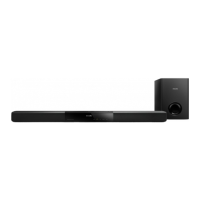
Main unit
• Power supply:
• Model (Philips branded AC power
adapter): TNUA3202003
• Input: 100-240 V~, 50/60 Hz 1.65 A
• Output: 32 V
, 2.0 A
• Standby power consumption: ≤ 0.5 W
• Dimensions (W x H x D): 950 x 51 x 69 mm
• Weight: 1.6 kg
• Built-in speakers:
• Drivers: 3 x full range (90mm/3.5" x
34mm/1.3")
• Impedance: 4 ohm
• Operating temperature and humidity:
0°C to 45°C, 5% to 90% humidity for all
climates
• Storage temperature and humidity: -40°C
to 70°C, 5% to 95%
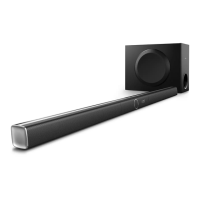
Subwoofer
• Impedance: 2 ohm
• Speaker driver: 1 x 134 mm (5.25") woofer
• Dimensions (W x H x D):
165 x 240 x 296 mm
• Weight: 2.8 kg
Remote control batteries
• 1 x AAA-R03-1.5 V
Standby power management
• When the product remains inactive for
15 minutes, it automatically switches to
standby or networked standby.
• The power consumption in standby or
networked standby is less than 0.5W.
• To deactivate Bluetooth connection, press
and hold the Bluetooth button on the
remote control.
• To activate Bluetooth connection, enable
Bluetooth connection on your Bluetooth
device, or enable Bluetooth connection via
the NFC tag (if available).
8 Troubleshooting
Warning
•
Risk of electric shock. Never remove the casing of the
product.
To keep the warranty valid, never try to repair
the product yourself.
If you have problems using this product, check
the following points before you request service.
If you still have a problem, get support at
www.philips.com/support.
Main unit
The buttons on this proudct do not work.
• Disconnect this product from the power
supply for a few minutes, then reconnect.
Sound
No sound from the speakers of this product.
• Connect the audio cable from this product
to your TV or other devices.
• Make sure that you connect the audio
input on this product to the audio output
on your TV or other devices.
• Reset this product to its factory settings.
• On the remote control, select the correct
audio input.
• Make sure that this product is not muted.
Distorted sound or echo.
• If you play audio from the TV through this
product, make sure that the TV is muted.
Audio and video are not synchronized.
• Press AUDIO SYNC +/- to synchronize
the audio with the video.
Error message is displayed on the display
panel.
• When "ERROR" is displayed, it indicates
that an input audio format is not
supported.


 To Next Page