6 EN
Connectors
This section includes an overview of the
connectors available on this product.
a HDMI OUT (ARC) - TO TV
Connect to the HDMI (ARC) input on the
TV.
b DC IN
Connect to the power supply.
c SUBWOOFER
Connect to the supplied subwoofer.
d AUX IN (L/R)
Connect to an analog audio output on the
TV or an analog device.
e DIGITAL IN-COAXIAL
Connect to a coaxial audio output on the
TV or a digital device.
f DIGITAL IN-OPTICAL
Connect to an optical audio output on the
TV or a digital device.
g
(USB)
• Connect to a USB storage device for
audio media play.
• Upgrade software of this product.
• Charge a USB device.
h AUDIO IN
Audio input from, for example, an
MP3 player (3.5mm jack).
a cb
h
g
fed
3 Connect
This section helps you connect this product to a
TV and other devices.
For information about the basic connections of
this product and accessories, see the quick start
guide.
Note
•
For identication and supply ratings, see the type plate
at the back or bottom of the product.
• Before you make or change any connections, make sure
that all devices are disconnected from the power outlet.
Placement
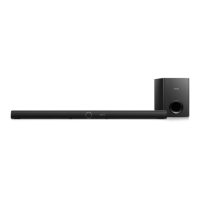
Place the subwoofer at least 1 meter (3 feet)
away from the main unit, and 10 centimeters
(4 inches) away from the wall.
For best results, place your subwoofer as shown
below.


 To Next Page