EasyManua.ls Logo

Philips HTS3000/51 - User Manual

Philips HTS3000/51
47 pages
Print Icon
To Next Page IconTo Next Page
Loading...
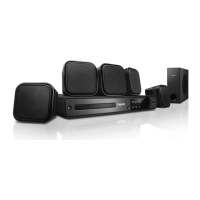
DVD HOME THEATRE SYSTEM
HTS3000
welcome
User Manual 6
Руководство пользователя 48

Table of Contents

Other manuals for Philips HTS3000/51

Question and Answer IconNeed help?

Do you have a question about the Philips HTS3000/51 and is the answer not in the manual?

Summary

LASER

General Information and Precautions

Setup Precautions

Guidelines for safe and optimal placement and handling of the unit.

Accessories Supplied

List of components included with the home theatre system.

Cleaning Discs

Instructions for cleaning discs to ensure proper playback.

About Recycling

Information on responsible disposal of the electronic equipment.

Main Unit Overview

Main Unit Controls

Description of buttons and functions on the main unit's front panel.

Remote Control Operations

Remote Control Buttons

Detailed explanation of the remote control buttons and their operations.

Remote Control Usage

Using the Remote Control

Instructions on how to operate the remote control effectively.

Basic Connections

Speaker Placement

Guidelines for optimal placement of front, centre, and rear speakers.

TV Connection

Instructions for connecting the unit to a standard or progressive scan TV.

Speaker and Subwoofer Connection

How to connect all speakers and the subwoofer to the main unit.

Antenna and Power Connection

Guide for connecting radio antennas and the power cord.

Optional Connections

Connecting TV Audio

How to connect TV audio output for surround sound.

Connecting External Devices

Connecting audio from external devices for surround sound.

Basic Setup and Configuration

Initial Setup Steps

Finding TV channel and switching play source.

Language and Display Settings

Adjusting language preferences and TV display aspect ratio.

Advanced Setup Options

Setting up progressive scan and speaker channels for optimal performance.

Disc Playback and Operations

Disc Operations Overview

General procedures for playing discs, controls, and features.

Playing Audio and Image Files

How to play MP3/WMA discs and view JPEG photos.

Playing DivX Movies

Guide to playing DivX movies from discs.

Setup Menu Options

Navigating Setup Menus

How to access and navigate the system's setup menus.

General Setup Settings

Settings for Disc Lock, Display Dim, OSD Language, Screen Saver, Sleep.

Audio and Video Setup

Configuring audio output and video display parameters.

Preference Settings

Customization options like Audio, Subtitle, Parental Control, MP3/JPEG Nav.

Radio Tuning and Presets

Tuning and Selecting Stations

How to tune into and select radio stations.

Presetting Radio Stations

Storing favourite radio stations using auto or manual preset.

Other Features and Controls

Sound and Volume Adjustments

Adjusting volume, mute, surround sound, and digital sound effects.

Software Updates and Sleep Timer

Procedures for software upgrades and setting the sleep timer.

Troubleshooting Common Issues

General Problems

Solutions for common issues like no power, no picture, or no sound.

Playback and Reception Issues

Steps for playback errors, DivX issues, and poor radio reception.

Glossary of Terms

Technical Specifications

Summary

LASER

General Information and Precautions

Setup Precautions

Guidelines for safe and optimal placement and handling of the unit.

Accessories Supplied

List of components included with the home theatre system.

Cleaning Discs

Instructions for cleaning discs to ensure proper playback.

About Recycling

Information on responsible disposal of the electronic equipment.

Main Unit Overview

Main Unit Controls

Description of buttons and functions on the main unit's front panel.

Remote Control Operations

Remote Control Buttons

Detailed explanation of the remote control buttons and their operations.

Remote Control Usage

Using the Remote Control

Instructions on how to operate the remote control effectively.

Basic Connections

Speaker Placement

Guidelines for optimal placement of front, centre, and rear speakers.

TV Connection

Instructions for connecting the unit to a standard or progressive scan TV.

Speaker and Subwoofer Connection

How to connect all speakers and the subwoofer to the main unit.

Antenna and Power Connection

Guide for connecting radio antennas and the power cord.

Optional Connections

Connecting TV Audio

How to connect TV audio output for surround sound.

Connecting External Devices

Connecting audio from external devices for surround sound.

Basic Setup and Configuration

Initial Setup Steps

Finding TV channel and switching play source.

Language and Display Settings

Adjusting language preferences and TV display aspect ratio.

Advanced Setup Options

Setting up progressive scan and speaker channels for optimal performance.

Disc Playback and Operations

Disc Operations Overview

General procedures for playing discs, controls, and features.

Playing Audio and Image Files

How to play MP3/WMA discs and view JPEG photos.

Playing DivX Movies

Guide to playing DivX movies from discs.

Setup Menu Options

Navigating Setup Menus

How to access and navigate the system's setup menus.

General Setup Settings

Settings for Disc Lock, Display Dim, OSD Language, Screen Saver, Sleep.

Audio and Video Setup

Configuring audio output and video display parameters.

Preference Settings

Customization options like Audio, Subtitle, Parental Control, MP3/JPEG Nav.

Radio Tuning and Presets

Tuning and Selecting Stations

How to tune into and select radio stations.

Presetting Radio Stations

Storing favourite radio stations using auto or manual preset.

Other Features and Controls

Sound and Volume Adjustments

Adjusting volume, mute, surround sound, and digital sound effects.

Software Updates and Sleep Timer

Procedures for software upgrades and setting the sleep timer.

Troubleshooting Common Issues

General Problems

Solutions for common issues like no power, no picture, or no sound.

Playback and Reception Issues

Steps for playback errors, DivX issues, and poor radio reception.

Glossary of Terms

Technical Specifications

Philips HTS3000/51 Specifications

General IconGeneral
BrandPhilips
ModelHTS3000/51
CategoryHome Theater System
LanguageEnglish

Related product manuals