13
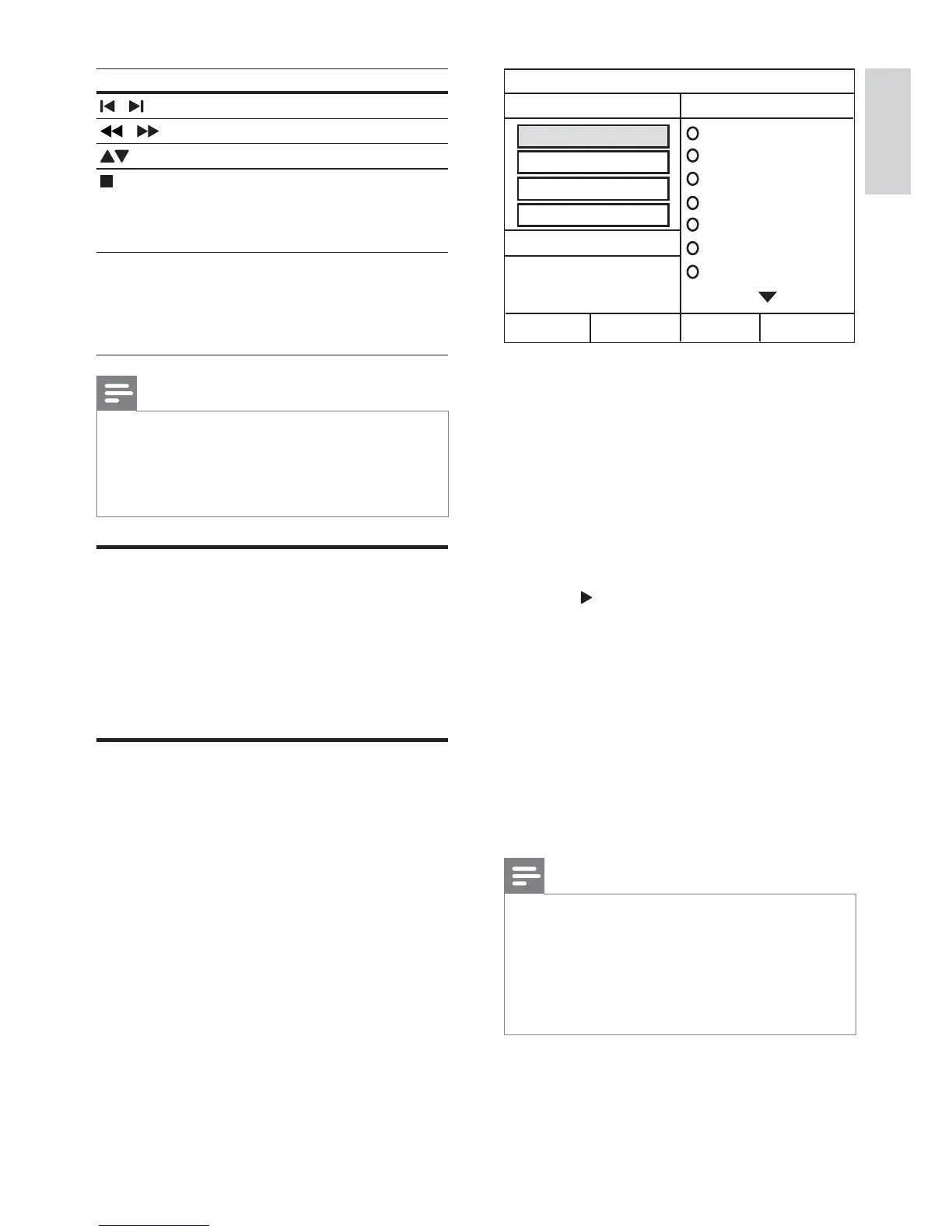
5 Select the settings in the [OPTIONS] panel,
then press OK.
[Speed]
speed.
[Bitrate] : Selects the conversion
quality.
[CRT ID3] : Copies information on the
: Selects the USB device
6 Press to access the [TRACK] panel.
7 Select an audio track, then press OK.
[Select All] : Selects all tracks.
[Deselect all] : De-selects all tracks.
8 Select [Start] in the menu to convert, then
press OK.
» A new folder is created in the USB
storage device to store all the new MP3
To exit the menu, select [Exit] and
press OK.
Note
During the conversion process, do not press
any buttons.
DTS CDs and copy-protected CDs cannot be
converted.
Write-protected or password-protected USB
storage device cannot be used to store MP3
CREATE MP3
OPTIONS
TRACK
Bitrate 128kbps
SUMMARY
Select Track 0
Start Exit
Select All
Deselect All
Time 00:00
Track01 04:14
Track02 04:17
Track03 03:58
Track04 04:51
Track05 03:53
Track06 04:09
Track07 04:38
Speed Normal
CRT ID3 Yes
Device USB1
Button Action
/
Selects a preset radio station.
/
Searches for a radio station.
Fine tunes a radio frequency.
Press and hold to erase the
preset radio station.
Press to stop the installation of
radio stations.
PROGRAM Manual: Press once to access
program mode, and press again
to store the radio station.
seconds to reinstall radio stations.
Note
AM and digital radio are not supported.
If no stereo signal is detected, you are
prompted to install the radio stations again.
For the best reception, place the antenna away
from the TV or other sources of radiation.
Play audio from TV or other
Press AUDIO SOURCE repeatedly to select
the audio output of the connected device (see
‘Connect audio from TV or other devices’ on
page 8).
Use the home theater to convert audio CDs into
1 Insert an audio CD (CDDA/HDCD) into
the home theater.
2 Connect a USB storage device to the home
theater.
3 When audio is played, press CREATE MP3.
4 Select [Yes] and press OK
English
EN


 To Next Page