2 - 2 -
System , Region Code , etc. Setting Produre
1)System Reset
a) Press “SETUP“ button on R/C,TV will show setup menu.
b) Select the menu using the and on R/C.
c) Go preference page to do system reset.
2)Region Code Change
a) In open mode, press”9” “9“ “9“ “9“ on R/C,then input desired
number to change region code :
USA
2 EU
3 AP
4 Australia ,NZ , Latam
5 Russia , INDIA
6 CHINA
3)Version Control Change
a) In open mode, press ““ “5“ “9“ on R/C.
b) Press “ok” button to conrm.
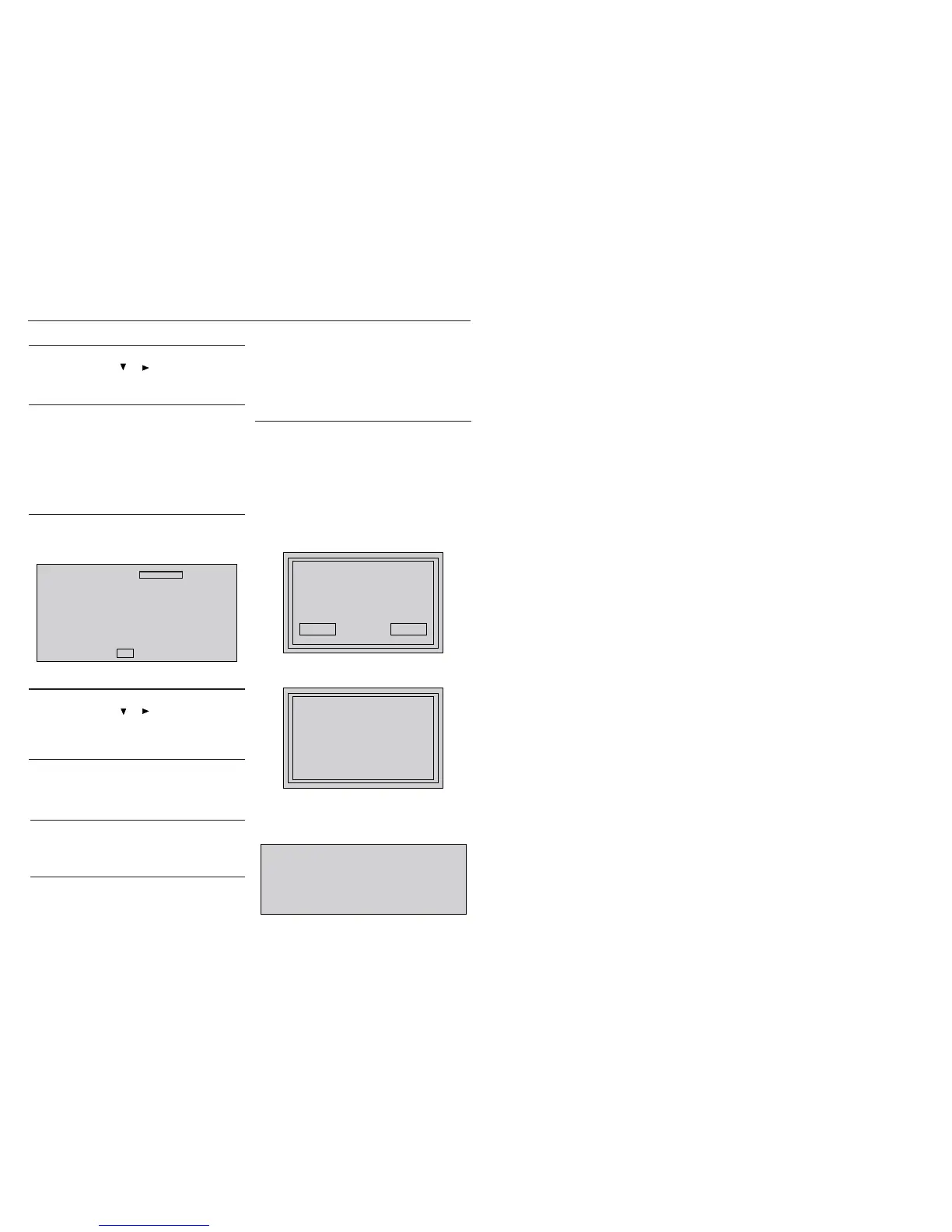
c) TV will show message as below:
7) Upgrading new software
a) Copy “software les” into a CD-R.
b) Open the CD Door,then insert the CD-R program disc.
c) Close the CD Door.
d) VFD will show:
“Loading“
“Erase” -- erase the ash memory
“Writing” about minute
“done “
* the system will switch off and on again automatically.
e) OSD will show:
Current model HTS357/94
Version: XX.XX.XX Release:XXXX.XX.XX
region :X Servo:XX.XX.XX.XX
8032:XX.XX.XX.XX RISC: XX.XX.XX.XX
MCU:XX.XX
If current model does not match you set use down arrow
key on the remote to change
OK
CAUTION!
This information is condential and may not be
distributed.Only a qualied service person should
reprogram the Region Code.
4)Password Change
a) Press “SETUP“ button on R/C,TV will show setup menu.
b) Select the menu using the and on R/C.
c) Go preference page select “password“ to change.
* 000000 is default password supplied.
5)Check on the Software Version
a) Open the CD Door.
b) Press “INFO“ button on R/C.
c) TV will show the version on screen.
upgrade le detected
Do you wish to continue with
the software upgrade?
OK Cancel
f) Select “OK”, OSD will show:
upgrade in progress...
V357X
please do not unplug or
switch off the device.
6)Trade model
a) Press “Open/Close “ button on R/C.
b) Press “2” “5” “9” on R/C,VFD will display “TRA ON “ or “TRA
OFF“.
8) Produce to Change Tuner Grid
(only applicable for certain regions)
In some countries, the frequency step between adjacent channels
in the FM band is 50kHz (00kHz in some areas).
a) Press “source” to select “FM”.
b) In “FM” playback mode, press & hold “play/pause” button until
Grid 9” or “Grid 0” appears.
Note: repeating the same action will toggle back to it previous
tuning grid setting.
* “Grid 0” is default for/98 version.


 To Next Page