Need help?
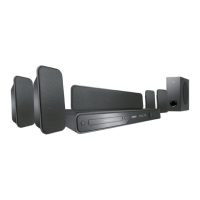
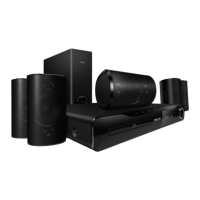
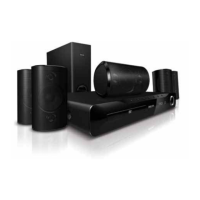
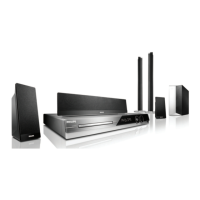
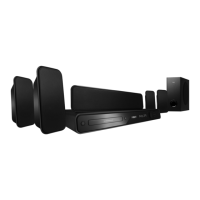
Do you have a question about the Philips HTS3565/78 and is the answer not in the manual?
Measures to ensure safe and correct placement and operation of the unit.
List of all items included with the home theater system.
Proper method for cleaning discs to ensure playback quality.
Identification and function of controls on the front panel of the main unit.
Identification and function of buttons on the remote control unit.
Steps for operating the system using the remote control.
Step-by-step guide for connecting speakers, TV, and power for initial setup.
Connecting audio from external devices like DVD recorders or game consoles.
How to select the correct TV input source for the home theater system.
Configuring audio, subtitle, and menu languages for DVD playback.
Enabling higher picture resolution for compatible TVs.
Instructions for loading and playing various disc formats like DVD, CD, VCD.
Functions like play, pause, stop, skip, and search for disc playback.
Options to zoom and pan the video image displayed on the TV.
How to navigate and enter the system's configuration menus.
Settings for display, OSD language, and sleep timer.
Adjusting speaker volume, delay, and HDMI audio settings.
Guide to finding and tuning into FM radio stations.
Storing favorite radio stations for quick access.
Adjusting the overall audio volume level of the system.
Choosing preset sound modes like Concert, Drama, or Sports.
Solutions for common issues such as no picture, distorted picture, or no sound.
Solutions for playback issues with remote control, discs, or features.
 General
| Brand | Philips |
|---|---|
| Model | HTS3565/78 |
| Category | Home Theater System |
| Total Power Output | 300 W |
| Number of Channels | 5.1 |
| Number of Speakers | 5 |
| Subwoofer | Yes |
| Disc Playback | Yes |
| Supported Formats | MP3, WMA, JPEG |
| DVD Player | Yes |
| HDMI Outputs | 1 |
| HDMI ports quantity | 1 |
| USB Playback | Yes |
| USB Port | 1 |
| Component video (YPbPr/YCbCr) out | Yes |
| Composite video out | Yes |
| SCART ports quantity | 1 |
| FM radio | Yes |
| Radio | FM |
| Bluetooth | No |
| Supported disc types | DVD, CD |
| Audio decoders | Dolby Digital |

 To Next Page