34
English
Playback - USB Device
Playing from USB device
You can play or view the data les
(JPEG, MP3, Windows Media™ Audio or
DivX®) in the USB ash drive or USB
memory card reader. However, editing
or copying the data le is not possible.
MIC LEVEL
MP3 LINK
MIC
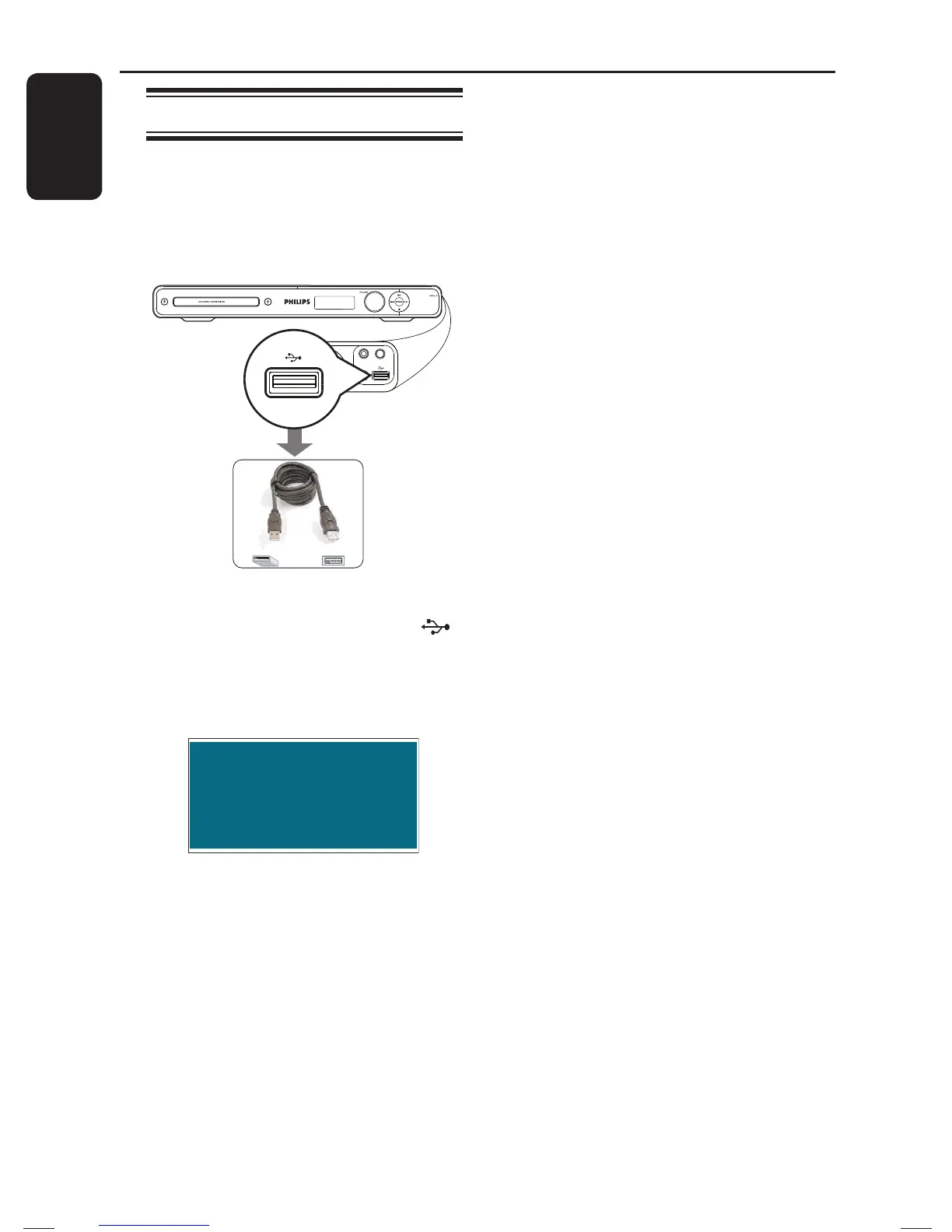
A Connect the USB ash drive/USB
memory card reader directly to the
(USB) socket on this unit.
B A message appears on the TV for 5 ( ve)
seconds when the device is detected.
Press USB to select device
C Press USB
on the remote control to
access the data in the drive.
When using multiple drives on a single
card reader, only one of the connected
cards can be accessed.
The device numbers may vary from
different card readers.
D Select the le to play and press u.
For more playback information, see
‘Playing a MP3/WMA disc’, ‘Playing a JPEG
photo le (slide show)’ or ‘Playing a
DivX® disc’ for details.
E Before you remove the USB device,
press Ç to stop playback or press DISC
to switch to disc mode.
Helpful Hints:
– The USB socket does not support the
connection of other USB devices except to a
USB ash drive/USB memory card reader.
– When the USB device does not t into the
USB socket, a USB extension cable (not
supplied) is required.
– This unit can only support up to a
maximum of 300 folders and 648 les.
– You can only read and playback the
content from the USB device.
– Copy-protected contents are not playable.
1_hts3565_78_eng1.indd 341_hts3565_78_eng1.indd 34 10/14/2008 4:56:54 PM10/14/2008 4:56:54 PM


 To Next Page