41
Automatic presetting
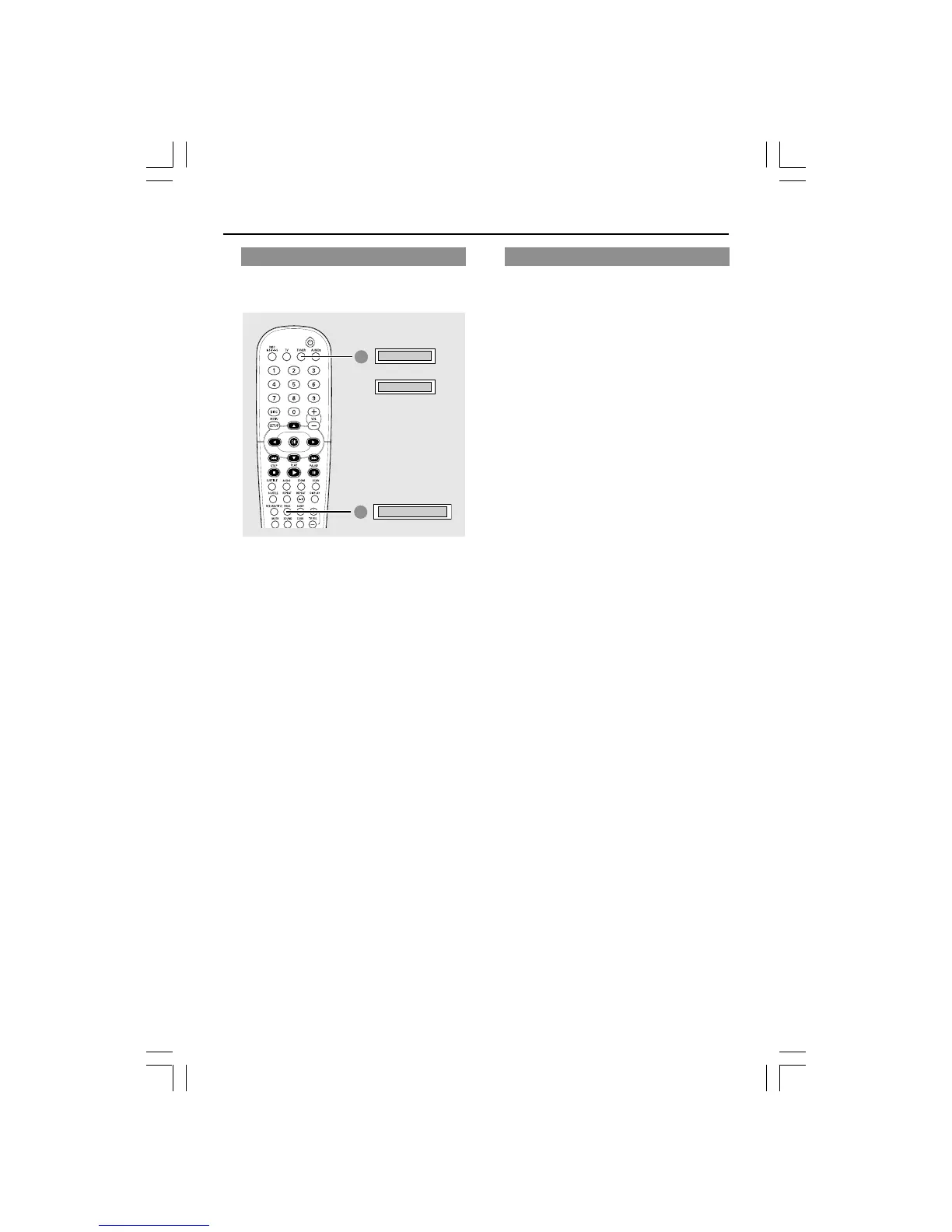
Use automatic presetting to store or
reinstall all the preset radio stations.
1
TUNER/FM
AUTO PRESET
2
TUNER/MW
OR
1 Press TUNER on the remote to select
“TUNER/FM” or “TUNER/MW”.
2 Press and hold PROG until "AUTO
PRESET" appears.
➜ If auto program is started from preset
‘X’, then programs will be stored starting
from ‘X’. All preset stored before ‘X’
point still remain.
Tuner Operations (continued)
DVD system’s
display panel
Manual presetting
Use manual presetting to store only your
favourite radio stations.
1 Tune to your desired radio station (see
“Tuning to radio stations”.)
2 Press PROG.
3 Press S / T to select a preset
number that you want to store the
current radio station.
4 Press PROG again to store.


 To Next Page