7EN
• Press and hold for three seconds to
open or close the disc compartment,
or eject the disc.
b (Play)
Start or resume play.
c / (Previous/Next)
• Skip to the previous or next track,
chapter or le.
• In radio mode, select a preset radio
station.
d (Pause)
Pause play.
e / (Fast Backward/Fast Forward)
Search backwards or forward. Press
repeatedly to change the search speed.
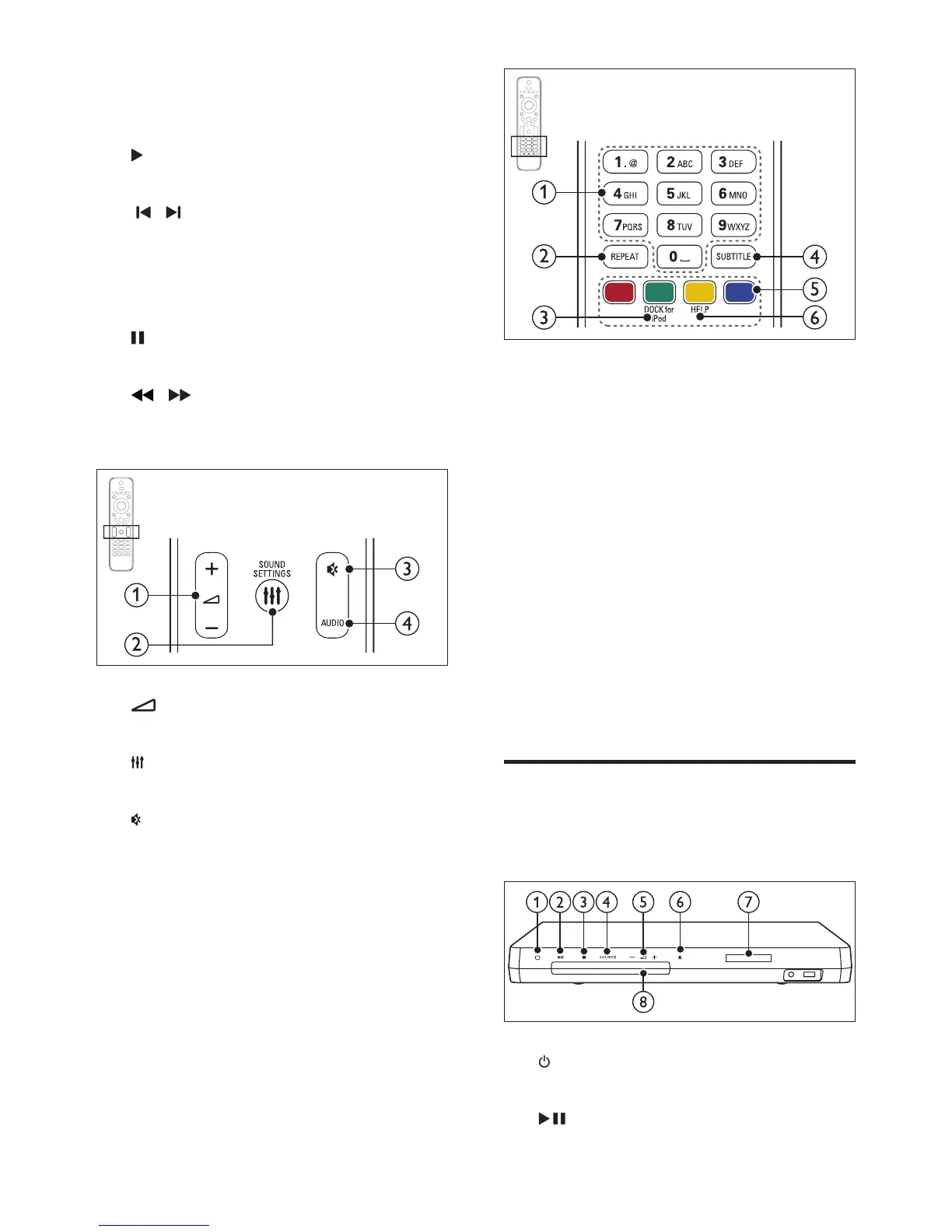
a +/- (Volume)
Increase or decrease volume.
b SOUND SETTINGS
Access or exit sound options.
c (Mute)
Mute or restore volume.
d AUDIO
Select an audio language or channel.
a Alphanumeric buttons
Enter values or letters (using SMS style
entry).
b REPEAT
Select or turn off repeat mode.
c DOCK for iPod
Switch to Philips dock for iPod or iPhone.
d SUBTITLE
Select subtitle language for video.
e Color buttons
Select tasks or options for Blu-ray discs.
f HELP
Access the onscreen help.
Main unit
This section includes an overview of the main
unit.
a (Standby-On)
Switch the home theater on or to standby.
b (Play/Pause)



 To Next Page