12
Switching On/ Off
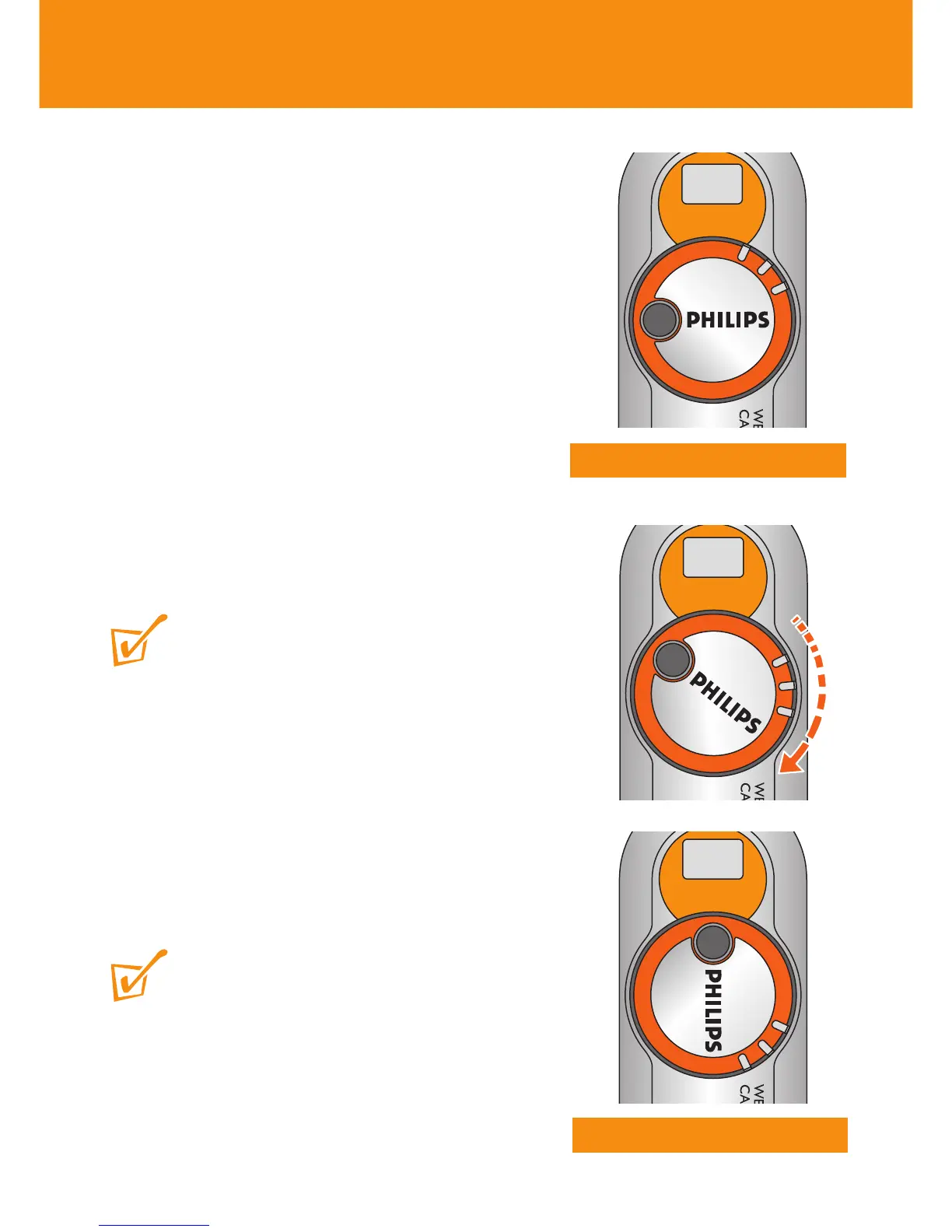
Switching on
Turn the power control 90° clockwise as
shown.
➜ You will hear a click.The POWER (green)
indicator lights up and you will hear a
double beep. PHILIPS is in the vertical
position and the lens is revealed.
Switching off manually
Turn the power control 90° anti-clockwise as
shown.
➜ You will hear a click.The POWER light goes
out. PHILIPS is in the horizontal position
and the lens is covered for protection.
TIP:
– Always turn off your camera when not taking
pictures.This will both save energy and prevent
photos being accidentally taken.
Auto-power down
To help save battery power, the camera
automatically powers down after 60 seconds if
you are not taking pictures.
TIP:
– If you want to resume taking pictures after auto-
power down, you’ll need to ‘wake up’ the camera
again:
1 Manually turn the power control anti-clockwise (off
position).
2 Turn clockwise to power on position.
Power on
Power off












 To Next Page