3
Quick start
Thank you for buying this Philips wearable digital camera.To get started, follow
the steps as shown.
1 Charging
• Charge up your camera (3 hours) before using it. Detach the USB cover
and connect the camera to your computer's USB port. (Windows 98
users, please install required drivers first*).Your computer should be
switched on.While charging the POWER (green) indicator blinks.
2 Switch on & Snap
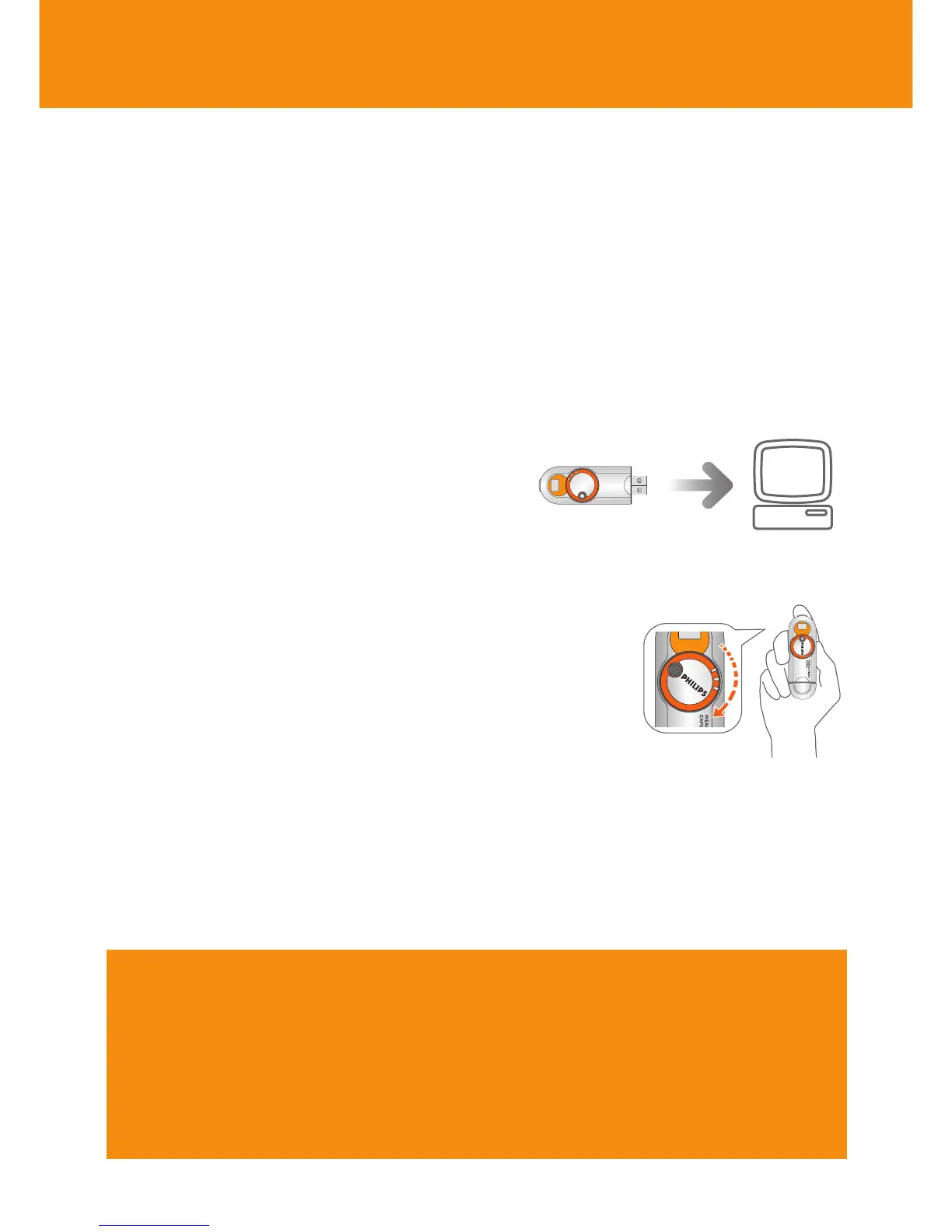
• Now your camera is ready for action -
simply turn the lens cap clockwise to
power ON. Hold the camera upright
and frame your subject through the
viewfinder. Press the shutter button.
3 Transfer
• Turn your camera OFF and connect it to your
computer's USB port.
Open Windows Explorer* and drag and drop
your pictures from your camera to your desired
destination folder.Alternatively,use Photo Manager
to transfer, enhance, edit and organize your
pictures.To install Photo Manager insert the by-
packed CD into your computer's CD-ROM drive.
The installation menu is automatically launched for first time users.
Find more information on the by-packed CD-ROM or visit
www.philips.com/support
*CAUTION!
For Windows 98 users only:
WHEN CONNECTING THE CAMERA FOR THE VERY FIRST TIME TO CHARGE
UP/ TRANSFER FILES, MAKE SURE YOU ONLY DO SO AFTER YOU HAVE
INSERTED THE SUPPLIED CD-ROM INTO THE CD-ROM DRIVE FOR
INSTALLATION OF THE REQUIRED DRIVERS.












 To Next Page