Mechanical Instructions
EN 13LC7.5E LA 4.
4.3.9 LCD Panel
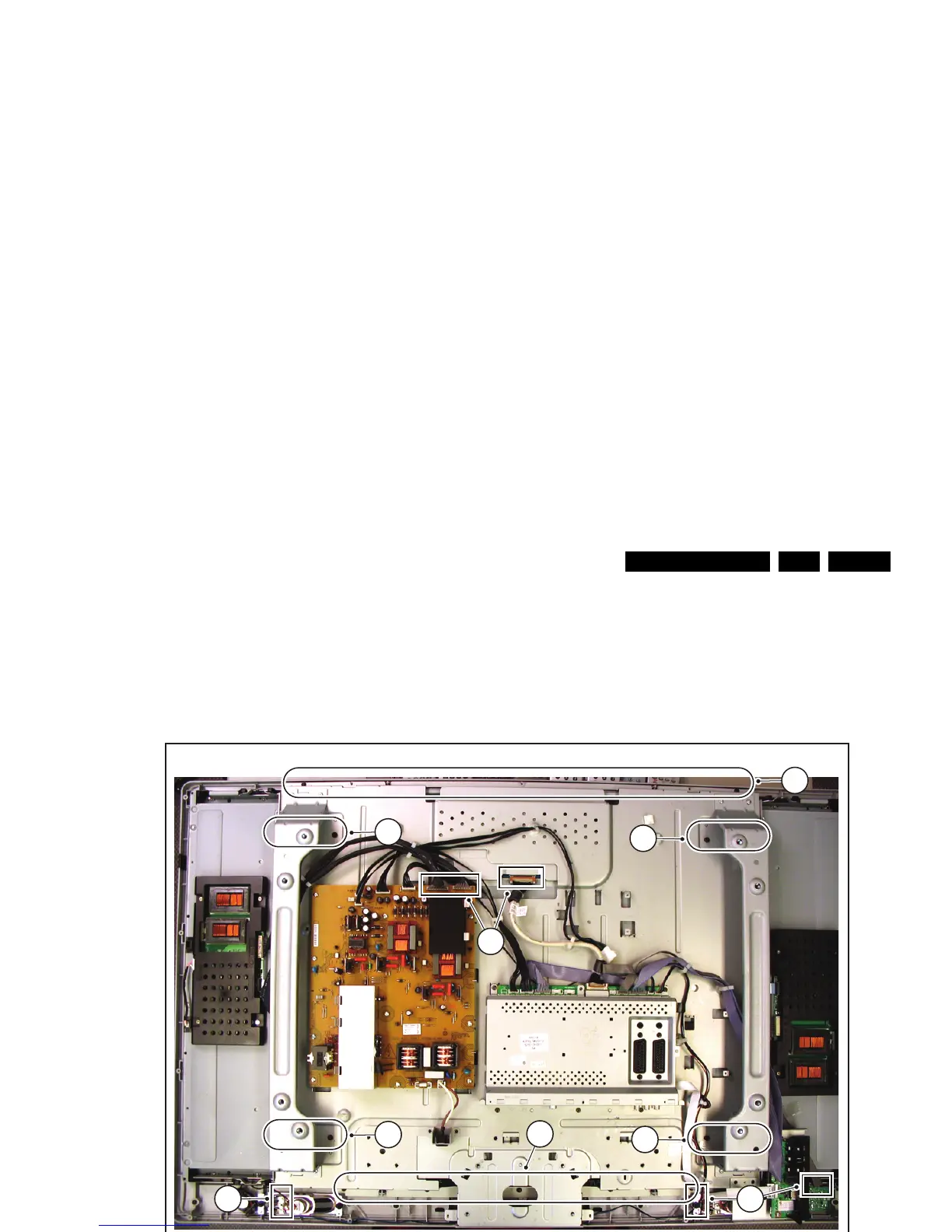
1. Refer to next figures.
2. Unplug the connectors [1] on the Main Supply Panel, the
display (LVDS connector), Loudspeakers, and the LED/IR
board.
3. Do NOT forget to unplug the LVDS connector from the
SSB. Important: Be careful, as this is a fragile connector!
4. Remove T10 parker screws [2] on the top and bottom of the
central sub-frame.
5. Remove the T20 panel fixation screws [3]. Note that the
number of these screws can vary, depending on the
screensize.
6. Lift he complete central sub-frame from the set [4] (incl. the
PSU, SSB, and Side I/O boards and wiring).
7. After removing the sub-frame, the LCD panel can be lifted
from the front cabinet.
Figure 4-15 LCD panel (1/3)
Figure 4-16 LCD panel (2/3)
Figure 4-17 LCD panel (3/3)
H_17370_042.eps
090807
1
1
2
3
3
3
1
2
3
H_17370_046.eps
090807
13
H_17370_047.eps
090807
14



 To Next Page