Mechanical Instructions
EN 12 LC7.5E LA4.
4.3.6 Speakers
Unplug the speaker cables and remove the speaker.
4.3.7 Main Supply Panel
1. Unplug cables.
2. Remove the fixation screws.
3. Take the board out (it hinges at the left side).
When defective, replace the whole unit.
4.3.8 Small Signal Board (SSB)
Note: Follow sequence below closely, otherwise you will have
difficulties with removing the top shielding.
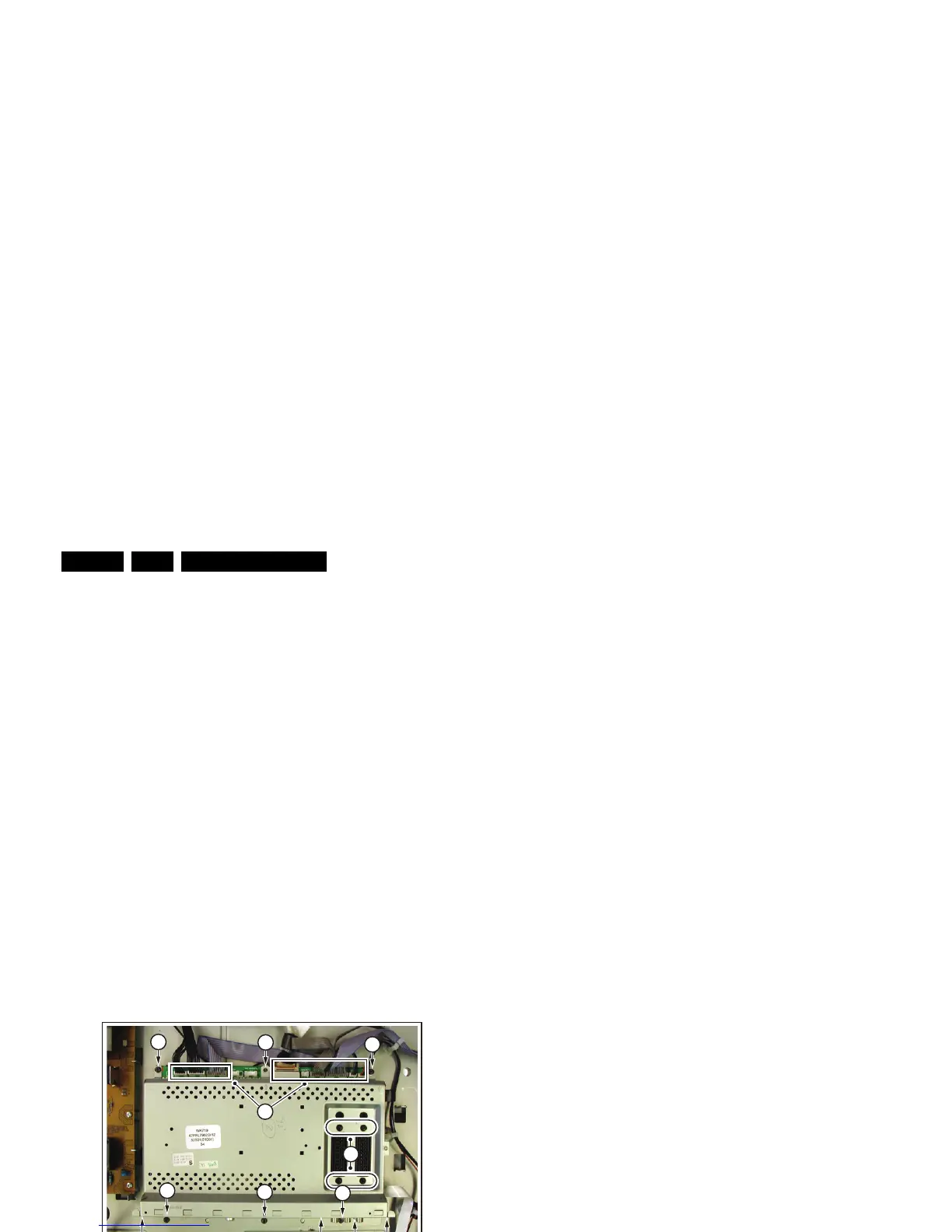
1. Refer to next figures.
2. Disconnect all cables [1] on the SSB.
3. Remove the T10 tapping screws [2] that hold the SSB.
4. Remove the screws [3] that hold the connectors and the
connector plate.
5. Lift the complete SSB from the set (including the shielding
and connector plate).
6. Now, remove the connector plate first, by pulling it away
from the connectors.
7. Then, lift the top shielding from the SSB.
Figure 4-13 SSB removal (1/2)
Figure 4-14 SSB removal (2/2)
H_17370_044.eps
090807
2
2
2
2
2
3
3
3
3
2
1
2
H_17370_043.eps
080807
3
3
3
3
33



 To Next Page