10
User manual
Record with the built-in microphone5.1
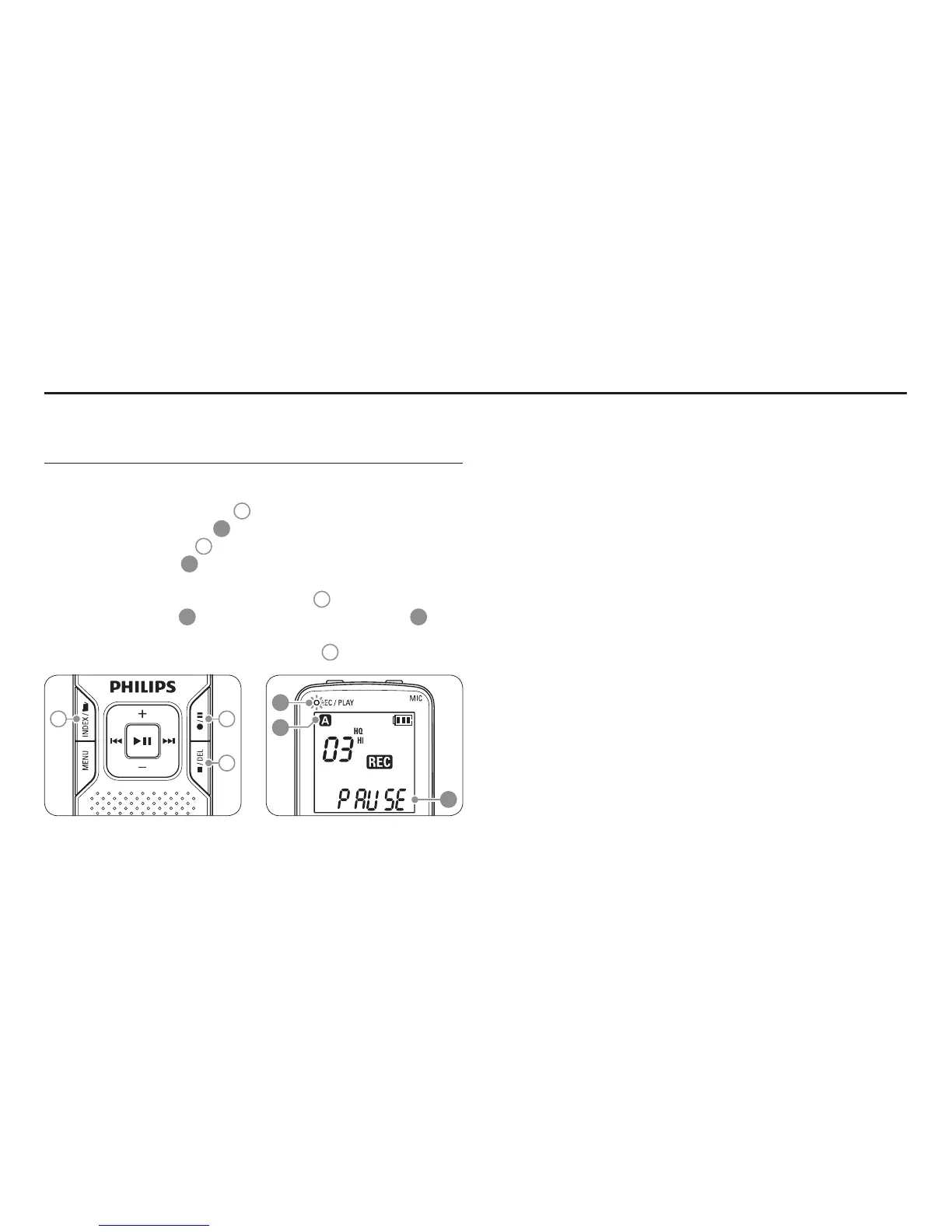
Press the1
INDEX / a button
1
while the recorder is stopped to
select the desired folder
A
.
Press the 2
g button
2
to start recording. The record/play
indicator lights red
B
. Point the built-in microphone toward the
sound source.
To pause recording, press the 3
g button
2
. The record/play
indicator will blink
B
, and PAUSE will flash on the display
C
.
Press the
g button again to resume recording.
To stop recording, press the 4
j / DEL button
3
.
C
B
A
1 2
3
D Notes
Set the desired voice activation function and recording mode before •
starting recording (see Customize settings on page 16 for details).
Make a test recording to make sure that the Voice Tracer settings •
are correct.
Press and hold • f during recording to display the remaining
recording time.
Press •
b during recording to create a new file.
The maximum number of files in each folder is 99, for a total capacity •
of 396 files (99 files x 4 folders).
If the recording time exceeds the available capacity or the number of •
files reaches 396, recording stops and ‘FULL’ will be displayed. Delete
a few recordings or move them to a computer.
Do not remove the batteries during recording. This may cause the •
recorder to malfunction.
If recording for a prolonged period of time, replace the batteries •
before beginning.
The Voice Tracer can record while powered through a USB cable •
without draining the battery. Connect the recorder to a computer
using the USB cable and press the
g button for 1 second or longer
to start recording (LFH860/870/880 only).
Record5



 To Next Page